
Over the last few years it is fair to say that there have been some extremely exciting, innovative and life changing apps which have been developed which increase the independence of people with all kinds of visual impairment. Once again, I am delighted to bring another of these to your attention. This time it’s an indoor navigation app called Clew.
Clew is a free iPhone app that records a user’s path and then guides you back to your starting point. Clew was created to help visually impaired people to remember a location such as returning to a seat in a room. Designed to work indoors, Clew uses the camera on your iPhone to record a video of landmarks along your route. It will then save certain points such as stairs, turns etc and guide you back to your initial starting point.
How to use Clew
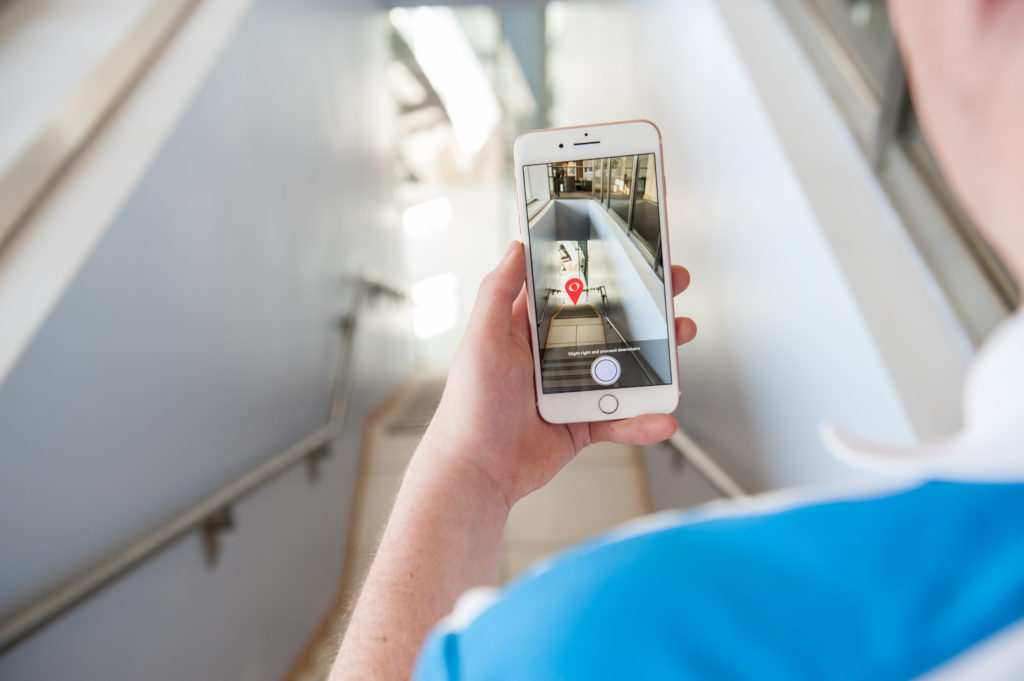
Hold your phone upright in front of you with the camera pointing straight ahead. Press the “record path button”, then walk the route you want the app to remember. It is worth stating that at this stage, it is recommended that when recording a route, you ask for sighted guide if possible. Press Stop Recording at the end of the route. When ready to return, Press the “Start Navigation Button” and Wait for Clew to convert the information. Clew will then provide verbal, haptic and visual feedback as you reverse the route. Visually, the screen shows an image of the next part of the route with a red pin indicating where to go. If the user veers off the path, the red pin disappears off the edge of the screen. When walking along the desired path, a clicking sound is heard; the clicking sound stops to indicate when the traveler has veered. A whistle tone indicates a turn; the app also verbally announces which way to turn. The route is available until the app is closed from the app switcher. According to the website, Clew works best with short indoor routes and it is not advisable to use the app when outdoors because of varying lighting conditions and possible glare from sunlight which could interfere with the video recording.
First impressions
I have been hoping for an app like Clew for years to assist with travelling independently when an indoor environment. I have mainly tested the app in familiar areas such as our centre and so far, I am delighted to say that the experience has been fantastic. I recently used it to create a route from my upstairs office to the downstairs kitchen as sometimes I still get confused with this route as I don’t do it very often. The app then guided me almost flawlessly back to my office from the kitchen and only stopped giving me directions when I was back at my chair. It even told me when I was coming up to stairs and where to turn when I had reached the first landing and needed to go up another flight. Sometimes the app does get confused if you have to make a lot of left and right turns in quick succession, but for the most part it is extremely reliable and has really increased my confidence when using it. I think the technology used within the app is also extremely interesting as everything is achieved by video. There is no GPS or internet connection required to use the app which means you can use it in any indoor environment you choose. Please note that this app is still in it’s early stages so it will be a case of trial and error when using. The developers are planning to update the app regularly though and have lots of great ideas for improving it’s capabilities. Also, as always with these apps, please remember that they are not designed to be a replacement for a Cane or Guide Dog. It is designed to work alongside your mobility aid and you will need to depend on your mobility and orientation skills when using this app.
Article meta data
Clicking on any of the links in this section will take you to other articles that have been tagged in the same category.
- Featured in the Karten Autumn 2019 Newsletter
- This article is listed in the following subject areas: Other, Technology