
One of the strengths of the Karten Network, lies in the name – a network of people doing some incredible, innovative and inspiring work. Through this network we can collaborate, exchange knowledge and support each other. One way we try to facilitate this is through our website. I have recently invested a lot of time and effort into improving and upgrading the website. A lot of this work was focused behind the scenes. This work has resulted in an improved search facility – content previously omitted is now being included in the search index.
Additional meta data has been added to the Karten Centre Pages. These include information on technology specialisms, service provision, disability, age groups and centre setting (e.g. education, social care, etc.) This was done in an effort make the information already contained on the centre pages more useful. It is now possible to click on one of the meta data items and get a list of Karten Centres with similar areas of interest.
A new feature has been added too, the “Karten Centre Search”. This allows you to create very specific searches based on a host of easily selectable criteria, including only showing centres within a certain number of miles of your or a specified location. This means it would be possible to search for all centres doing printing within a 30 mile radius of Manchester for example.

Centre pages now display the centres location on a map. While this feature existed elsewhere on the website it had, until now not been included on centre pages. Centres now also feature the option to upload your logo, with the option to upload photos to the page coming soon.
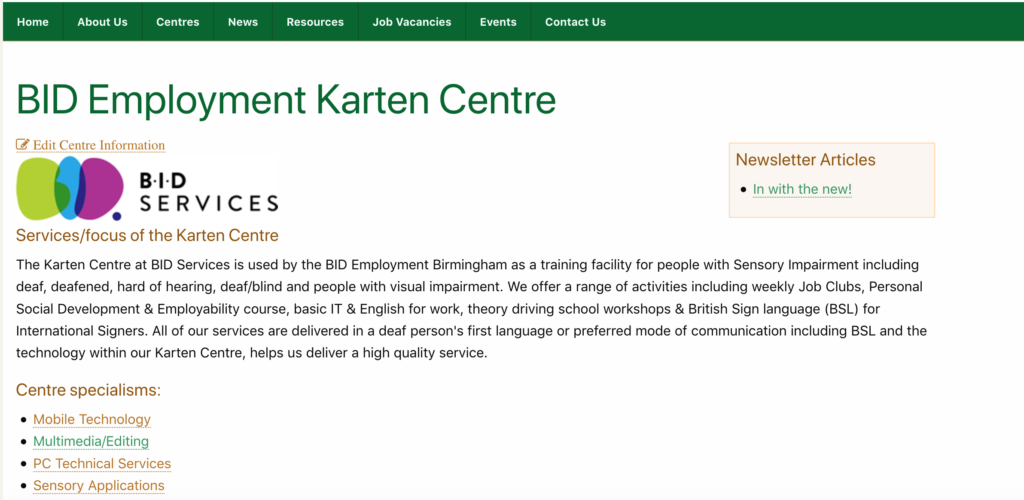
My hope is that these improvements and upgrades (with more coming soon) will make the website more useful to you. However, for all these features to truly work, we need your help. If you are a Karten Centre manager, please logon to your centre page and update the information. To do this (once logged in), navigate to your centre page, and click on the “Edit Centre Information” link below the page title. This will take you to form where you can update and add information.
Should you require any assistance, have questions or suggestions please feel to contact me.
Newsletter
As some of you may have noticed we have changed the format of the newsletter – we hope you like it. The changes however, go beyond mere formatting. Newsletter articles are now available as individual items too, meaning they are not longer confined to a newsletter. This makes it possible for a list of all news letter articles to appear on your centre page. Currently, only articles from this and the previous edition of the newsletter are in this format. However, I hope to port some of the old articles to this format too soon.
WWDC 2019
Apple’s annual Worldwide Developers Conference (WWDC) took place at the beginning of June. WWDC gives thousands of developers from around the world a chance to meet up with Apple engineers and attend workshops, it is also where traditionally Apple makes major announces of what is new and what is to come. Some of these were updated versions of iOS, macOS, watchOS, and tvOS. All of which gain new features and capabilities. As well as the introduction of iPadOS, a separate version of iOS specifically for the iPad.
iOS 13, expected later this year, is the next iteration of Apple’s mobile device operating system. iOS13 has had a major overhaul making it faster and more efficient. It is reported that these improvements make Face ID 30 percent, and apps launches 50 percent faster. App update times have also been improved as well as reducing app download sizes.
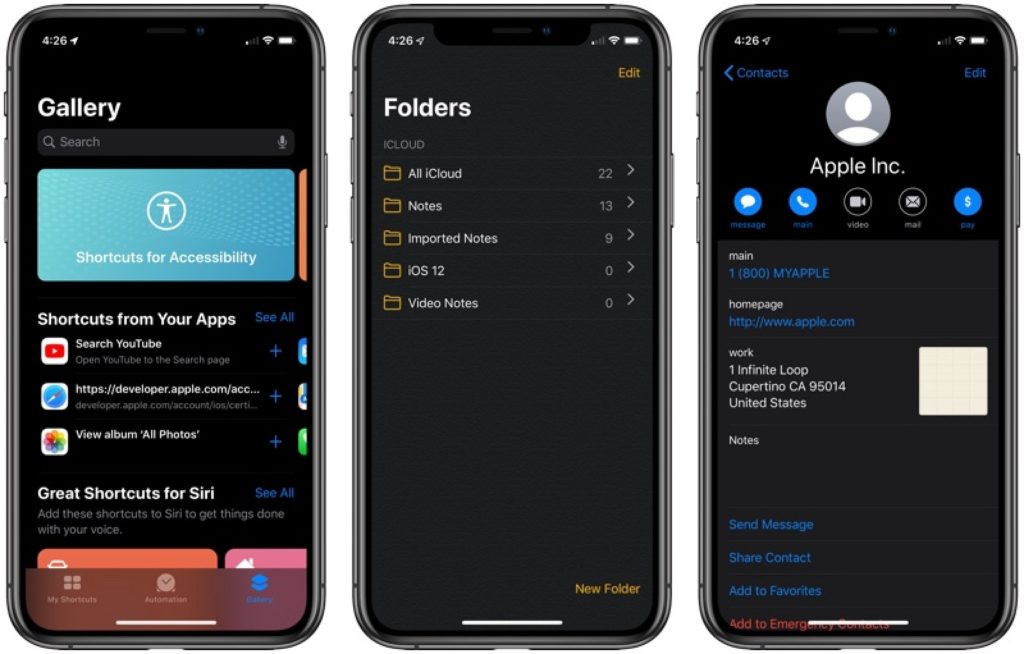
A new systemwide Dark Mode option has been added. This changes the entire look of the operating system from light to dark. You have the option to have Dark mode permanently enabled or come on at sunset or on a custom schedule.
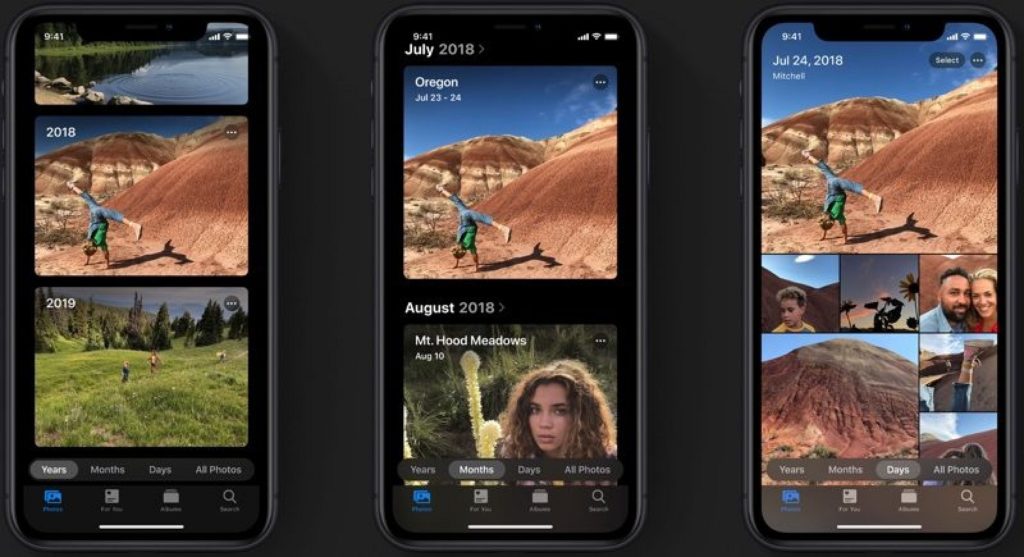
Apple’s Photos app has been improved with a new photo library feature in an attempt to intelligently organise your photos and videos. Editing tools have been revamped too.
A new “Sign In with Apple” feature has been added, allowing a convenient way to log into apps and websites. While this is a similar feature to those offered by Google, Microsoft, Facebook and Twitter it is reported that the enhanced privacy feature means that your logins won’t be tracked, unlike other services. Your Apple ID will be used to authenticate your account via Touch ID or Face ID, and developers will see a unique random ID rather than your real information. Apple are able to even generate single-use randomized email addresses, so you never have to use your real email address. Two-factor authentication has also built into this feature to give you even more security.
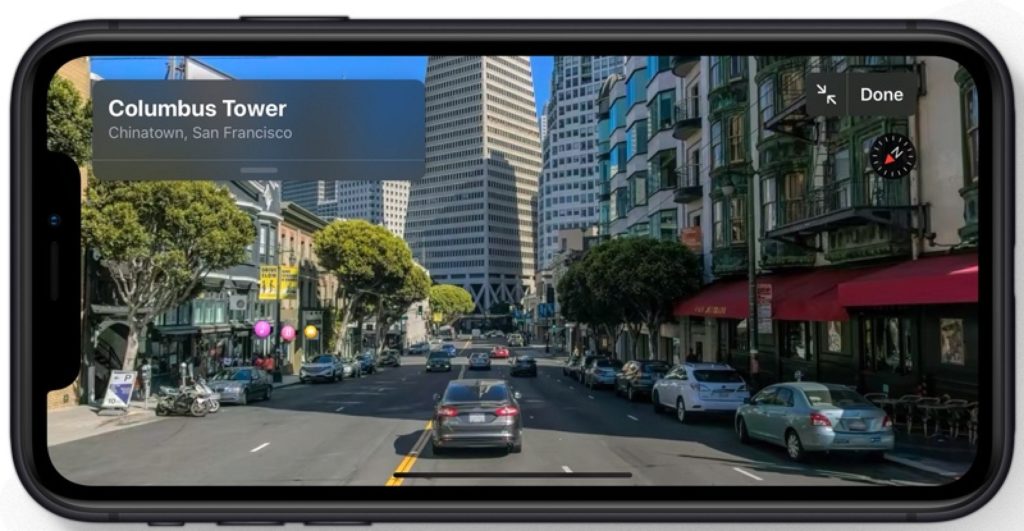
Apple’s Maps have received another upgrade and now also include a “Look Around” feature similar to Google’s Street View.
Siri has been given a new, more natual sounding voice. Siri Shortcuts have also been improved with the new “Suggested Automations” feature that suggests personalised shortcuts you might want to create.
Accessibility has been improved and expanded with a new Voice Control option that enables you to operate your iPhone or iPad entirely with your voice. There is also a new swipe-based QuickPath keyboard option for quicker text entry.
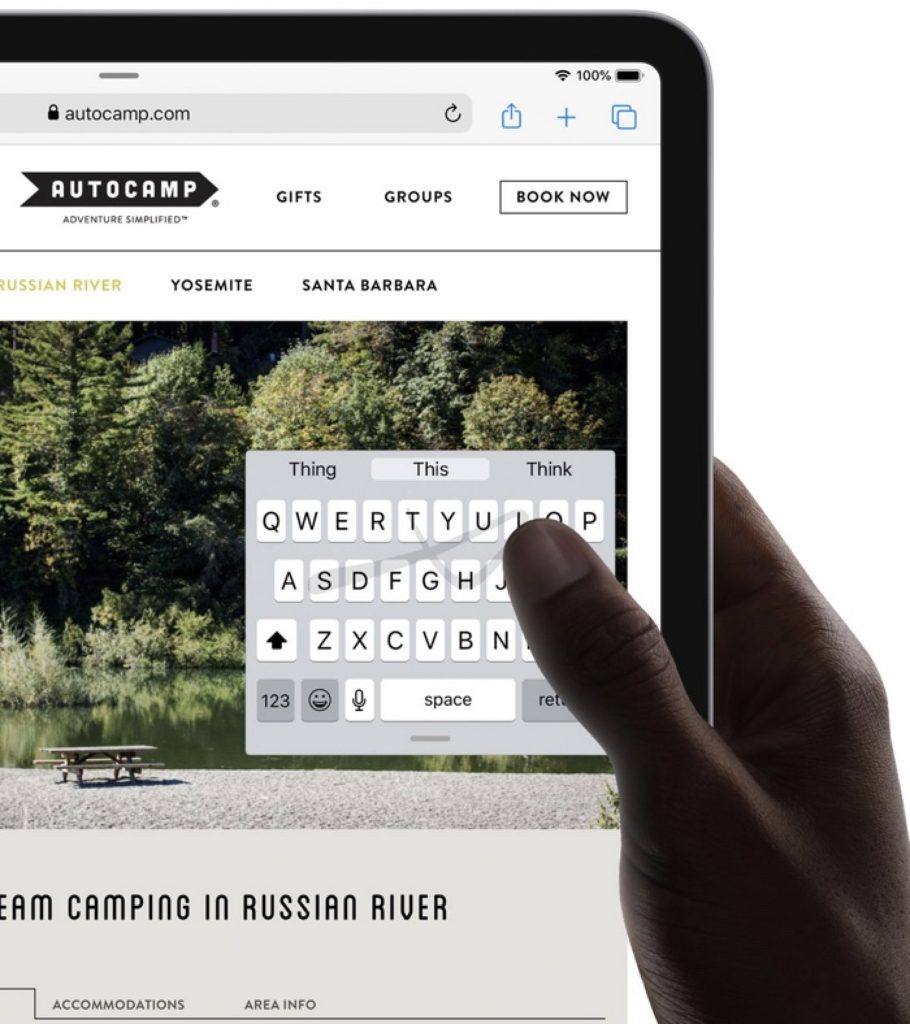
I have only touched on some of the long list of changes and new features and there are even more reported for the iOS 13 version for iPad, iPadOS.
iPadOS has been primarily designed with extra features specifically for the iPad’s larger display. iPadOS will be supported by, All iPad Pros, iPad (5th & 6 generation), iPad mini (5th generation), iPad mini 4, iPad Air (3rd generation) and iPad Air 2.

Amongst a whole host of improvements and new features, perhaps one of the more exciting additions is mouse support. For the first time you will be able to connect a USB mouse to an iPad. This has the protentional to open up another set of access options. Mouse support is currently considered an accessibility feature and will need to be enabled within the Accessibility settings.
Google IO
Google’s developer conference, Google IO which took place in May also feature a host of announcemts, including the new version of Android, Android Q. As well as the new Google Pixel phones and new Nest Hub Max; improvements to Google Search, Google Lens, Google Duplex, Google Assistant and more.

Perhaps the most intriguing was Project Euphoria. This project aims to use Google technologies to give people with speech impairments their voice back. It is reported that this new software suite and features, powered by machine learning will coming to Android. It is not clear yet when, how or even if this will happen, but it’s certainly going to be interesting to see what develops
As always, I am interested to hear about how you are using mobile and other smart technology in your centre. I am also available to support and help where I can.
Martin Pistorius
Karten Network Mobile Technology Advisor
Article meta data
Clicking on any of the links in this section will take you to other articles that have been tagged in the same category.
- Featured in the Karten Summer 2019 Newsletter
- This article is listed in the following subject areas: Technology, Update from Technology Advisor