
Peeking into the future

Each year we are given a peek into the near future of mobile technology at the Google I/O and Apple’s WWDC conferences.
This year Apple joined the augmented reality (AR) and mixed reality (MR) space with the launch of Apple Vision Pro. Google, Magic Leap and Microsoft have released AR/MR devices over the past few years with varying degrees of success. Apple is known for only releasing technology when they feel it is refined and functional enough to comply with Apples high standards. It is fair to say Apple’s iPhone, iPad and Watch revolutionised mobile computing. Apple describes the Vision Pro as a new era in spatial computing. Once you put on the headset you are able to either augment your view of the world with photos, videos or apps; or completely immerse yourself into another reality. Unfortunately, the cost of the Vision Pro, expected to be in excess of £3000 when released in the UK in 2024 will limit its adoption. Only time will tell the impact the Vision Pro will have. Nevertheless, the Apple Vision Pro looks incredible and very exciting! I can see huge potential to enhance and enrich the lives of people with disabilities. Apple’s Vision Pro introductory video is well worth a watch.
The Vision Pro was not the only announcement at WWDC 2023. Plenty of new hardware was revealed, including new Mac models, and new Apple Silicon chips. As customary, Apple also unveiled the next iteration of its mobile software platforms – iOS 17, iPadOS 17, and watchOS 10.
iOS 17
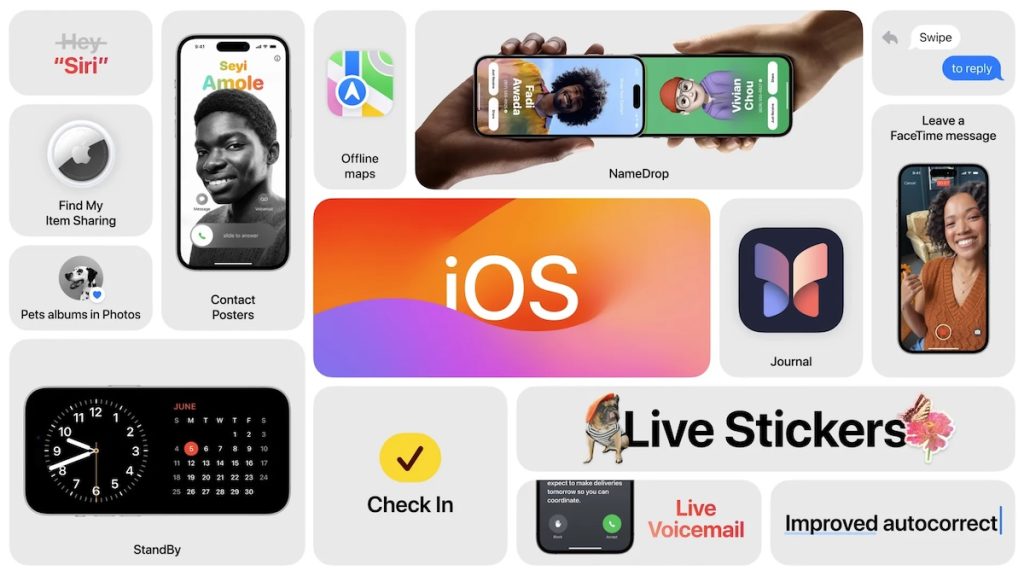
Many of these improvements are can be described as enhancements to the user experience.
Contact Posters
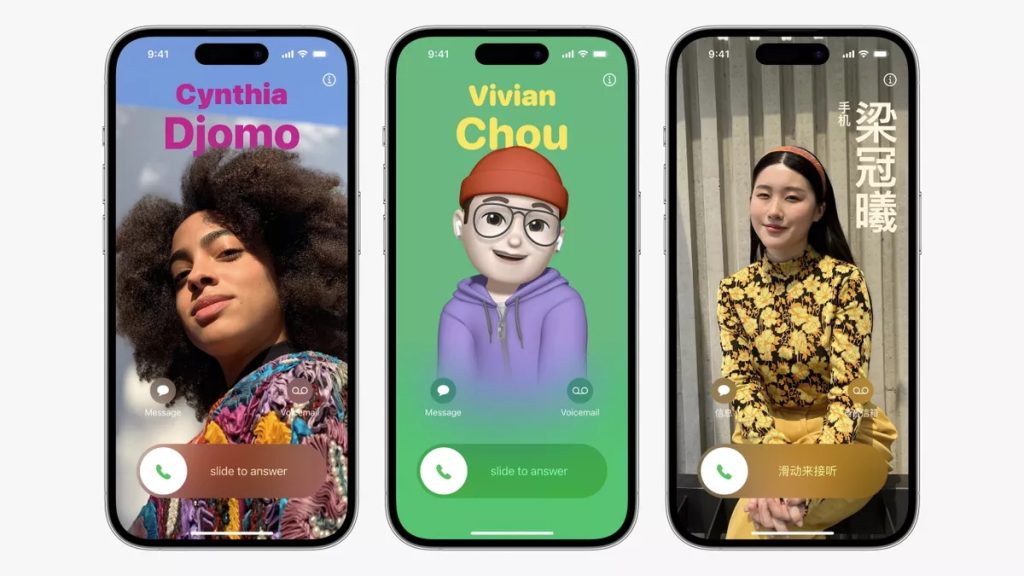
The phone app in iOS 17 has received a big update and now features Contact Posters, these enable you to create personalised images of how you would like your name to appear on another person’s device when making a call, using FaceTime (or other third-party apps), or sharing your contact details.
Live Voicemail
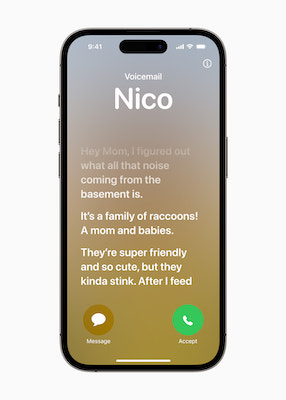
The new Live Voicemail enables you to see a transcript in real-time when someone leaves you a voicemail. Apple also uses this feature to help identify and decline spam calls. To ensure that your information is kept private, all the data remains, and is processed on the device by the Neural Engine.
iMessage and Check-in
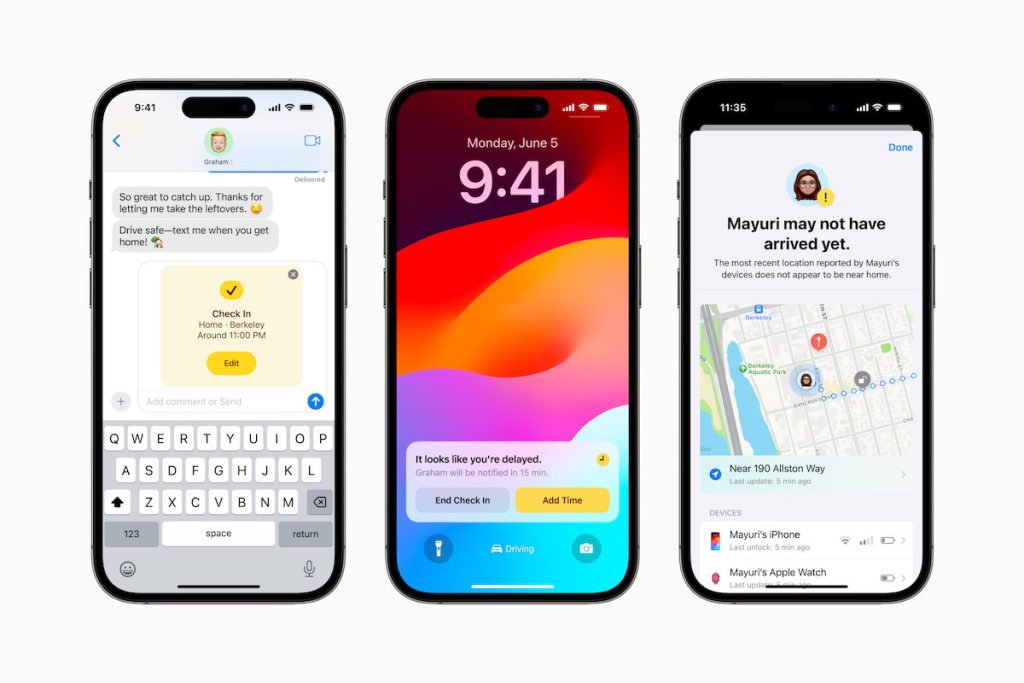
iMessage has also received an update, with a redesigned menu system and the addition of a new sticker experience allowing you to create Live Stickers from your photos or GIFs. But most significant is the new Check-in feature.
Check-in enables you to alert someone that you have arrived at a particular location. What makes Check-in more advanced than simply sending a message when you get there, is the built-in intelligence. Once Check-in is initiated it will calculate the estimate travel time, and if for some reason it takes longer than expect it will send an alert to your specified contact. This alert will include your current location, the battery level of your device and the signal quality. If there is no signal or your phone dies, the person will be able to access your last known location. When you do arrive at your destination, Check-in will automatically send an alert to inform the person that you have reached your destination.
All data used in this feature is encrypted helping to safeguard your privacy. The Check-in feature could be useful for travel training and other scenarios.
Updated AirDrop and new NameDrop
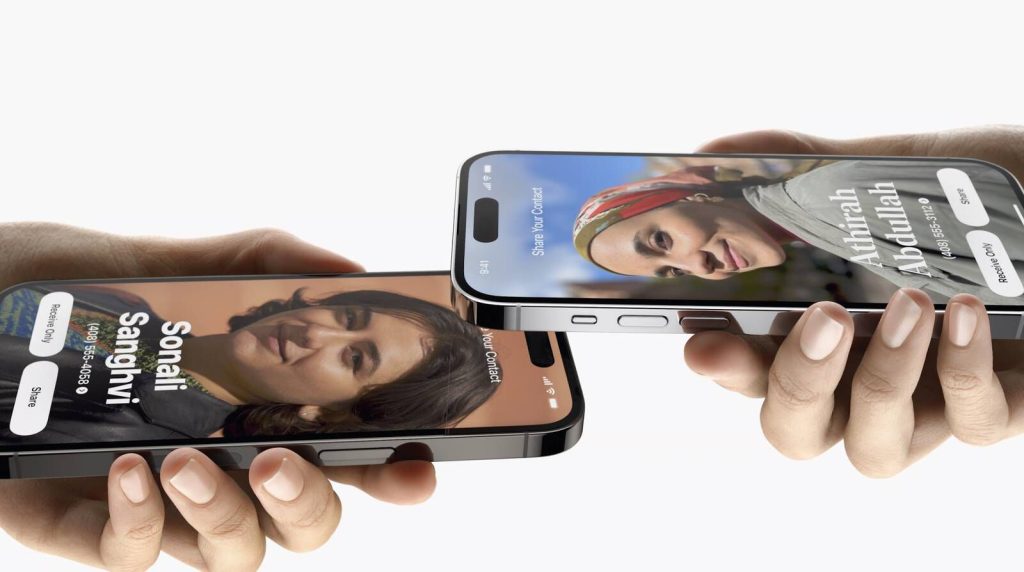
Apple’s wireless sharing feature, AirDrop has also been updated too. It now allows the transfer of files to continue over an internet connection, meaning you no longer need to remain in close proximity to the device sharing files with you. AirDrop has been extended too, with the addition of NameDrop. This enables you to easily share your contact details with someone just by bringing the devices close to each other. While a similar feature has been available in the past, NameDrop has refined this, making it far easier to use. NameDrop is also supported by Apple Watch making it possible to share contacts through Watch too.
Journal app
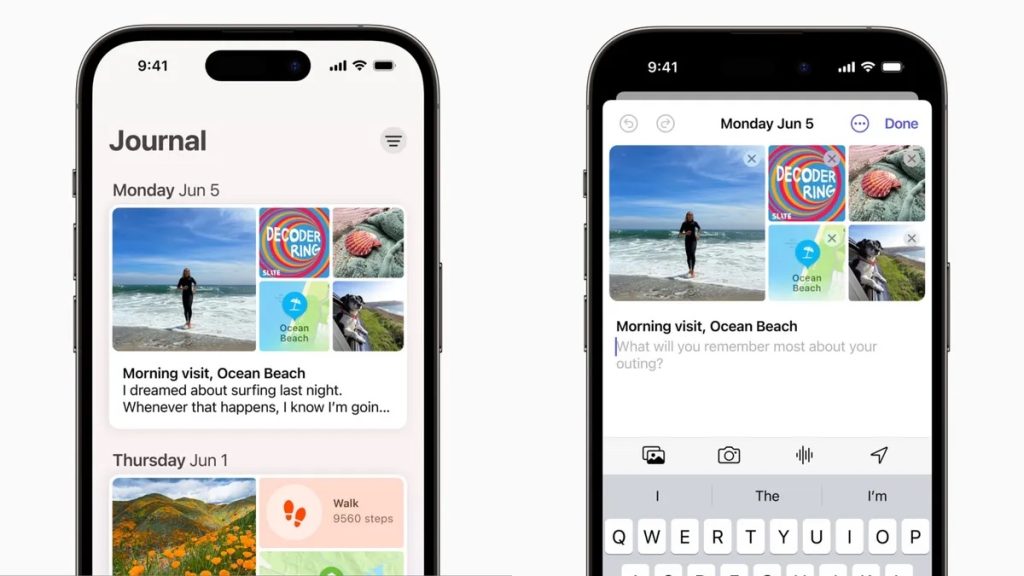
An unexpected addition to iOS is the new Journal app. As the name suggests, this diary app allows you to capture your thoughts and feelings in your own personal digital journal. It uses machine learning to prompt you to add the details of your day and the Journal app integrates with photos and maps allowing you to create rich entries about your day. In keeping with Apple’s commitment to privacy, all processing is done securely on the device.
Autocorrect, prediction and speech recognition
An updated “transformer language model” is included in iOS 17. This means you will see an improvement in Apple’s autocorrect and prediction. Dictation has also been updated with a new speech recognition model making speech recognitions more accurate.
Siri
Siri, Apple’s voice assistant has also received a number of updates, including the option to now be able to simply say “Siri” rather than “Hey Siri”. A nice new accessibility feature is Siri will be able to now read the content of a web page to you. This can be done while the phone is locked too, meaning you could set it to read the page and put your phone down and just listen.
iPadOS 17
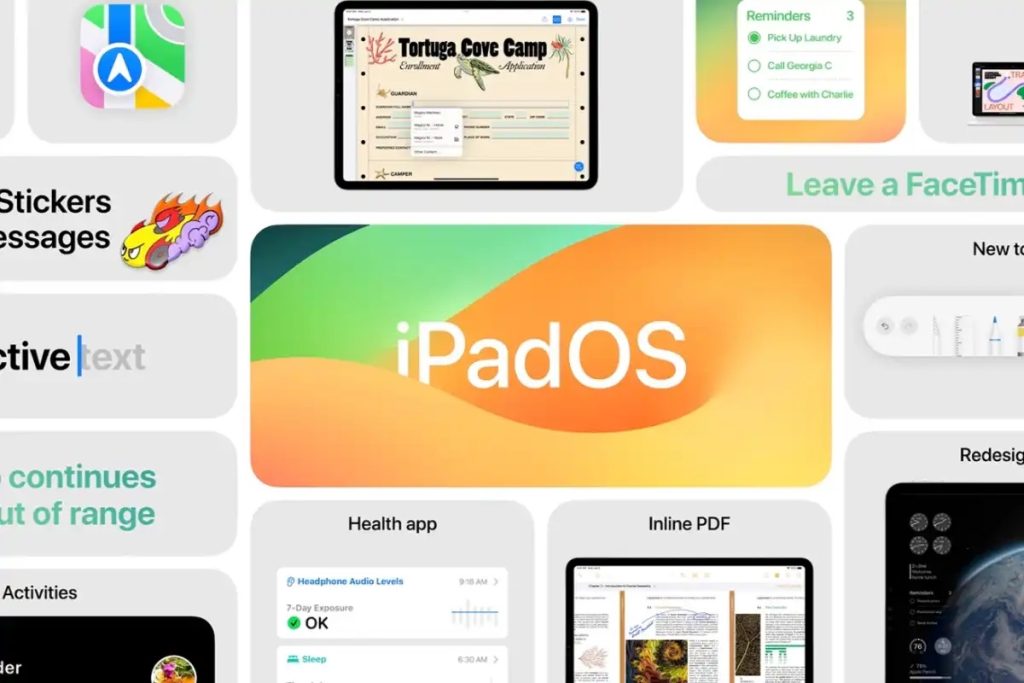
iPadOS 17 includes many of the updates included in iOS 17. It also adds a new lock screen feature similar to what, until now, has only been available on iOS. This allows you to create custom iPad lock screens using photos, changing layouts, fonts and how the clock is displayed. Clocks can also be intelligently hidden in the background.
Widgets have been added to iPadOS 17. These widgets can be placed on the lock and home screens. With the bigger screen size of iPads, these widgets are slightly larger than the ones seen on iPhone. These widgets are also interactive, allowing you to actively use them, rather than merely displaying information.
Health app

The Health app has now been added to iPad too. This is not merely an addition from iOS but has been specifically designed for iPad and features larger and more detailed displays of the health data.
Support for PDF
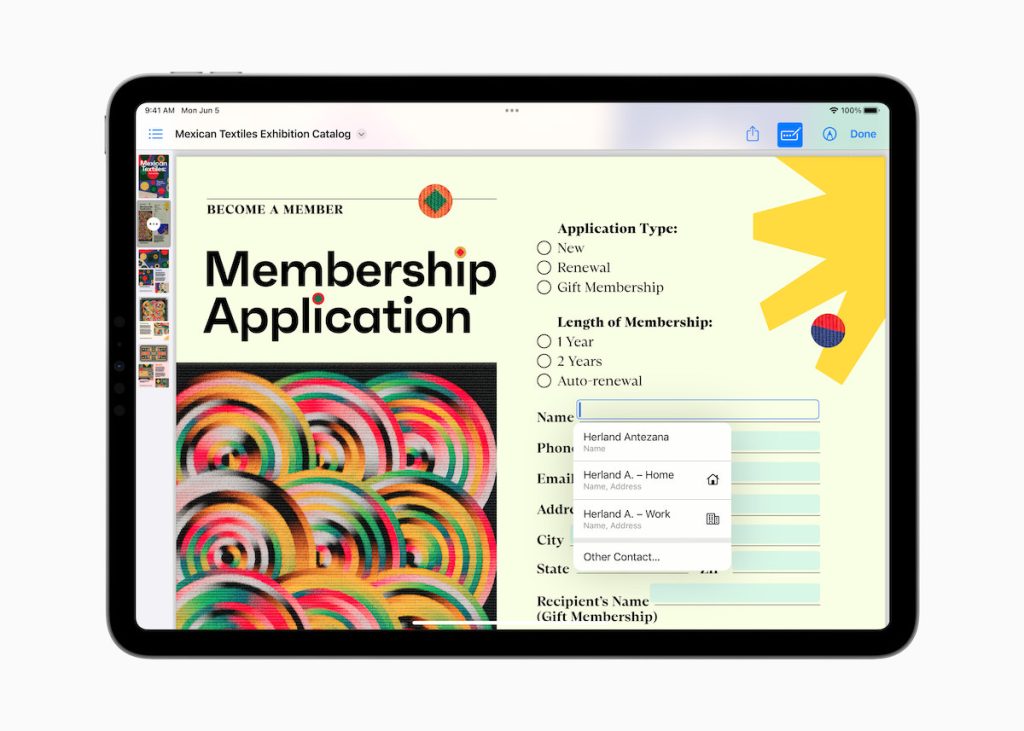
Support for PDF has been improved dramatically in iPadOS 17, making it even easier to view and work with PDFs. It is now possible for text entry sections of PDFs to be detected automatically allowing you to easily make edits and send the file. PDF files can now be stored within the Notes app, even allowing you to store multiple PDFs within a single note and/or work with someone else on the document using Live Collaboration.
Countering Myopia
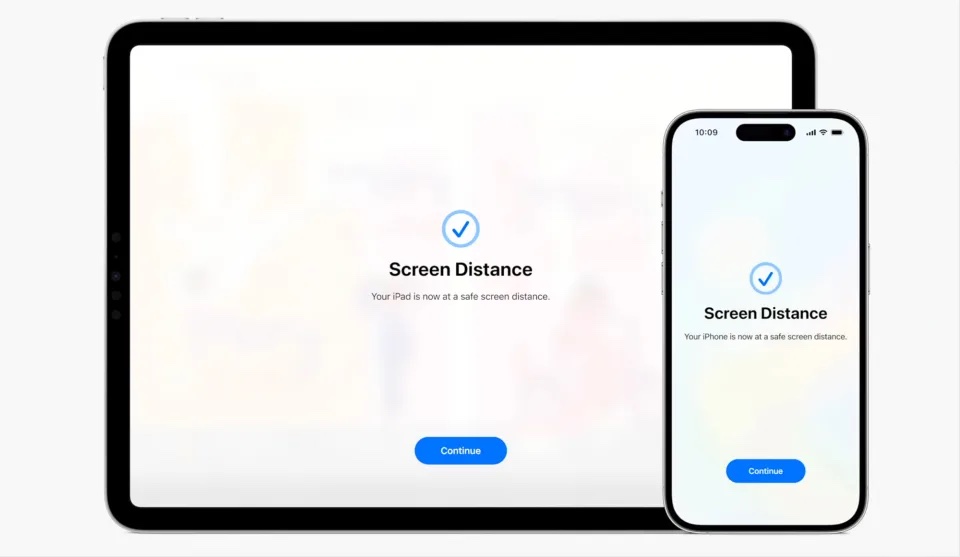
Over the recent years Apple has devoted resources to address various health related issues. This year Apple focused on trying to reduce Myopia (short-sightedness). Studies have indicated that if children spend between 80 and 120 minutes a day outdoors, the chance of developing myopia is reduced.
Apple watchOS 10 will introduce daylight tracking to determine how much time is actually spent outside. In addition to this, a new feature in iOS17 and iPadOS 17 will be able to measure distance between the person’s face and their iPad or iPhone screen. This can be used as a key indicator of potential myopia.
New Accessibility Features
Apple will also be releasing some exciting new accessibility features.
Assistive Access
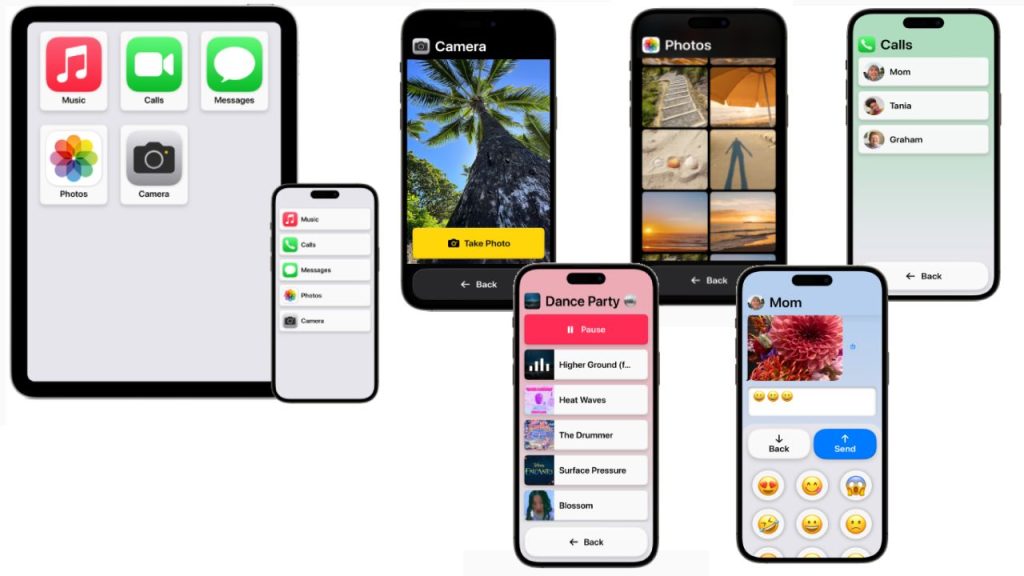
Assistive Access is aimed at reducing the cognitive load, making using iPhone and iPad simpler – focused on a limited number of tasks e.g. taking photos, listening to music, calling someone.
Once Assistive Access is enabled the entire interface is transformed. The simple interface has high contrast buttons and large text labels. The Phone and FaceTime apps get combined into a single Calls app. Tools enable the interface to be further customised, for example Messages can include an emoji-only keyboard and the option to record a video message.
Live Speech
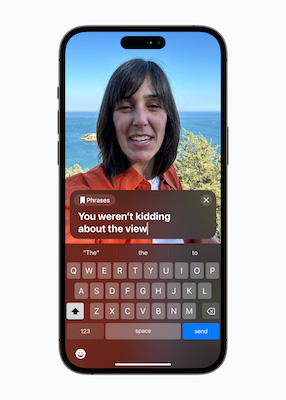
Live Speech is effectively an AAC system built into Apple’s platforms, and will be available on iPhone, iPad, and Mac. Live Speech will enable people to type what they want to say and then have it be spoken out loud during phone and FaceTime calls as well as in person conversations. It will include the option to save commonly used phrases that can be accessed and used.
Personal Voice
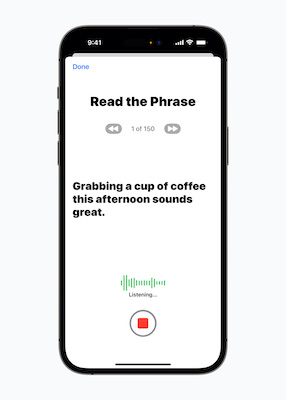
Personal Voice adds voice banking to the iPhone, iPad, and Mac. It is a simple way to create a personal synthetic voice. This can be done in 15 minutes – reading a randomised set of text prompts while recording the audio on your iPhone or iPad. Personal Voice uses on-device machine learning ensuring that the information remains private and secure. It is not clear yet if Personal Voice can be used with third-party AAC apps but it will integrate seamlessly with Live Speech so users can speak with their Personal Voice.
Live Caption
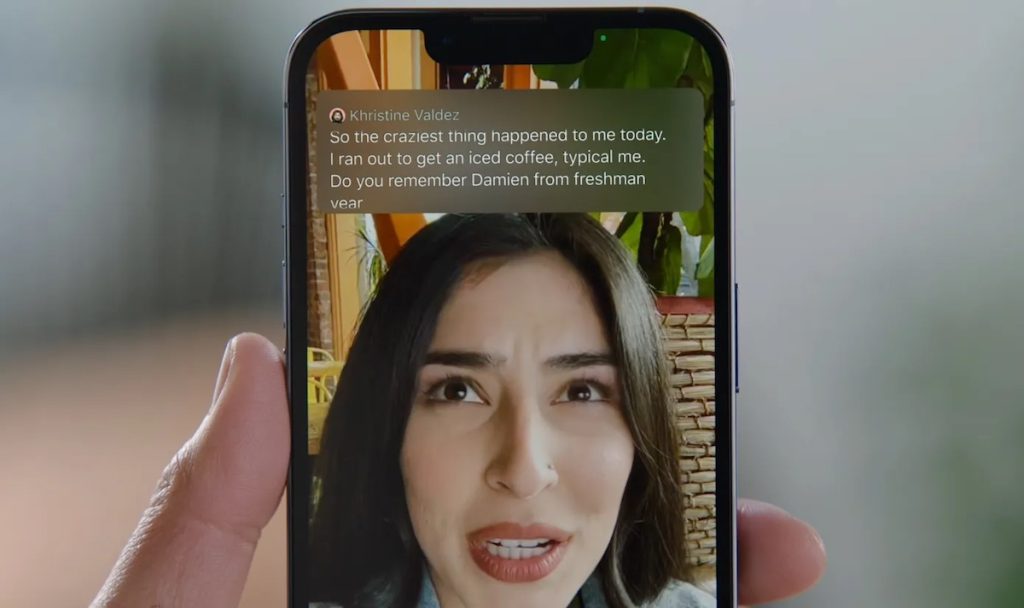
The new Live Caption feature, as the name suggests, will generate captions from audio in real-time. Whether that be from a phone or FaceTime call, social media content or video stream. When used in FaceTime, the captions will automatically be attributed to the person speaking, making it easier to follow the conversation. As with most of Apple’s technology, all the processing happens, and remains on the device ensuring that the person’s data remains private.
Point and Speak
A new feature is to be added to Detection Mode in Magnifier, Point and Speak. This feature enables you to interact with physical objects that have several text labels e.g. a microwave. The person can then hold up their iPhone or iPad with the Magnifier app and moving their finger across the appliance, their iPhone or iPad will read each thing their finger is pointing to. Point and Speak requires a device with a camera and LiDAR Scanner – most new iPhone and iPads have these.
Phonetic suggestions
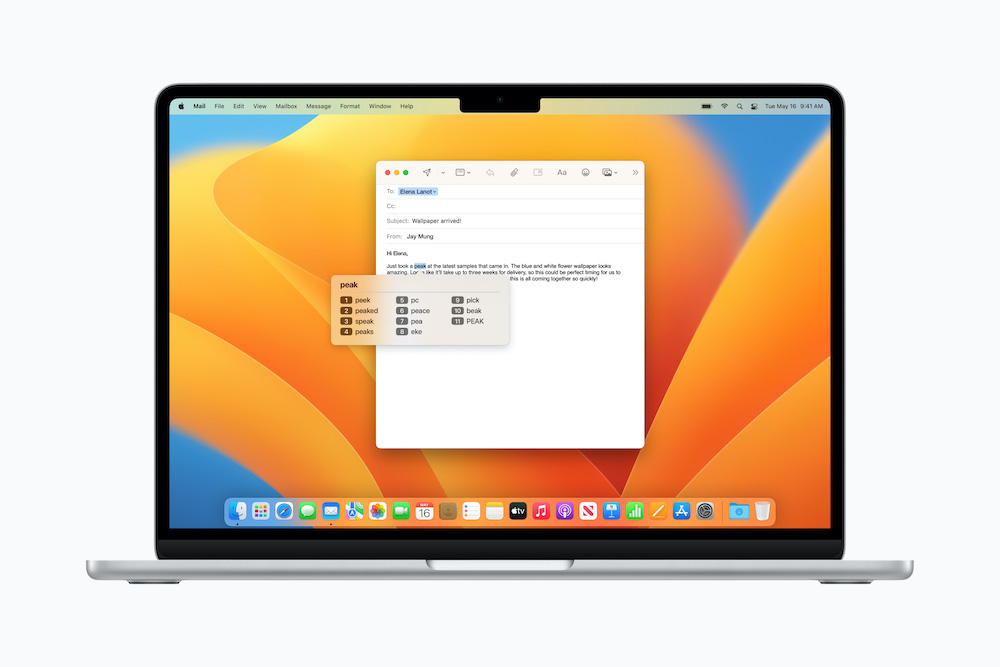
For people who use Voice Control for text editing and as an alternative to typing, Voice Control will now be able to provide phonetic suggestions so you can choose the right word out of several that might sound alike, for example “do,” “due,” and “dew.
Virtual game controller
The Switch Control accessibility feature can now also be used to turn any switch into a virtual game controller allowing the person to play their favourite games on iPhone and iPad
Google I/O 2023

For Google, similar to Apple there were a number of new hardware announcements. These included additions to the Pixel range of devices, namely the Pixel Fold, Pixel Tablet, and the Pixel 7A. But really, it was all about the AI (Artificial Intelligence).
PaLM 2

Google unveiled PaLM 2, the latest version of Google’s large language model (LLM) AI, and a rival systems like OpenAI’s GPT-4.
It was stated that PaLM 2 is stronger in logic and reasoning, thanks to its broad training. It is much better at a range of text-based tasks, such as reasoning, coding, and translation. It was trained on multilingual text spanning over 100 languages.
PaLM 2 is a significant improvement on PaLM 1 which was unveiled in 2022. There are several variants of PaLM 2, with the PaLM 2 Gecko version, reported to be small enough to run on mobile phones. Google revealed that the new model (PaLM 2) is in fact already powering 25 Google services, including the Google’s chatbot, Bard.
Google Bard
Google Bard will now be available to everyone, an no longer limited to those signed up to the waiting list. Google will also be adding a host of new features to Bard, including an easier way to export generated text to Google Docs and Gmail.
Google plans on adding even more functionality to Bard in the future such as AI image generation using Adobe’s AI image generator, Firefly. Bard will also be integrated with third-party services like OpenTable and Instacart.
AI in Android
The AI will make its way into Android too. One of these new features, Magic Compose, will enable you to reply to text messages using responses suggested by AI.
AI powered search – snapshots
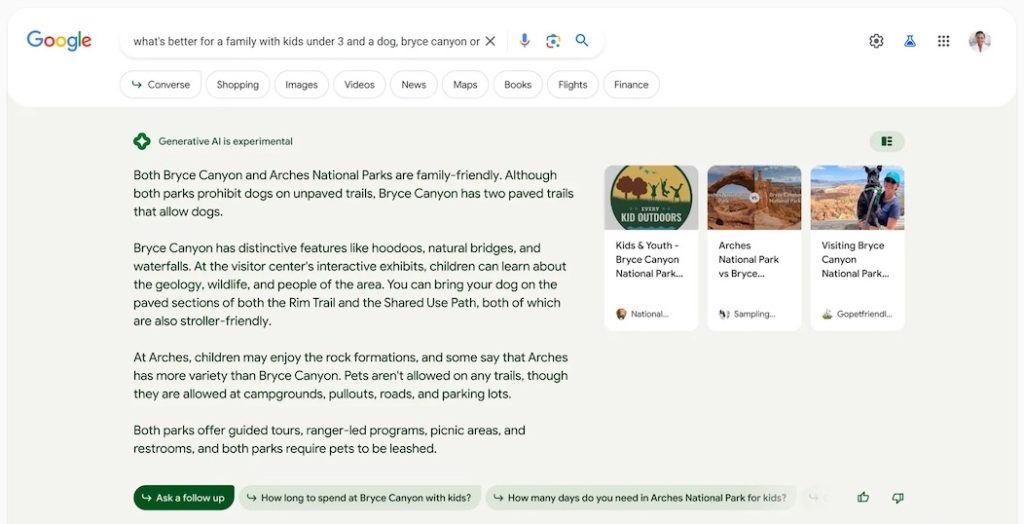
PaLM 2 lies behind Google’s new AI powered search, “snapshots”. Once you decide to use the new feature called Search Generative Experience (SGE), AI powered answers to your search query will appear at the top of the results. You can then further refine the answers returned with follow-up questions.
No doubt we will be seeing more AI powered features across Google’s products and services as it tries to narrow the “AI gap” between the Google and competitors like Microsoft. Microsoft already offer AI features that help you to write e-mails, summarize documents, and even generate slides for presentations.
Get in touch
Finally, I am always interested to hear about how you are using mobile and other smart technology too. If you would like to have a particular topic covered in the next newsletter, or how to use some of the new features mentioned in this article please get in touch. I am also available at any time to offer support and help where I can.
Martin Pistorius
Karten Network Technology Advisor
Article meta data
Clicking on any of the links in this section will take you to other articles that have been tagged in the same category.
- Featured in the Karten Autumn 2023 Newsletter
- This article is listed in the following subject areas: Technology, Update from Technology Advisor