Nuvoic TechAbility Ian Karten Charitable Trust
Skip to Content
login
karten Network Logo

Supporting organisations working with disabled people

  • Home
  • About Us
    • Introduction
    • Trustees
    • Support Team
    • Minutes of Board Meetings
    • Karten Centre DVD
  • Research
  • Centres
    • Karten Centre Search
    • All Centres
    • Eire
    • England
      • East Midlands
      • East of England
      • London
      • North East
      • North West
      • South East
      • South West
      • West Midlands
      • Yorkshire and The Humber
    • Israel
    • Northern Ireland
    • Scotland
    • Wales
    • Success Stories
    • Equipment Donation
    • Apply for support
  • News
    • Newsletters
  • Resources
    • Mobile Technology Resource
    • eSafety
    • Useful links
    • Webinars
    • Talent and Technology Report
    • Audio Books
    • Event Handouts
  • Job Vacancies
  • Events
  • Contact Us
  • Home
  • About Us
    • Introduction
    • Trustees
    • Support Team
    • Minutes of Board Meetings
    • Karten Centre DVD
  • Research
  • Centres
    • Karten Centre Search
    • All Centres
    • Eire
    • England
      • East Midlands
      • East of England
      • London
      • North East
      • North West
      • South East
      • South West
      • West Midlands
      • Yorkshire and The Humber
    • Israel
    • Northern Ireland
    • Scotland
    • Wales
    • Success Stories
    • Equipment Donation
    • Apply for support
  • News
    • Newsletters
  • Resources
    • Mobile Technology Resource
    • eSafety
    • Useful links
    • Webinars
    • Talent and Technology Report
    • Audio Books
    • Event Handouts
  • Job Vacancies
  • Events
  • Contact Us

Update from Mobile Technology Advisor – Spring 2021

Posted on March 26, 2021 at 8:16 am.

Written by martin

“You’re on mute”…a phrase that has become familiar to many of us over the past year. A sign of how the digital age has transformed how we live, work and interact with each other. Mobile devices have put a computer in our hands, one that is able to capture images and video, contributing to the zettabytes of data that is created and generated each year. In this data era, how valuable is your data to you, to your organisation?

The 31st of March is world Backup Day! (http://www.worldbackupday.com/en/) A day to emphasise and remind you of how important it is to backup your data.       

Despite the increased reliability of modern devices, hardware can, and does fail, devices get damaged, stolen, or infected by viruses and ransomware. Hardware can be relatively easily repaired or replaced (at a cost) however, data loss, can be priceless – irreplaceable. The simple rm -rf * command executed on the wrong directory at Pixar deleted 90% of Toy story 2! Fortunately, that data or a copy thereof, was able to be recovered. That incident also transformed Pixar’s backup policy.

Simply put, a backup is copy of all your important files which is stored on another device in a safe place.

Typically, backups are done either to an external device (e.g. external hard drive, NAS, etc) or an internet based service, or both. Each option has its advantages, external devices in most cases don’t have any on-going-costs and data transfer rates are higher, meaning backups (and crucially restores) take less time to complete. Internet base services offer off-site backups and greater data integrity as services providers have their own backup procedures to keep your data safe. They also may be included in a service that you are already paying for e.g. Microsoft 365.

The exact backup solution will depend on your requirements. However some key aspects to consider when determining a backup procedure/policy:

  • What data should be included in the backup?
  • How often should backups be done?
  • How many copies will be made?
  • Where is the backup data stored? If this is internet base, where are the servers located.
  • Who has access to the backup data?
  • How long is backup data retained?

While having a backup procedure is good practice, if it includes personal data,  backups are a General Data Protection Regulation (GDPR) requirement. The GDPR states that: “…must have the ability to restore the availability and access to personal data in the event of a physical or technical incident in a ‘timely manner’.”

For personal data included in backups, the GDPR could also influence where backups are stored, who has access to them, and how long they are retained for. Trickier aspects include the anonymisation of data, and the individual’s “right to be forgotten”. The GDPR does not make any exceptions for personal data contained in backups i.e. personal data should be deleted from backups too. The guidance from the Information Commissioner’s Office (ICO) is that the steps need to remove an individual’s personal data be dependent “…on your particular circumstances, your retention schedule (particularly in the context of its backups), and the technical mechanisms that are available”. The ICO stresses that “You must be absolutely clear with individuals as to what will happen to their data when their erasure request is fulfilled, including in respect of backup systems.”.

While it is context specific, the guidance acknowledges that due to technical reasons it would be difficult to erase an individual’s data from a backup. If this is the case the backup data be marked as ‘beyond use’. The ICO states “You must ensure that you do not use the data within the backup for any other purpose, ie that the backup is simply held on your systems until it is replaced in line with an established schedule.”  For more information on the ICO website.

Most, mobile devices by default will automatically backup to cloud based storage – Google Drive for android devices (Samsung devices can also be backed-up to a Samsung account); iCloud for Apple devices. This is dependent on the available storage space and usually only happens when the device is connected to Wi-Fi and is charging. These backups may not include all the data on the device. Some app e.g. WhatsApp offer their own backup service specific to that app’s data.

Depending on the context in which these devices are being used, these backup options may need to be reviewed and disabled.

Whatever your backup procedure is, backups should be checked for integrity – most backup software allows for this. After all, a backup that can’t be used to restore your data is not much use.

Whether you choose to take the backup pledge or not, on the 31st of March please give some thought to backing-up your data. To quote the World backup day website “Don’t be an April Fool.  Backup your data.”

Finally, as always, I am interested to hear about how you are using mobile and other smart technology. I am also available to support and help where I can.


TechAbility – Assistive Technology Training 2021

Posted on March 26, 2021 at 8:16 am.

Written by martin

TechAbility have released an exciting range of courses, delivered online over the next few months. These courses are discounted for Karten members.  If you require training for groups or all of your staff team these courses can also be delivered directly to you and tailored to meet the needs of your organisation.

Full course details and booking are on the TechAbility website: https://www.techability.org.uk/training/
If you have any questions please email techability@natspec.org.uk

Built-in Access

Computers, tablets and phones have a wealth of accessibility options already built into the operating systems. In addition, Office 365, Google Classrooms and web browsers have many features to enable access. This session will:

  • Show how to enable these features to ensure learners have the access they need.
  • Discuss which settings which may support learners with particular impairments.
  • Allow time to trial the options for yourself (subject to organisations having sufficient computers/tablets)
  • Demonstrate solutions if the built-in settings are not sufficient.
  • Discuss the accessibility advantages of learners choosing which platform they use.

All teaching and learning support staff should have an awareness of these features so they can remove barriers for learners. Therefore, this course is only delivered in-house for a single organisation. This has the advantage of the content being weighted to match your technology provision e.g. Windows, Mac, iPad, Android.

10 practical steps to include more learners.  

Ten quick fire topics covering a wide range of assistive hardware, software and techniques. An efficient way to raise awareness in staff teams of the multiple ways learners’ needs can be addressed.  Some examples of the subjects covered are:

  • Using Your Voice to Type – Dragon, Google Drive, Windows, Mac
  • Office 365 Learning Tools – inbuilt tools to aid literacy
  • Making your Documents Accessible – it is digital, but can it be read?
  • Mind Mapping – a study and creative tool
  • Brain In Hand – support for Autism/Mental Health
  • Captioning – easy ways to use subtitles in live online and recorded teaching
  • Using your phone to read text and handwriting – iPhone and Android
  • Reading websites – why Chrome isn’t always the best browser!
  • iPad Accessibility – Reading options, guided access, magnifier and more
  • Scanning Pens – Straightforward handheld tool for reading text

Assistive Technology for Physical Access

Delivered by Assistive Technology specialists, this workshop will ensure delegates learn about technologies which will enable learners to access desktop and laptop computers, tablets and phones. There is a wide range of technologies designed to support learners with physical access needs, this workshop will:

  • Demonstrate a spectrum of physical access technologies
  • Highlight how good assessment can change outcomes
  • Discuss the differences each technology can make for learners
  • Show how software choices can enhance physical access
  • Discuss how using some technologies may be undesirable

Supporting Learners’ Assistive Technology at all stages of their college journey

The right support for assistive technology can make a significant difference to learners’ achievements and experience. Technology which learners arrive with may not support their study at college; technology which is suitable for use in college, may not be supported once the learner has left. This course focusses on key stages in a learner’s journey and highlights the appropriate support required for effective outcomes. Delegates will discuss the following areas:

  • Intake
  • Initial Assessment
  • Support protocols
  • Staff training
  • Assistive Technology review points and ongoing support
  • Transition plan – documentation, liaison, training

Voice control for accessibility

“Alexa, turn on my lamp”. Voice control devices are convenient for most, but for many people with disabilities they can be a solution to accessing information, entertainment and controlling their environment. This session will give an overview of the key technologies available, their advantages and limitations. There will also be practical advice on how to operate these in learning and residential settings, while safeguarding users. Subjects covered include:

  • Basic setup and access
  • Controlling the environment – lights, fans, TVs
  • How to use if you don’t have a voice
  • Using in a learning and/or residential setting
  • Tips and tricks
  • Future developments to aid accessibility – dysarthric speech access, AI bots

Emerging Technologies for Accessibility

Learn about cutting edge technologies which could change the way learners interact with the world. Some technologies are designed to enable access for people with disabilities, others are designed for convenience but enable access. Technology covered in this session includes, but is not limited to:

  • EyeControl – wearable, screenless communication device
  • Home control – use your voice to control your home
  • Virtual Reality – immerse yourself in an alternative world
  • Mixed Reality – augment the real world with objects and activities inside the real-world
  • Artificial Intelligence – what can it do?
  • Chatbots – what can AI contribute to learning
  • Remote robots
  • Eye control on phones

TechAbility have a series of webinars, all dates are given in the Events section of this newsletter.


Nuvoic project – Spring 2021 update

Posted on March 26, 2021 at 8:16 am.

Written by martin

Two people using the Nuvoic app

Work continues this year on the Nuvoic Project, our collaboration with specialist app developer Voiceitt which aims to improve access to voice recognition technologies for people who have speech difficulties. Voiceitt’s app supports people who want to communicate or control Smart Home technologies using their own voice, but who have difficulty being understood. The Karten Network is leading on user involvement and testing in the UK.

Updates

Sean Connolly

We’re delighted to welcome our new Project Technologist, Sean Connolly, to the Nuvoic Project Team! Sean joins us on secondment from his previous role as Training Officer for Cedar Foundation’s Inclusion Works service, bringing his experience of supporting and advising individuals and organisations on the use of assistive technology, as well as a strong interest in smart home technologies. Welcome Sean!

Since our last newsletter, we’ve continued to work with Karten Centres and other partner organisations to recruit people with non-standard speech to test the Voiceitt app, and we’re delighted to welcome participants from FitzRoy, New Bridge Horizons, SeeAbility and St John’s College, as well as others who’ve contacted us directly. They join those already involved individually or through Beaumont College, Cedar Foundation, Enable Ireland, Leonard Cheshire, Homefield College, National Star, The Grange Centre and Young Epilepsy.

We now have participants using Voiceitt to access audiobooks and music, control lights and TVs as well as to support their communication. We’re getting lots of useful feedback about the app, and Voiceitt have recently implemented switch access and predictive text in response to testers’ comments. They’re currently working to support voice and video calls, including Alexa’s Drop-in feature, which we expect to be popular among our testers.

Participants at Hill House (Leonard Cheshire) and The Grange have also contributed video clips where they demonstrate the app and talk about how they use it. These will be combined and published later in the year – watch this space!

Thanks to all our participants and partner organisations for your contribution so far!

Get involved!

We’re still recruiting participants to test the Voiceitt app, especially the new Smart Home features, giving integrated control of an Amazon Echo smart speaker.  We’re also looking to recruit people with impaired speech who are willing to donate voice recordings to help develop Voiceitt’s technology.

We’re keen to work with new partner organisations who support people with impaired speech, and we have funding available to reimburse organisations for time spent supporting the project.​ We can also work directly with individuals, family members and carers to support participation, and we offer vouchers, as well as free use of Voiceitt during participation and for six months afterwards, to thank participants for their contribution. Please see our project web pages for details of what’s involved.

Get in touch!

We would love to hear from you if you, your organisation or someone you know may be interested in taking part, or if you’d like more information. Please email our project co-ordinator: liz@karten-network.org.uk, or you can find more information and get in touch via our project web pages.


Dealing with Lockdown: Nicholas’s Story

Posted on March 26, 2021 at 8:16 am.

Written by martin

Nicholas Cornwell sitting in a wheelchair with two ladies either side of him

My name is Nicholas Cornwell, I am 21 years old and lockdown has had a drastic impact on the way I live my life. I have severe cerebral palsy with multiple complex health needs such as scoliosis, visual impairment, and a learning disability. My scoliosis has caused damage affecting my lungs and other internal organs, meaning that I have lessened lung capacity. All of these factors have made the covid experience extremely difficult and challenging for me and my family.

Life Pre-Covid

Before the pandemic, my friends would have described me as extremely extroverted and social. I ordinarily enjoy trips to the cinema, bowling, visits to the Apple store, as well as train journeys around the country. Missing out on social events such as these has taken a big toll on my day to day life. 

Not being able to attend Hedley’s College (a specialised college for people with disabilities) has meant I have received limited access to my speech and language therapies, as well as my physio and hydrotherapy. I especially miss my hydrotherapy sessions, as this form of therapy is the only way I can achieve free movement and reduce spasms and discomfort.

Nicholas Cornwell with his carer

The government guidance for the first lockdown was for me not to leave my house, and to limit all social contact. This change was staggering not only to me, but my family too. Being completely isolated from the outside world, I resorted to services such as Disney Plus and Audible, where I could watch all my favourite movies and listen to autobiographies from my favourite celebrities (I must give “The Meaning of Mariah Carey” a shout out here).

Getting Through It

Having to cancel my 21st birthday trip to Disney World Florida was a huge downer. I couldn’t even leave my house to go into the garden due to building work going on outside. My 21st birthday was not a disappointment, though. Drive-by visits from my friends, family and carers reminded me that there was light at the end of the tunnel. And although the first lockdown was definitely a challenge, it also had its lighter moments. 

Daily FaceTime calls from my carers kept me entertained and were very uplifting, as well as zoom calls from College, St Oswald’s Hospice and quizzes with my friends. I was lucky enough to be loaned an Innowalk from Made for Movement. This is a specialist medical device that affords fully supported movement, a bit like a highly specialised cross-trainer. 

A Word from Nicholas’s carer, Mary

During the first lockdown, I called Nick daily to keep him up to date with any drama going on in my life, as well as to laugh our way through random Facebook pages, such as Rate my Plate. 

Nicholas’s carer, Mary in the kitchen together baking pies

It is important to mention how much Nick really does love a bit of drama – I even added him to one of my group chats with some of my friends so we could keep him up to date with all the goings-on and just have a good chat! The main objective whilst Nick has been shielding has always been to keep him as happy and giggly as possible. If I can’t do that, I don’t think I’d be doing my job properly!

Getting Out and About

I mean what would life be like without any drama? Mary’s FaceTime calls did keep me totally up to date and well entertained! The second and third lockdowns have been somewhat easier than the first, as I’ve continued to access support from my care team (thanks to increased PPE supplied by Gateshead council and carer vaccinations) and even residential trips. We were so lucky in January, as I was able to go away to Brickhouse cottages in Blackpool for respite and finally use a hydrotherapy pool! 

We can now go for drives and trips to places such as Starbucks, Dominos and Wagamamas (mainly to appease Mary’s obsession with the place when she is working) as well as lovely walks in quiet areas. This is completely different from what I was able to do in the first lockdown. However, there are still some challenges. The passing of Valentine’s Day and my anniversary has reminded me how much I miss my beautiful girlfriend Emily. Luckily, we did manage to have a FaceTime dinner date which made up for how much we missed each other on these special days. 

Nicholas with his girlfriend Emily

One of my biggest concerns in the aftermath of the pandemic is losing access to places like the Bendrigg Trust. The Bendrigg Trust is a specialist outdoor activity centre providing residential opportunities for disabled people. I have been able to zip wire, abseil, canoe and do much more at Bendrigg, and these experiences have been life-changing. However the Bendrigg trust is currently struggling to survive with a lack of funding, and it would mean the world to me if this issue could be shared more widely.

Moving Forward

Although the past few lockdowns have had their ups and downs, the help of my family, friends and carers has helped me make it through! I can’t wait to go back to the cinema and see my friends again. I just hope everyone is keeping well and staying safe, don’t lose hope – the end is in sight!


SeeAbility – Creating Connections

Posted on March 26, 2021 at 8:16 am.

Written by martin

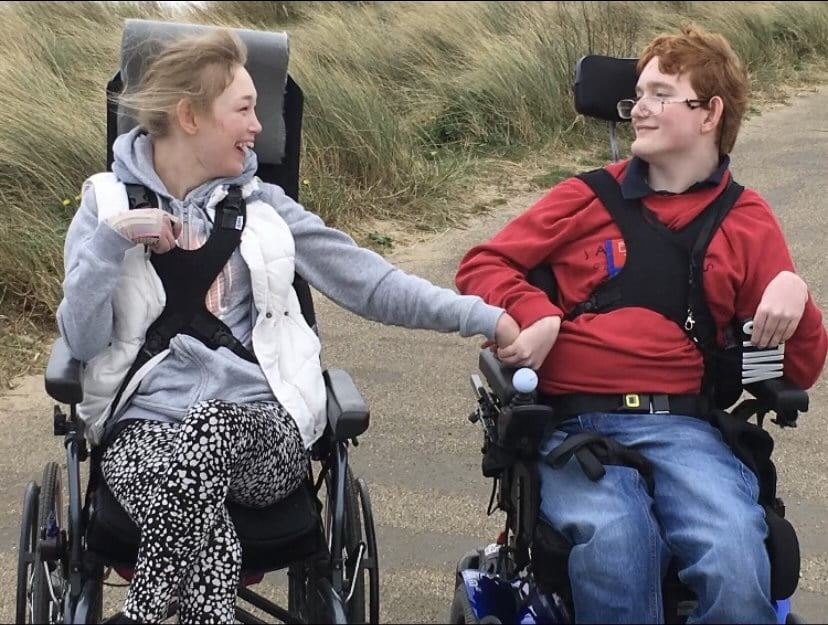
Jess (left) is isolating at home with mum Jo (right) and leads her own sign language group online

Over the past 12 months, many people, including people with learning disabilities, have felt lonely and disconnected. Working in partnership with Learning Disability England (LDE) and their members, SeeAbility launched a six-month programme called Creating Connections. Funded the by the Department for Digital, Culture, Media and Sport via the National Lottery Community Fund, Creating Connections tackles isolation and loneliness among people with learning disabilities by helping people to connect with others online.

Veronica Mulenga, the Programme Lead, explains:
“The project started during the pandemic when we were concerned about people with learning disabilities feeling isolated and lonely. SeeAbility’s all about helping people to be involved in their communities, and we could see the pandemic being a real barrier to that.

“Even before the pandemic, more and more aspects of life were moving online. The last year has just seen a real acceleration of that process, and more and more people, especially with learning disabilities, are finding that process difficult. It affects every aspect of inclusion, from education to employment to just staying in touch with friends and family. There are huge parts of life that have become inaccessible if you can’t get online. We had to step in and do something, and that’s what Creating Connections is all about.”

At the heart of the programme is collaboration. SeeAbility is acting as a facilitator, bringing together lots of organisations and self-advocacy groups from across the country. It’s a project that is ultimately led by people with lived experience, designing a programme that works for them.

“It’s a real partnerships project” says Veronica. “We’ve linked up with LDE and there are 23 self-advocacy groups from across the country who have been delivering the activities of the project. They’ve been instrumental in making all this work and building connections within their communities.
“The other aspect of the project is our role in recruiting volunteers to support people to learn digital skills. This is exciting as it’s a whole new approach to volunteering. Traditionally volunteering has always been face-to-face, but we’re pushing the boundaries of how people are able to volunteer and get involved online. Many of these volunteers have learning disabilities themselves.”

Together with our partners we have reached 1473 people and delivered nearly 400 online sessions. Crucially, this work is helping people to develop skills, build meaningful relationships and support their peers.

Thanks to support through Creating Connections, people like Jess are going on to act as a peer supporters and create change for other people with learning disabilities.

Training to get online and access video calling has opened up a world of opportunities for Jess. Since learning how to download Zoom and join calls, Jess has attended social and activity groups that have helped her stay connected and meet friends.

Jess, 35, is passionate about sign language and has been supported to facilitate a virtual British Sign Language (BSL) group. In the future, Jess wants to gain a qualification as a trainer of BSL and become an interpreter.
Jess says: “I want use sign language as a way of helping other people. I have lots of deaf friends and they wanted me to teach them. Now I want to help more people to communicate how they feel through sign language.”

In a digital society, access to technology enables people to connect with their communities. We’re working to extend the Creating Connections programme to end isolation and digital exclusion for people with learning disabilities, autism and sight loss. We know that communities are stronger when people pull together and connect to support each other.


Oscar’s powerful poem

Posted on March 26, 2021 at 8:16 am.

Written by martin

Oscar sitting in his wheelchair and smiling

We are pleased to introduce Oscar. He is a student at Treloar College and has cerebral palsy and communication challenges. He spends his days learning within an Ian Karten Centre (IKC) at Treloar College, set up in September 2001 to provide a real working environment in which to offer a range of qualifications. Known externally as ‘TreloarPrint’ for marketing purposes, this successful and popular enterprise provides a high quality printing and finishing service at competitive rates for a wide range of customers.

Oscar is studying for his City & Guilds NVQ Level 1 in Business and Administration within the IKC/TreloarPrint and can get involved with things like assisting customers, preparing quotes and seeing a print job through to completion and delivery. These work experience opportunities are helping to prepare him for life beyond Treloar’s and at the same time building his confidence and self-esteem.

Oscar has some fabulous and wide ranging interests including mythology, ancient weaponry, true crime stories, his charity work, cooking and poetry. We are delighted to share with you here his wonderful and extremely powerful poem.

“See through the wheelchair”
For some reason people used to glare at me.
But I don’t know why, maybe it’s because of my wonky body or the fact that I am stuck in a wheelchair.
The problem is that no one asks me.
Mainly due to fear.
The fear of being rude and offensive, but I just wanna be talked to.
Disabled people also have lives and voices you know, they laugh, cry and feel pain just like you do.
But the most important thing they do.
Is that they live their lives to the fullest.
So I implore you to please see through the wheelchair.
And take care of the boy inside.

Oscar even had the honour of his poem being read at The Company of Communicators Poetry reading evening in December 2020. There were almost 40 members from the Company who attended, including the Lady Mayoress of the City of London, Mrs Hilary Russell who said Oscar’s poem was beautiful and very moving.

All at Treloar’s are extremely proud of Oscar and are very grateful to the Karten Network for their generosity in providing opportunities for our students to learn and grow in confidence in this way.


Remaining On Track during the pandemic

Posted on March 26, 2021 at 8:16 am.

Written by martin

Crafting via Clevertouch screen On Track
Crafting via Clevertouch screen

In 2018 FitzRoy was lucky enough to be awarded Ian Karten Charitable Trust funding to buy 8 iPads and a Clevertouch screen to be used at our On Track day service for those with learning disabilities in Petersfield, Hampshire.

Each day, before the COVID-19 pandemic, these items were being used to support our members via a daily menu of activities, from playing games on iPads, through to watching sensory projections on the Clevertouch screen.

This equipment was already well used and well loved but by the time the COVID-19 pandemic struck little did we know how vital a role these items of assistive technology would play during the past year.

When On Track was lawfully required to close its doors in March 2020, our support workers set about doing all they practically could to help those who needed it. Their outreach programme included phone calls and as many doorstop ‘hellos’ as possible, but while the virus raged, most of our On Track staff were re-deployed to support the challenge of keeping our registered care homes for those with learning disabilities fully staffed.

However, as summer came, and our On Track staff resumed their usual roles, they began to think about how they could use the iPads and Clevertouch screen technology to bring the usual schedule of daily activities into the homes of those they support.

They were acutely aware that the absence of daily contact had taken its toll on our members’ mental health, who were telling us that they were feeling isolated, lonely, and depressed because everything they enjoyed had been taken away from them. Our On Track team were also concerned about the impact the sudden loss of support was having on the households and carers of those we help. These people were finding it particularly tough; they knew they had to stay at home and keep their loved ones safe, but they too were feeling alone, bereft, and exhausted, having dedicated all their time since March to caring, with little or no time for respite.

Disco afternoon On Track
Disco afternoons

With in-person activities impossible, the team decided to embrace technology and find a virtual way to be with people in their own homes instead.  As part of this they loaned Karten funded iPads to individuals who did not have access to a digital device and began using the Clevertouch screen to deliver online classes. These classes take place Monday to Friday, are 30 minutes long and happen six times a day. On Track has been running these virtual sessions since September and the response has been fantastic!

People from On Track dressed in Toy Story costumes
Staff dressed for themed Fridays – Toy Story day

Each day our staff use the Clevertouch screen to beam themselves into the homes of around 30 people who have chosen to take part in an array of activities. The daily schedule of activities includes arts and crafts, Makaton, Zumba classes, Disco afternoons, and themed Fridays such as Toy Story day and Grease the Musical Day. The team have also been using a Karten funded iPad alongside the Clevertouch screen to create a breakout group for those who need extra help, and to get close-up images of any of the activities which they might be doing.

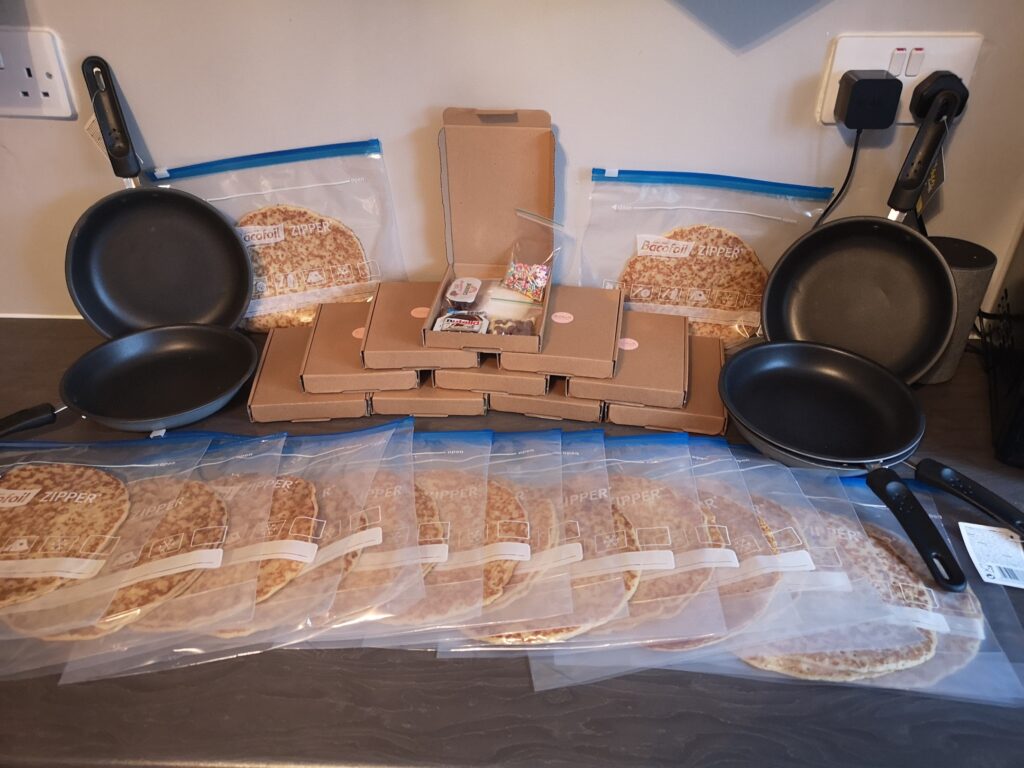
Pancakes ready for delivery On Track
Pancakes ready for delivery

The most popular event so far has been the hugely enjoyable Pancake Day Zoom! In the run up to the occasion, our dedicated staff took each On Track member two pancakes and toppings such as chocolate spread, jam, sugar, and sprinkles, before everyone came together over Zoom for a pancake decorating competition and lots of enthusiastic pancake tossing!

Lady making pancakes via Zoom On Track

The Karten funded technology has transformed the way On Track has been able to operate during the pandemic. Danielle Styles, On Track’s Activities Coordinator has said how ‘incredible’ the Clevertouch screen has been, saying ‘we wouldn’t have been able to deliver activities as well without it. Using a TV screen or laptop screen just wouldn’t have had the same effect’. This technology has also had many other benefits on our On Track community. Because of it our members have continued to engage with the service despite not attending in person. Friendships have been maintained with other service users and staff, members have been more active, and feelings of isolation and loneliness have reduced. 

The mother of one of our members has been extremely thankful emailing to say the ‘Zoom sessions have been a really great resource, especially as they offer such a wide range of supported activities each week-day. The difference they have made to Mark’s life has been enormous.’ She like many of those we have spoken to have highlighted how essential these Zoom sessions have been to not only improving mental health and well-being during this time, but also for the respite it allows the carers of those we support.

Everyone in our On Track community is so grateful for the funding we have received from the Ian Karten Charitable Trust. Although our members are very keen to see each other in person and not on a screen, the Clevertouch screen and iPads have been, and will continue to be, an essential lifeline into the months and years ahead.


Technology and Lockdown

Posted on March 26, 2021 at 8:16 am.

Written by martin

The coronavirus pandemic has made us all think about different ways of working with young people and Sense College Loughborough has had to be creative in developing the curriculum to fit in with the restrictions and challenges, as well as ensuring students at home were able to access the curriculum.  The Karten Network funded technology has played a big role in making this happen. 

In College

students in College and at home during a live Zoom drumming workshop

The majority of students have continued to attend Sense College throughout the lockdown period and have accessed the curriculum in College.

Our Sensory Pathway students have been using iPads and Augmentative and Alternative Communication (AAC) equipment to communicate with their peers and with staff.  The sensory tent has a range of equipment to stimulate or relax students.  This includes technology that was purchased through the Karten Network grant, for example the projector, fibre optics and colour changing equipment, as well as bubble tubes and switches.  Every Friday, students in College and at home attend a live Zoom drumming workshop, using the smartboard.  

Student in wheelchair filming around College with a 360 camera mounted on a bike helmet

Students with sight loss have continued to use a range of appropriate technology from the Karten Network Sight Loss Hub to enable them to access the curriculum.  All of the equipment that is available is out on loan with students who use it daily.  Students are able to use video magnifiers, colour detectors, and scanner readers as well as other access technology to complete their tasks.  The iPads and tablets have a range of apps that can also support students with sight loss.   

Media students have found the Media Hub iPads funded by the Karten Network to be very useful for their learning.  Students have been making stop motion films and designing a food truck.  They have also been filming around College with a 360 camera mounted on a bike helmet in order to make a virtual tour film of the College for prospective parents and students.  These students have been able to gain valuable transferable skills when completing their tasks, eg working as a team and good communication.

Interns writing a blog

The Interns are writing a blog supported by College marketing staff, as part of a work placement.  Students at home have been able to take part in blog team meetings and complete their tasks remotely.  The Interns have also been writing a half termly newsletter and a professional newsletter for employers who work with us.   These activities would not have been possible without the use of a range of technologies, and have been a key vehicle for learning important work focused skills.  This is particularly important as the Interns have not been able to attend external work placements during lockdown.

At home

Students have been able to join sessions via Teams so that they can take part in different sessions, tasks and activities, as well as see their peers.  The work sent home has also been linked to different sessions so that students can also join in and carry out the same tasks as the students who are in College. 

students in College making sunflowers to decorate the College

In the Team Work session students are working together to prepare for a Hidden Disabilities Awareness Day that they are organising.  The students in College have been making sunflowers to decorate the College, as well as making sunflower badges, sending emails, making films and PowerPoint presentations about the Sunflower scheme.  Students at home have joined in sessions to take part in or lead team meetings, as well as to chat with their friends.  They have also been able to join in with the team to make sunflowers and films and PowerPoint presentations etc.

Media students have taken part in a food truck design project from home and have joined in with their peers in discussions and votes to choose their favourite food truck designs.  The students used graphic tablets and iPads as well as pen and paper to make their designs. Some of the students have also made films at home about health and safety signs and other topics and been able to share their work with their peers.  

Media students taking part in a food truck design project

Some staff have had to shield and work from home.  Technology has had a huge impact in making sure staff can continue to teach.  Staff have been able to deliver sessions from home to students who are in College as well as those who are working from home.  The ICT tutor has had live Teams sessions, which has enabled her to remotely provide 1:1 support, resolve issues and give feedback to each student in the group.   In the Sensory bubble students used Teams and a projector to connect the students with the teacher who was shielding. The iPad was placed on a tripod so that it was easily moved around.  This meant that the member of staff could interact with the students, see their work, and provide instant feedback and support as needed.

As well as remote learning, tutors have used Teams and Zoom to carry out tutorials, discussions and attend Annual Review meetings. The Vocational Pathway students and Interns who are at home also meet with a tutor daily via Teams to make sure work is being completed, and to provide feedback on completed work, as well as to ensure that students are not feeling isolated during lockdown.  Students have found this particularly helpful in terms of their mental health, as they also have opportunities to chat with each other and with staff during the daily meeting.

Although the Covid-19 pandemic and lockdown restrictions have been challenging, the College staff and students have risen to the challenge.  This would not have been possible without the use of technology.  The Karten Network funded equipment in the Sight Loss Hub and the Media Hub have proved to be invaluable in maintaining an at home curriculum for students who are not in College, as well as helping students in College to access a fun, varied and useful programme of study.  The use of appropriate technology in College has increased and it is now just a normal part of everyday College life.


Karten Network funded Printing works in action

Posted on March 26, 2021 at 8:16 am.

Written by martin

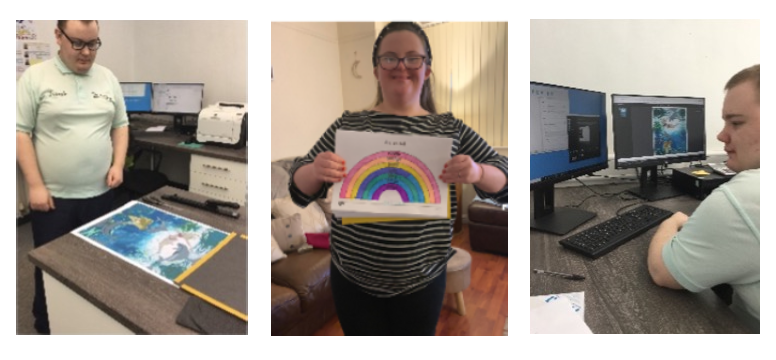
Students holding examples of their cards and mugs printing works
Students holding examples of their T-Shirts and Masks
Students holding examples of their photo and CD printing work

Network Development Coordinator’s Update – Spring 2021

Posted on March 26, 2021 at 8:16 am.

Written by martin

Hello and welcome to our Spring 2021 Newsletter.

This edition feels really special as it is full of examples of what Karten Centres have done as they have journeyed through the pandemic.  Through the articles we see examples of organisational determination, resilience, flexibility and motivation to make the very best of the exceptionally challenging circumstances in which we found ourselves.  Thank you to all our wonderful contributors!

I have had a number of enquiries recently about accessing further financial support from the Ian Karten Charitable Trust.  Unfortunately, there will be no opportunities for Centres to apply for funding for additional equipment for the remainder of 2021.

As we move out of lockdown and restrictions begin to ease, many organisations will reflect on their digital practice and plan services and delivery models for the future.  In partnership with Natspec’s TechAbility service we would like to support you with this process.  Karten Centres are entitled to free, bespoke consultancy from TechAbility and we are also rolling out a Champions programme aimed at developing Assistive Technology skills and capacity across the sectors we support.  Please contact dawn@karten-network.org.uk for further information.

We would like to celebrate and share positive technology stories and plan to develop a set of short video clips and associated how-to guides.  If the people you support are using technology in their daily lives and you would be willing to work with us on this project please contact dawn@karten-network.org.uk.

Finally from me, may I take the opportunity to wish you a Happy Passover, Happy Easter or Happy Spring break!  It definitely feels as though the winter weather is behind us, and unlike last year, this spring brings with it a sense of hope and optimism that little by little our lives may return to normal.
 
Stay safe and take care!  With every best wish, Dawn


Inclusion Works Gets Crafty with Crochet

Posted on March 26, 2021 at 8:16 am.

Written by martin

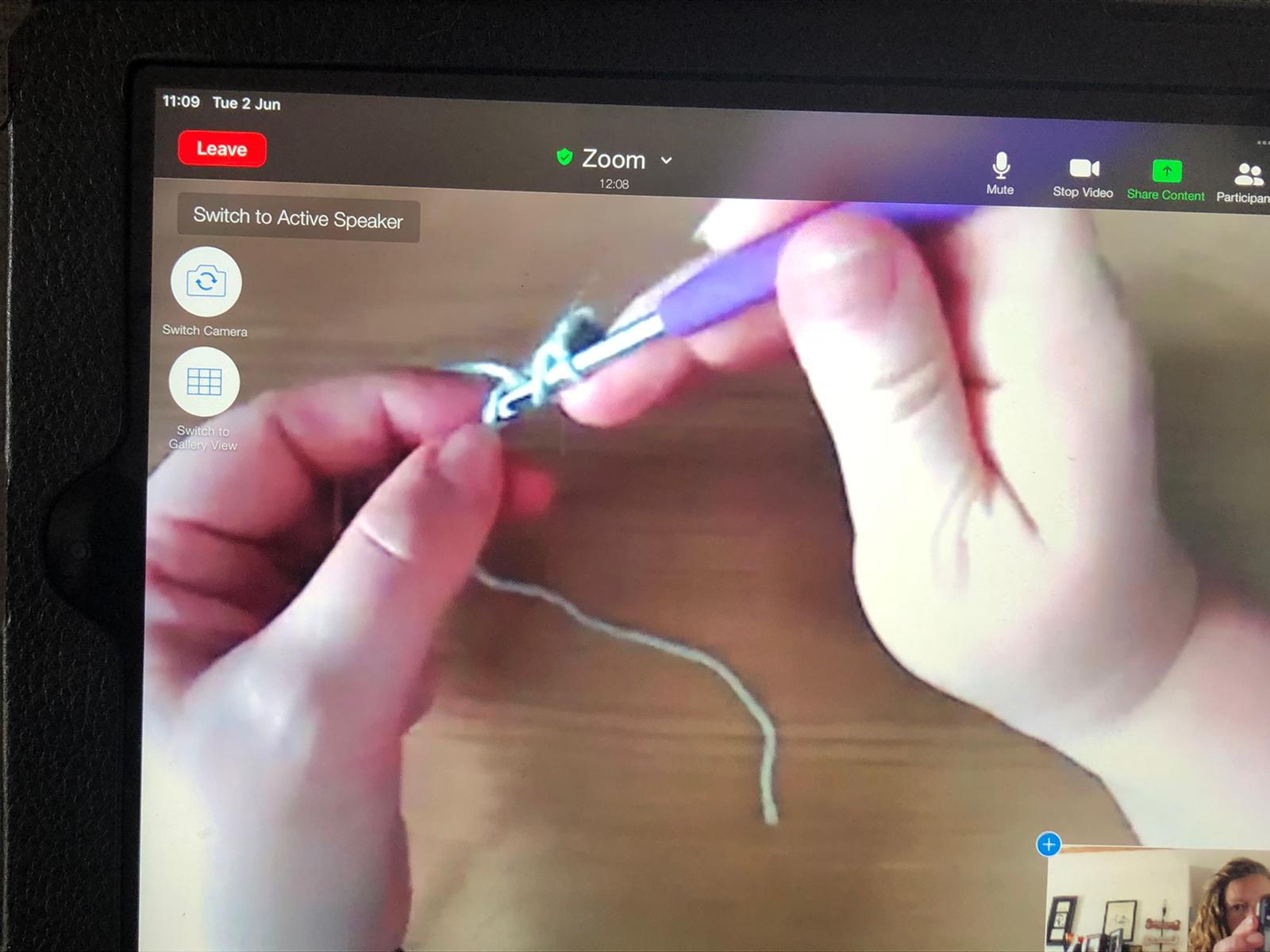
Cedar’s Southern ‘Inclusion Works’ brain injury staff have had to get creative in more ways than one in terms of service delivery during the lockdown, to support service users to engage in activities they could enjoy from the comfort of their own home. The staff and service users feel that learning a new skill like crochet can help support recovery from Brain Injury by supporting concentration, developing the ability to stay on task and maintain focus.

screen shot of an only Crochet lesson

Susie Blake takes part in the online Crochet sessions and has said “Being on the Cedar Inclusion Works programme has helped to hasten my recovery, improve my social skills and participate more fully in my community”.

She went on to say: “Taking part in the Crochet group has also helped me build on my crochet skills, having learnt the basics from my grandmother over 50 years ago!  It’s increased my confidence and supported me in attempting bigger more complex designs”.

a lady sitting on a sofa Crocheting

Fiona Campbell of Flo’s Crafty Crochet agreed: “Crochet has also been proven to help fight insomnia through the calming motions (when it is going right).  It reduces stress and anxiety levels providing time to take your mind off whatever is going on out in the real world. It can also relieve depression and instil a great sense of achievement which in turn boosts self-esteem.  Trying something new and the mathematical structure of crochet can also help cognitive function”.

She further commented: “Alongside learning the skill of crochet our team of ladies also had to get to grips with the use of technology which allowed them to engage in online classes. Cedar supported the ladies getting set up for online learning through step by step instruction and also by providing tripods and headphones which would leave their hands free and minimise any distractions”.                                       

A lady holding up a long Crocheted blanket

Sinead and Helena from the Cedar Foundation enquired about the possibility of running beginner crochet course for some of Cedar’s service users.               

Fiona tentatively agreed to give it a shot and she said “It was one of the best decisions I have ever made.  I’ve seen the ladies become so much more confident over the weeks as they enjoy the crochet and craic, they are also keen to accept any new challenge that I set for them which is fantastic!”.

Another service user, Binky Paxton, said: “I have only started my crochet class in the last few weeks and Fiona is a great teacher. I am getting on really well with it.  I crochet every night as I love it and find it very therapeutic.  A massive thanks to Helena from Cedar for helping me get enrolled.”

Sinead from the Cedar Inclusion Works Southern team commented “Having the ability to sample courses in the comfort of the service user’s own home is a fantastic resource to have. It solves the problem of bringing people from various localities to one place and trying to organise transport.  It also takes away the fear of walking into a room full of strangers as people can be very nervous, especially with learning a new skill. We are so grateful to Fiona for providing so much support and encouragement and we are so very proud of the participants and how far they have come in such a short period of time.”

A newly Crochet Blanket on a table


Good news story

Posted on March 26, 2021 at 8:16 am.

Written by martin

Well what a challenging year. That feels like quite an understatement. Challenging is certainly one description.Our charity Buzz Hub St Helens CDP provides activity and opportunities to young people and adults who have a learning disability. We closed the service on March 23rd. The feelings were of complete and utter devastation. Our services are vibrant, creative and most of all fun! The day after the lockdown announcement we were sat at our base at Nuttall House in complete silence.With lingering uncertainty, our challenge was to do everything in our power to reconnect with our members.

Our regular telephone contacts were highlighting the growing difficulties being experienced by our members. Lack of routine and with no particular reason to get dressed in a morning. Anxiety and for some members a growing isolation were prevalent over this time.

The GOOD NEWS STORY starts at our discovery of the Facebook portal. The portal is a device witha remote camera. We invested in some portals and delivered them to a group of members. We undertook a test with seven members together on screen. They had not had contact with each other for weeks. The test lasted over two and a half hours. They were so reluctant to leave the screen. It proved to be a turning point. We invested in the purchase of more devices. We had a kind donation and received some funding to purchase more. We rolled them out to both members and session facilitators.

Screen shots of people using Facebook Portal

We Currently have over 70 devices distributed!

I would like to pay tribute to our staff team as they have been and continue to be magnificent over this time. We got to a point early on where we were delivering over 140 sessions remotely. The sessions as best we can mirror the activity menu of choice available prior to lockdown. In some cases the activity was secondary. The fact that members and staff were reconnecting was the complete joy. Our evening social portal activities are extremely popular. We have game shows, bingo, quiz nights, music and Karaoke. Feedback has been amazing with parents and carers regularly joining in with the activity. As we plan to phase members return to service and activity the portals will allow members shielding to be a part of activity taking place from the safety of their own home.

A Facebook Portal cooking session

It cannot be underestimated the value and impact that the portals have made to our members, their family’s, our staff team and our service as a whole. They remain an integral part of our service going forward.
We currently deliver over 200 sessions throughout the month.

We would like to send our Best Wishes to everyone within the Karten Network.


All about Shalva

Posted on March 26, 2021 at 8:16 am.

Written by martin

A video presentation showcasing Shalva and the services Shalva offer


Communicare247

Posted on March 26, 2021 at 8:16 am.

Written by martin

About Communicare247

Communicare247 is a health and social care service provider which delivers connected care solutions built by the community, for the community.

Using effective Internet of things and mobile technologies, including voice-activated speakers, smart phones, smart wearables, sensors and location technologies, Communicare247 enables the UK’s most vulnerable people to live safely and independently in their own homes and communities for longer.

These technologies, coupled with a fully featured online care platform, brings reassurance to citizens and their families, whilst providing valuable health and activity data to care providers which can be used to manage health and enhance care delivery.

Case Study – Communicare247 helps Sanderson High travel independently

Communicare247 partnered with Sanderson High School, an additional support needs (ASN) school to create a service which would help their pupils build confidence whilst travelling independently.

Using the Freedom Device with location-enabled alerting, the pupils were able to travel independently, using public transport, between home and the classroom. Reassurance that direct support from their teacher was only a button press away, increased the pupils, parents, and teachers confidence in their ability to travel alone.

With Communicare247’s support, the school has achieved a 50% increase in the number of alumni who are now able to travel using public transport, instead of private transport methods.


Virtual exploration

Posted on March 26, 2021 at 8:16 am.

Written by martin

Two students wearing virtual reality headsets engaged in an activity

Over the last 12 months we have implemented the use of the technology funded by the Karten Charitable Trust. There have been some clear successes and some challenges, particularly because of the coronavirus epidemic.

Construction/Transportation Virtual Simulator

Over 50 young people had an opportunity to use the forklift truck module on the simulator. This has been used as a break-out activity when having IT lessons, on a rotational basis. What has been very powerful is seeing those most disaffected students, who don’t usually engage in technology, get excited about using the fork lift simulator.

We have worked closely with Tenstar Simulations in keeping the software updated and ensured the machine is maintained. To ensure the device is being used as a pathway on to further progress we have made links with Mantra Learning around the ‘Pathway to

Apprenticeship’. This was part of the ‘next steps’ approach for those young people who demonstrated an interest in driving forklift trucks. So far, we haven’t enrolled anyone on the course with Mantra Learning due to progress being hampered with COVID. Once we are able to be back on site, and move across bubbles more, we will hopefully develop the technology further and enrol students with Mantra Learning.

ClassVR, Oculus VR and 360 Camera technology

Just before lockdown we were still in the exploration phase of VR. We used VR headsets in 4 different ways:

ExploreVR – Using the Google Earth VR app and the Oculus Rift equipment to take students to places they could never have imagined visiting. We have had huge engagement with this project where students have been on a rota to visit places around the world, visiting places like San Francisco, Rome, Paris, New York or even Wembley Stadium!

What has been incredible is the immersive reality that the technology brings whereby students have been excited to feel like they’ve travelled far and wide when many have never stepped out of the local town. We spent some time creating video tutorials as the experience is a solitary one and as we introduced new students to the technology we wanted to guide them through it which worked really well.

TransitionVR – Another exciting development was the use of the 360 cameras and the ClassVR headsets to support transition from college to the workplace. We started the project by filming footage at the RSPCA and Atrium Cafe where we had work placements ready for students.

This allowed students to feel less anxious before their placement by using the headsets within the classroom and taking a tour of the building virtually.

We only managed the one transition before the first lockdown happened but we are keen to explore further when we return.

CurriculumVR – The other opportunity we explored is the use of VR
headsets supporting the learning experience. This has involved visiting the
Titanic, seeing the pyramids and moving through our solar system. The 360
experience has really brought alive some of the different curriculum we offer our young people.

RelaxVR – Some of our more complex learners have been using the ClassVR and OculusGo headsets as ways to relax when in a state of heightened anxiety. We have had several cases where students have been exhibiting challenging behaviour and the use of the headset has helped them to calm. Its remarkable what a swim with Dolphins can achieve!


Up and running

Posted on March 26, 2021 at 8:16 am.

Written by martin

Students at the Hamlet

After being donated amazing printing equipment from Karten Network we were all excited to create various projects but unfortunately, our location (although beautiful) had a terrible internet connection, and this was proving to be a major issue in carrying out the work.

This is when Openreach saved the day by fitting a £25,000 Fibre line and getting us back online. But again, we found we had the issue that this wonderful fast connection was not working as it should as our server was outdated!

Again, we were saved by Karten Network as they donated a new server and we were up and running at last.

Coronavirus and lockdown brought new pressures on us all, but we have remained open and carried on as well as we could, creating new ways to keep busy for both the trainees who attended and the ones who were shielding at home.

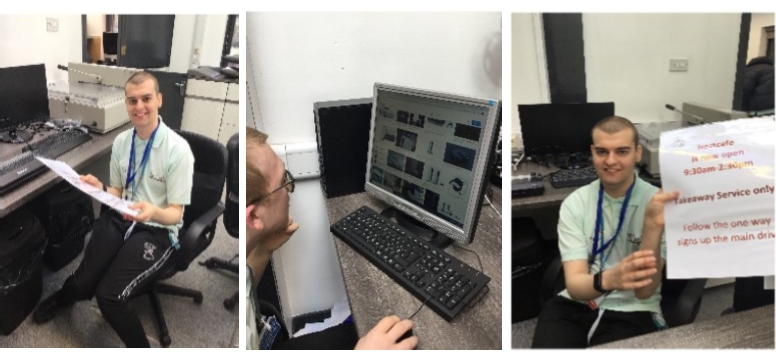
One of the ideas the Trainees came up with was to produce a ‘positive’ newspaper full of happy news and promoting the business.

Screen shot of the Hamlet Times

Trainees have been busy creating their own articles.

Student sitting at a computer creating articles

Presently, as we are preparing to come out of lockdown and a number of Trainees are back in Lakeside Printing, they have been working on marketing ideas and have decided to offer monthly deals on our products, starting with personalised canvases at discount prices.

Student working on creating a personalised canvases

  • Website Feedback
  • Site Map
  • Cookies
  • Accessibility
  • Privacy
  • Data Protection Policy
  • Disclaimer

© 2026. Karten Network

We use cookies on our website to give you the most relevant experience by remembering your preferences and repeat visits. By clicking “Accept All”, you consent to the use of ALL the cookies. However, you may visit "Cookie Settings" to provide a controlled consent.
Cookie SettingsAccept All
Manage consent

Privacy Overview

This website uses cookies to improve your experience while you navigate through the website. Out of these, the cookies that are categorized as necessary are stored on your browser as they are essential for the working of basic functionalities of the website. We also use third-party cookies that help us analyze and understand how you use this website. These cookies will be stored in your browser only with your consent. You also have the option to opt-out of these cookies. But opting out of some of these cookies may affect your browsing experience.
Necessary
Always Enabled
Necessary cookies are absolutely essential for the website to function properly. These cookies ensure basic functionalities and security features of the website, anonymously.
CookieDurationDescription
cookielawinfo-checkbox-analytics11 monthsThis cookie is set by GDPR Cookie Consent plugin. The cookie is used to store the user consent for the cookies in the category "Analytics".
cookielawinfo-checkbox-functional11 monthsThe cookie is set by GDPR cookie consent to record the user consent for the cookies in the category "Functional".
cookielawinfo-checkbox-necessary11 monthsThis cookie is set by GDPR Cookie Consent plugin. The cookies is used to store the user consent for the cookies in the category "Necessary".
cookielawinfo-checkbox-others11 monthsThis cookie is set by GDPR Cookie Consent plugin. The cookie is used to store the user consent for the cookies in the category "Other.
cookielawinfo-checkbox-performance11 monthsThis cookie is set by GDPR Cookie Consent plugin. The cookie is used to store the user consent for the cookies in the category "Performance".
viewed_cookie_policy11 monthsThe cookie is set by the GDPR Cookie Consent plugin and is used to store whether or not user has consented to the use of cookies. It does not store any personal data.
Functional
Functional cookies help to perform certain functionalities like sharing the content of the website on social media platforms, collect feedbacks, and other third-party features.
Performance
Performance cookies are used to understand and analyze the key performance indexes of the website which helps in delivering a better user experience for the visitors.
Analytics
Analytical cookies are used to understand how visitors interact with the website. These cookies help provide information on metrics the number of visitors, bounce rate, traffic source, etc.
Advertisement
Advertisement cookies are used to provide visitors with relevant ads and marketing campaigns. These cookies track visitors across websites and collect information to provide customized ads.
Others
Other uncategorized cookies are those that are being analyzed and have not been classified into a category as yet.
SAVE & ACCEPT