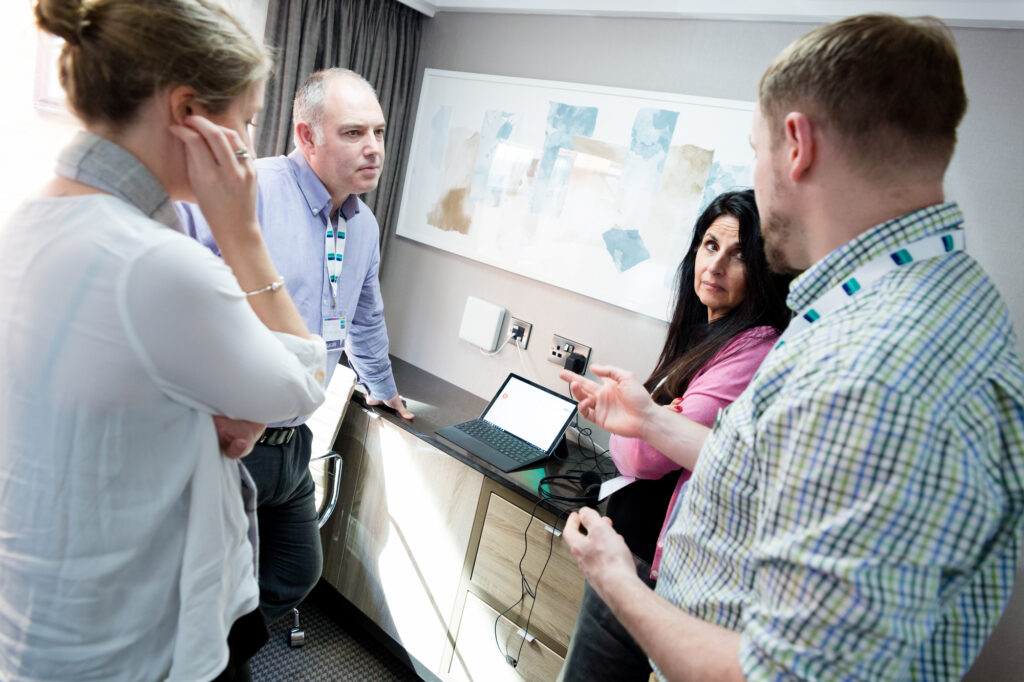
TechAbility’s training and webinar programme continues to provide opportunities for you to update your knowledge on assistive technology. All sessions are easily accessible online and Karten members receive a 50% discount on courses. Webinars are free to attend.
Any of the courses can be delivered direct to your organisation to groups of staff, so you can make sure all staff are increasing their awareness and experience with accessible technologies. For more information please visit the training section of the TechAbilty website.
Upcoming online training and webinar programme dates include:
27 April 2023 Join one of our Assistive Technologists to discuss ten quick fire topics covering a wide range of assistive hardware, software and techniques.
3 May 2023 This training will guide college leaders through long and short term goals to enable your teams to remove barriers to using technology, supporting learners to succeed.
9 May 2023 How can you extend the life of older devices (e.g. laptops) that have slow boot up speeds and sluggish performance? Let’s find out the answer by joining this webinar.
16 May 2023 Computers, tablets and phones have a wealth of accessibility options already built into the operating systems. All teaching and learning support staff should have an awareness of these features so they can remove barriers for learners.
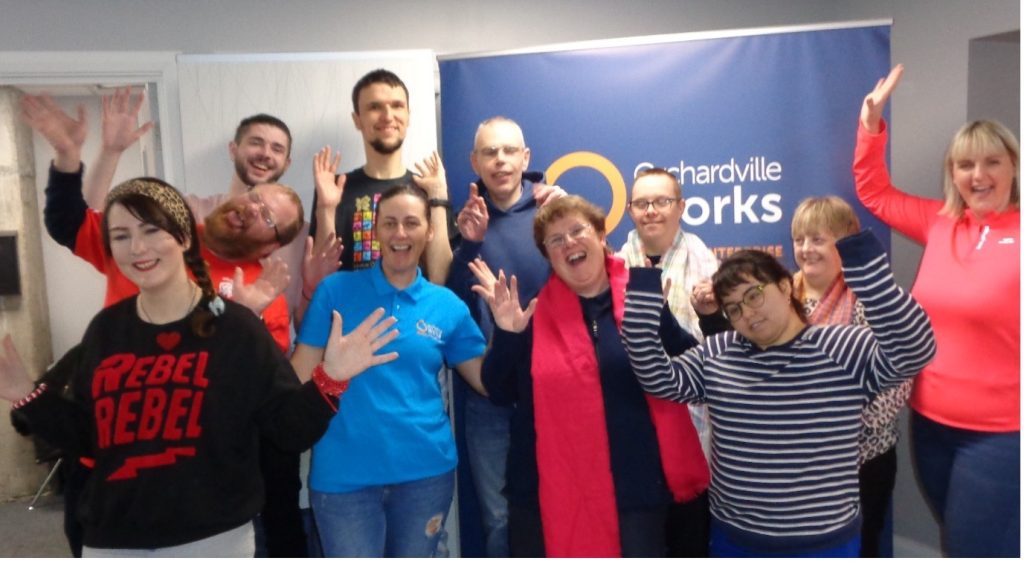
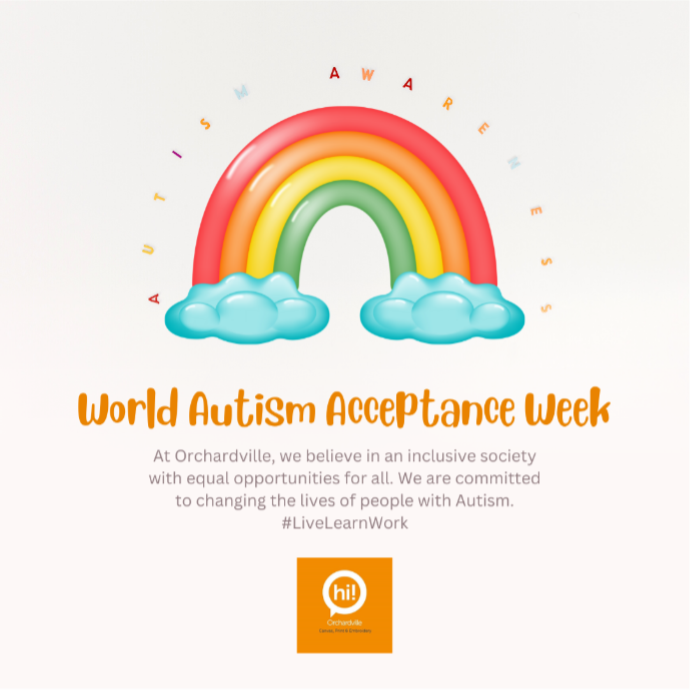
The staff and participants celebrated Autism Awareness week (27 – 31 March 2023) This year’s theme is ‘Colour’ so what better way to celebrate than with our brightest outfits!
Happy World Autism Day from the staff and participants at Orchardville Works!
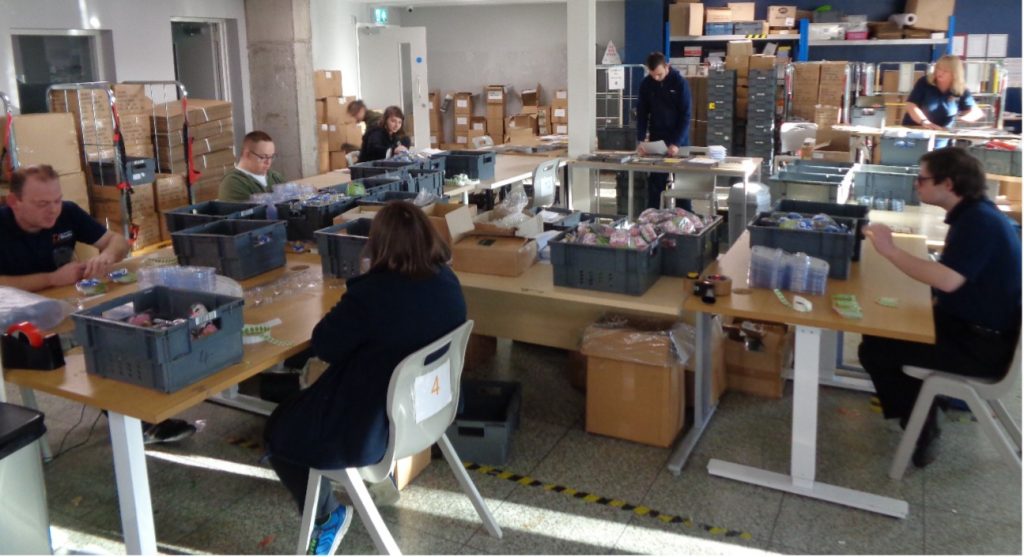
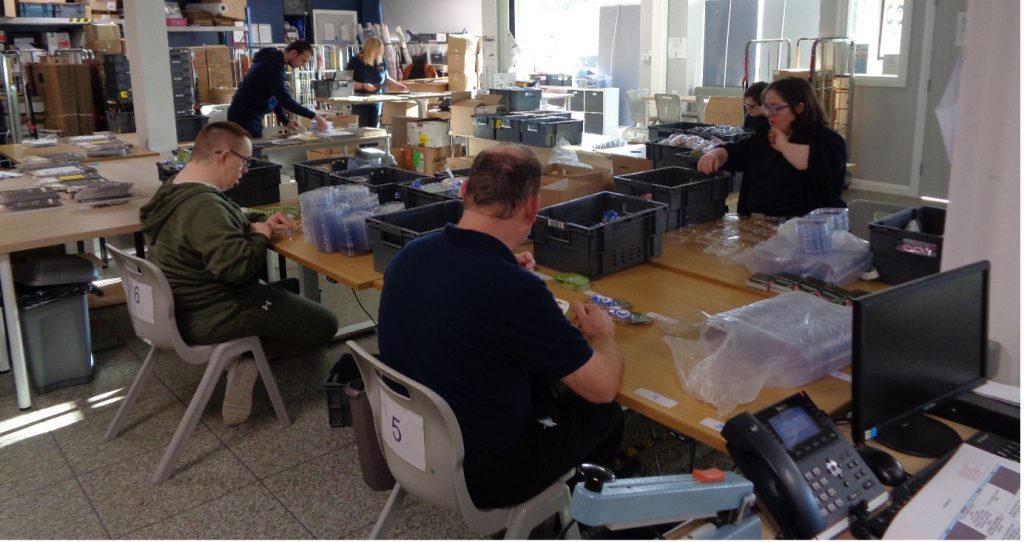
We have been keeping busy at Orchardville Works doing lots of hand packing for our valued customers. Thanks to the generosity of the Ian Karten Charitable Trust we were able to purchase electric height adjustable desks that allow us to be seated or standing and also provide comfortable wheelchair accessible workstations for participants to come into Works to learn valuable on the job work skills before going to external employment.
We have expanded our product range and introduced an online selling option at www.orchardvilleworks.com providing seasonal personalised gifts and treats alongside our Worthy range. This side of the business continues to grow, providing on the job work experience for our participants in embroidery, garment printing and
The ongoing evolution of mobile devices and computers and the changing ways organisations use that technology present both opportunities and challenges. It is now commonplace for mobile devices to be used both within the organisation’s premises and externally. This creates a need for organisations to ensure that these devices are managed and secure. While this can be achieved by setting up, managing and updating devices on an individual basis, it is often useful to use a mobile device management system (MDM), particularly if you have more than 10 – 15 devices.
There are a range of MDM systems on the market today e.g. Meraki, JAMF, JumpCloud, VMware Workspace ONE, etc. however in this article I will focus on the MDM solutions offered by Microsoft.
It is important to note that you can’t start using Basic Mobility and Security if you’re already using Microsoft Intune. However, you can start using Basic Mobility and Security and then add the additional capabilities of Microsoft Intune.
For the remainder of this article, I will focus on Microsoft’s Basic Mobility and Security included with Microsoft 365. Basic Mobility and Security enables you to manage and secure mobile devices that are connected to your Microsoft 365 organisation. It allows you to set access rules, device security policies, and to wipe mobile devices if they’re lost or stolen.
Basic Mobility and Security supports many mobile devices including Android, iPhone and iPad. However, each person associated with the device must have an applicable Microsoft 365 license and their device must be enrolled in the Basic Mobility and Security.
Setting up Basic Mobility and Security
To set up Basic Mobility and Security you will need to login to your Microsoft 365 account as a global administrator.
It can take some time to activate Basic Mobility and Security. When it finishes, you should receive an email that explains the next steps to take. If the service has already been activated, you will see a link to “Manage Devices” rather than the activation steps.
Once the service is ready, the following steps need to be completed:
Configure your domain/s for Basic Mobility and Security.
To do this you will need to add DNS records at your DNS host. If you are using a custom domain, the chances are that you have already done this during your initial Microsoft 365 set up. This step, while recommended, is also only required if you intend managing Windows devices.
Note: some Microsoft documents say to “go back to the Security & Compliance Center and go to Data loss prevention > Device management to complete the next step.” The Security & Compliance Center has been migrated to Microsoft Purview and can be found under Settings > Device onboarding.
Configure an APNs Certificate for iOS devices
To manage iPad and iPhones, you need to create an Apple Push Notification Certificate (APNs). For this you will need to be signed into Microsoft 365 as a global administrator.
Navigate to the Microsoft 365 admin center, and choose APNs Certificate for iOS. (note: this page can be slow to load and appear blank at first.)
On the Apple Push Notification Certificate Settings page, check the “I agree” box and select “Next”.
Download your CSR file and save the Certificate signing request – make sure to note where that file is being saved on your computer. Select “Next”.
On the Create an APNs certificate page:
Select Apple APNS Portal to open the Apple Push Certificates Portal. This opens in a new tab.
Sign in with an Apple ID. Important: Use an Apple ID associated with an email account that will remain with your organisation even if the user who manages the account leaves. Save this ID because you’ll need to use the same ID when it’s time to renew the certificate.
Select “Create a Certificate”Read and check the “I have read and agree to these terms and conditions.” Checkbox, and accept the Terms of Use.
Select “Choose file” to browse to the Certificate signing request you downloaded to your computer from Microsoft 365 earlier, and select Upload.
Download the APN certificate you created in the Apple Push Certificate Portal to your computer. Tip: If you’re having trouble downloading the certificate, refresh your browser, or repeat try uploading the Certificate signing request again.
Go back to Microsoft 365 and select “Next”.
Enter your Apple ID
Browse to the APN certificate you downloaded from the Apple Push Certificates Portal and upload it.
Select “Finish”.
Set up multi-factor authentication
Multi-factor authentication (MFA) helps secure the sign into Microsoft 365 for mobile device enrolment by requiring a second form of authentication. Users are required to acknowledge a phone call, text message, or app notification on their mobile device after correctly entering their work account password. They can enrol their device only after this second form of authentication is completed. If MFA is not already enabled in can be done so in the Azure AD portal.
After user devices are enrolled in Basic Mobility and Security, users can access Microsoft 365 resources with only their work account.
Manage device security policies
It is good practice to is to create and deploy device security policies to help protect your organisation’s Microsoft 365 data. For example, policies to lock a device after five minutes of inactivity and wipe the device after three sign-in failures.
To create device security policies:
Sign into your Microsoft 365 as a global administrator.
When creating a new policy, it can be useful to first set the policy to allow access and report policy violation where a user device isn’t compliant with the policy. This allows you to see how many mobile devices are impacted by the policy without blocking access to Microsoft 365.
It is also advisable to test a new policy on the devices used by a small number of users before you deploy to everyone in your organisation.
Before enrolling a device in Basic Mobility and Security and creating and implementing policies it is strongly advisable to consider the potential impacts of this. One possible consequence could be that non-compliant devices might also have apps installed, photos, and other personal information which, could be deleted if the device is wiped. Please see this Microsoft article about wiping a mobile device in Basic Mobility and Security.
Enrolling devices
After everything has been set up and you have created and deployed a mobile device management policy, each licensed Microsoft 365 user in your organisation that the device policy applies to receives an enrolment message the next time they sign into Microsoft 365 from their mobile device. They must now complete the enrolment and activation steps before they can access Microsoft 365 email and documents.
Note: Users with Android or iOS devices will need to install the Company Portal app as part of the enrolment process.
The Karten Network, in association with TechAbility intend offering free support for Microsoft365 (previously called Office365) to Karten Network member organisations. To help us plan for this we kindly request that if you have not already done so, please complete this very short online survey: https://survey.karten-network.org.uk
Lastly, I am always interested to hear about how you are using mobile and other smart technology too. If you would like to have a particular topic covered in the next newsletter, please let me know. I am also available at any time to offer support and help where I can.
A very warm spring welcome to the latest edition of the Karten Network Newsletter. We’re already well into 2023 and Spring is definitely upon us, with bountiful spring flowers appearing, some warmth in the Sun (well when it appears), and perhaps an urge to do some spring cleaning!!.
As ever there are some fantastic stories in this edition that demonstrate the impact and brilliant work being done by Karten Centres across the UK and Israel. Ian Karten whose vision and generosity started all this, will I’m sure have been immensely proud to see how the Network has evolved.
The Trustees of the Ian Karten Charitable Trust who make the funding decisions on applications from Centres, follow closely how those decisions translate into life changing activities. Whilst funding is still challenging due to the volatility of investment markets from which their monies are drawn, they are totally committed to continue supporting Centres and the Network along with seeking out other innovations that can make a difference to those living with a range of disabilities.
Returning to the Spring Cleaning theme, we as Karten Network will be moving forward as a newly approved Charitable organisation. When the Trust was formed many years ago, they decided to establish Karten Network Limited to oversee the operational aspects of the Network. Circumstances over the years have evolved and we agreed with the Trust in 2022 to do a short review of Governance given that the status of being a limited company no longer seemed the best way to operate.
We therefore with the support of the Trust, applied to the Charity Commission last autumn to convert Karten Network to charitable status. I’m delighted that this was recently approved by the Charity Commission and Karten Network will hereon operate as a charity. From a day-to-day perspective Network members will see no difference and we will be working closely alongside the Trust to continue developing the Network.
Over the coming months we as Karten Network will be updating our working practices to reflect charitable status and developing an ambitious forward looking strategy that will aim to broaden our participation in research and development projects that complement the needs and work of the Centres, and champions the role of assistive technology in being so transformative in the lives of many people. In turn this may well open up new opportunities for Centres to get involved as many have over the last 3 years in the Nuvoic project in which Karten Network is the UK partner.
In summary Karten Network is entering an exciting new phase and the Network Board is eager to fully exploit the potential of our newly acquired charitable status to build on the network achievements to date seeking out new partners, innovation and investment that will benefit Karten Network and its members as technology itself continues to evolve.
I hope you enjoy this newsletter and we’d love to receive your contributions for our future editions.
Vision North Somerset, the local charity supporting people with visual impairment, is celebrating the chance to expand its digital support to local people from April. After a difficult year where lack of funding meant a reduction in staffing and a re-design of the service, Vision North Somerset is delighted to have received a significant grant from St Monica’s Trust. This funding for up to three years will allow the charity to make even more use of the Karten Training Suite in their office in Weston-super-Mare and the equipment funded by the Ian Karten Charitable Trust in home visits and ‘drop in’ events across the county.
As well as increased staffing, Vision North Somerset re-designed the service to focus training staff and volunteers from other local organisations in accessible technology, such as the library service and other charities running general tech ‘drop in’ events. There is also a focus on peer support by recruiting volunteer ‘Digital Buddies’, many of whom are visually impaired themselves.
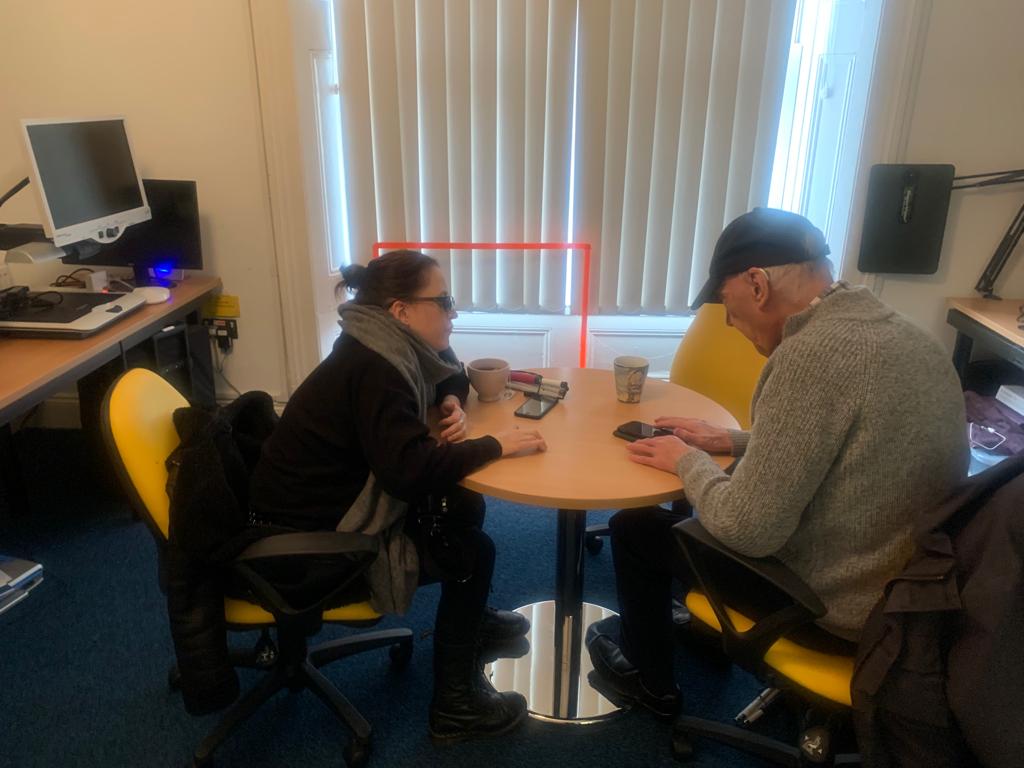
Hana is blind (severely sight impaired) and has been meeting weekly in the Karten training suite to train Richard in using voice over on his mobile phone. Richard was registered blind in 2017 and his eyesight has deteriorated over the last 5 years. He also wears a hearing aid and lives alone.
He has been learning how to use his iPhone with voiceover. Before his sessions in the Karten room at Vision North Somerset, Richard had an iPhone but didn’t use it. He couldn’t see it and didn’t know how to use a screen reader. He said, “I was frightened of it because I didn’t know what to do.”
Richard has been having lessons with a digital volunteer and the Digital Inclusion Coordinator. He can now set alarms and snooze using his phone as well as reminders. He is using Siri to phone friends. He said his skills have increased and he is now going through emails and deleting them. For him it’s about, “Knowing how to use it properly with touch, putting phone numbers in, basic stuff you’ve helped me with.”
Richard is now able to go out independently and can call taxis using Siri. He can now go supermarket shopping and to appointments. He says, “I now have more confidence getting out of the house.”
Richard recently travelled independently to Bath from Clevedon, via Bristol Bus Station. He had his phone with him and said it gave him confidence to know he could contact people if he is in need of help. He used it with Siri, for finding cafes. In Weston he used his phone to find an Italian restaurant and get directions. About his mobile, Richard said, “It’s a backup, reassurance when going out alone. Put it in your pocket and you’ve got it if you need it.”
At Treloar’s we are lucky to have a Karten Centre – TreloarPrint which provides cost effective printing services for our internal departments and external customers together with providing a fantastic opportunity for our students and interns to get involved in work experience placements.
We are pleased to introduce Libby who is a new student to Treloar’s and she has already been able to control several machines in TreloarPrint to create booklets, cards and posters. Libby has been given a bespoke computer mouse / joystick setup, and has been using it to complete a few jobs for TreloarPrint customers.
Libby has been doing an excellent job creating a square greeting card for a local charity this week. The customer is over the moon with the sample print, and has now ordered 50 of them.
TreloarPrint Technician and former Treloar’s student, Aaron Dyer said “I’m so proud of Libby and her really fantastic effort, the joystick and click button setup are working very well. I am so impressed with her determination; on Tuesday she was able to demonstrate her setup to a small group of visitors as part of the Lord Mayor’s tour.”
Supported Internship students
As well as work experience opportunities our Supported Internship students have been working on their Digital skills and qualifications including:
Hashim (pictured above) who is learning some complex design layout and CAD skills to better enable him to access employment possibilities after Treloar’s.
Emily who is learning how to set up and make good use of the features of Outlook Calendar system and Reminders on her iPhone.
Amos who has been undertaking work experience to enable him to develop his communication skills – he has printed posters for the marketing team and several Christmas cards last term for Worshipful Companies with me last November.
Cameron who worked on several projects last term – packing, talking to customers and developing his office admin skills.
As ever, it’s been a busy time at TreloarPrint and we are very grateful to the Ian Karten Charitable Trust and Karten Network for their support in making all these essential opportunities available for our students to help them develop and build the skills they need to thrive in their future lives.
Ben has lived at Dalvington and The Oaks care home in Worcestershire for the last nine years. Ben uses technology to express himself, which has been particularly useful for him following the sad loss of his father.
He had previously lived with his family until his dad became too unwell. Moving out of his family home was obviously very stressful for Ben and thanks to technology, we were able to support him to make his move as smooth as possible.
Service Manager Louise said, “Whenever we have new people, you’ve got to sit down, observe and see what’s the right way to help them move forward. But with Ben, he’s great with technology. His family taught him how to type on a keyboard, so we were able to use that to talk to him and understand how he was feeling straight away.”
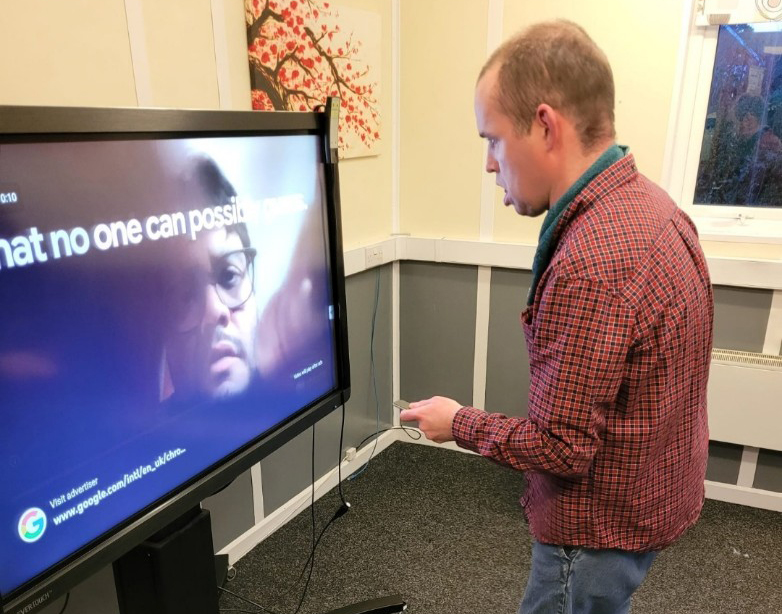
In 2018, Dalvington and The Oaks received vital funding from the Ian Karten Charitable Trust for some new kit, including a giant touch screen, which is housed in a dedicated computer technology room that all our residents can access. This equipment played a vital role during lockdown.
Louise continued:
It’s just brilliant, we can play games on it, we have movie nights and it’s great for video calls with families too, especially during lockdown.
“When Ben lost his dad and another resident who he was close to, he was able to express himself and how he was feeling using these games and talking to us on the keyboard or on his iPad. This really helped him to process everything he was going through. It helped us support him and his needs better too. It was great for him to be able to speak to his family on the screen when they couldn’t visit too.
“Ben is also a part of the FitzRoy Nationwide group, a group of people we support who meet regularly to discuss issues around their support and things FitzRoy are doing well or should do differently, and the touch screen allows him to see everyone and take part in the discussion using the chat features.”
FitzRoy is a proud member of the Karten Network, a network of IT centres for disabled people.
The grant received from the Ian Karten Charitable Trust has enabled Cantraybridge to set up their first Digital Studio complete with Computers, 3D scanners/printers and VR headsets.
21 Young people with additional support needs have benefited from our course on Digital Animation. They have completed the beginners course which was so successful that they have progressed to the intermediary course. All students using the digital equipment are gaining in confidence and are working on individual projects which range from animation to 3D modelling.
Some students have bought their own computers so that they can do more learning at home in their own time and showcase what they have done to their peers on the course.
Our students in the wood skills department have also benefited by having a 3D scanner/printer in their department. This printer has been fitted with a woodburning lazer engraver which has opened up the possibilities within the department and students have been making small items that are being displayed and sold in our café area.
Not only can we include more digital literacy in the department, but we can increase our product range and enhance things made by including greater detail. The following images of coasters are an example of increasing product range. Also included is a bird table showing how we can personalize and enhance the detail on products. This can lead to enhanced design and creative possibilities for our students.
We are also running a Camera Club in the Digital Studio where we are editing photographs using the computers. Some of the photographs taken by students are being superimposed onto wood and will be sold in our café. An example below.
We have also been in touch with Chris Creed from Birmingham university and are assisting him in the research of Intelligent Coding assistants. This should lead to more learning for our students and enablers alike.
Case study – Gareth
One of our students, Gareth (Gaz) has really enjoyed the courses run in our Digital Studio and the experience gave him the confidence to apply for a trial run by a computer gaming company called Outplay. This involved Gaz working on new games that Outplay wanted to market and finding glitches or errors within the game. Gaz has been so successful in this that it is likely he will be offered an employed position with the company.
Case study Mhairi Jane
Mhairi Jane had an accident the day before and wanted some quiet time to work. The printer was a suitable distraction from our typical work and she was thrilled with the item she made and left feeling calm and saying how happy she was.
We use cookies on our website to give you the most relevant experience by remembering your preferences and repeat visits. By clicking “Accept All”, you consent to the use of ALL the cookies. However, you may visit "Cookie Settings" to provide a controlled consent.
This website uses cookies to improve your experience while you navigate through the website. Out of these, the cookies that are categorized as necessary are stored on your browser as they are essential for the working of basic functionalities of the website. We also use third-party cookies that help us analyze and understand how you use this website. These cookies will be stored in your browser only with your consent. You also have the option to opt-out of these cookies. But opting out of some of these cookies may affect your browsing experience.
Necessary cookies are absolutely essential for the website to function properly. These cookies ensure basic functionalities and security features of the website, anonymously.
Cookie
Duration
Description
cookielawinfo-checkbox-analytics
11 months
This cookie is set by GDPR Cookie Consent plugin. The cookie is used to store the user consent for the cookies in the category "Analytics".
cookielawinfo-checkbox-functional
11 months
The cookie is set by GDPR cookie consent to record the user consent for the cookies in the category "Functional".
cookielawinfo-checkbox-necessary
11 months
This cookie is set by GDPR Cookie Consent plugin. The cookies is used to store the user consent for the cookies in the category "Necessary".
cookielawinfo-checkbox-others
11 months
This cookie is set by GDPR Cookie Consent plugin. The cookie is used to store the user consent for the cookies in the category "Other.
cookielawinfo-checkbox-performance
11 months
This cookie is set by GDPR Cookie Consent plugin. The cookie is used to store the user consent for the cookies in the category "Performance".
viewed_cookie_policy
11 months
The cookie is set by the GDPR Cookie Consent plugin and is used to store whether or not user has consented to the use of cookies. It does not store any personal data.
Functional cookies help to perform certain functionalities like sharing the content of the website on social media platforms, collect feedbacks, and other third-party features.
Performance cookies are used to understand and analyze the key performance indexes of the website which helps in delivering a better user experience for the visitors.
Analytical cookies are used to understand how visitors interact with the website. These cookies help provide information on metrics the number of visitors, bounce rate, traffic source, etc.
Advertisement cookies are used to provide visitors with relevant ads and marketing campaigns. These cookies track visitors across websites and collect information to provide customized ads.