
Behind the Headlines – Accessibility and AI at WWDC and Google I/O 2026

Early summer brings, as it does most years, two of the technology calendar’s biggest fixtures: Apple’s Worldwide Developers Conference (WWDC) and Google I/O. Both events are dominated, once again, by artificial intelligence, and it would be easy to read the coverage and conclude that this year was simply more of the same. Look past the keynote highlights, however, and there is a great deal that matters directly to the people we support, some of it announced with fanfare, and some of it tucked away in a press release ahead of Global Accessibility Awareness Day. This article covers both.
WWDC 2026: A New Siri, Built with Gemini

Apple’s Worldwide Developers Conference ran from 8 to 12 June, and previewed iOS 27, iPadOS 27, macOS 27, watchOS 27, tvOS 27 and visionOS 27, alongside the next generation of Apple Intelligence. The centrepiece was the long-delayed overhaul of Siri, now rebranded Siri AI. Apple describes it as a profoundly more intelligent and capable assistant, one that can understand what is happening on screen and carry out multi step tasks across apps. I found it interesting that this new assistant is powered by Google’s Gemini models, a partnership that would have seemed unlikely only a year or two ago. Apple has been clear that this does not change its approach to privacy. Straightforward requests are still handled entirely on the device, and anything needing more computing power is sent to what Apple calls Private Cloud Compute, its own servers built so that the data passing through cannot be seen even by Apple’s own staff. It will be worth watching how well that holds up now that some of the heaviest requests are reported to run on Google’s infrastructure too, though Apple says it anonymises each request so that neither company can trace it back to a person.
Liquid Glass, One Year On

You may recall that last year’s introduction of Liquid Glass, Apple’s translucent, layered design language, drew concern from the accessibility community, particularly around readability in areas like Control Center. Apple responded during testing by adjusting blur levels and increasing contrast. This year’s update goes further still. iOS 27 introduces an opacity slider, allowing each person to dial the see-through effect up or down, or turn it off altogether in favour of a fully solid interface. It will sit in Settings, under Appearance, then Liquid Glass, once iOS 27 arrives. In the meantime, the existing Reduce Transparency option, found in Settings under Accessibility, then Display & Text Size, already softens the effect considerably. It is a welcome acknowledgement that a single aesthetic does not suit everyone, and a good example of a company listening to feedback over successive releases rather than treating a design once shipped as finished.
Who Gets Siri AI, and When
While Siri AI has been presented as the headline feature of the year, its availability is uneven. The full experience, including expressive voices and more advanced dictation, will require an iPhone 17 Pro, iPhone 17 Pro Max or iPhone Air. Older devices will run iOS 27 perfectly well but will not see the most capable assistant features. Unlike in the EU, where regulations mean Siri AI cannot ship on iPhone or iPad at launch, this restriction does not apply here in the UK.
Continuity for Older Devices
On an encouraging note, Apple confirmed that every device currently able to run iOS 26 will also be able to install iOS 27, including the iPhone 11. In services where devices are often several years old and replacement budgets are limited, that continuity is genuinely useful, even if it means some of the newest AI features remain out of reach for now.
Accessibility Highlights from WWDC 2026
As has become customary, Apple previewed a set of accessibility updates shortly before WWDC, ahead of Global Accessibility Awareness Day on 21 May. This year’s additions are substantial, below are some that I thought worth highlighting.
VoiceOver and Magnifier
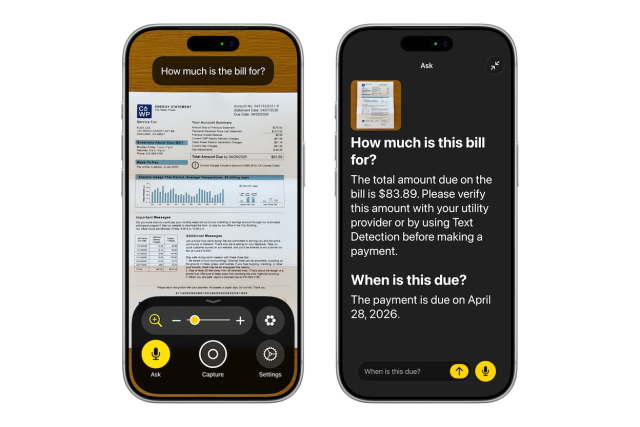
VoiceOver will use Apple Intelligence to generate richer, more natural descriptions of images, documents and real world objects, moving beyond simple labels toward something closer to a genuine description of a scene. Magnifier gains similar AI powered interactions, and Voice Control becomes conversational, accepting more natural phrasing rather than a fixed set of commands. None of this needs a new setting to find. Once a device is updated to iOS 27, the improvements simply appear inside VoiceOver and Magnifier as they already exist.
Accessibility Reader
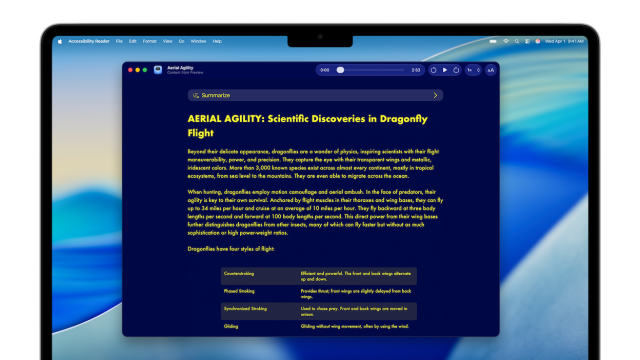
Accessibility Reader, first introduced last year, has been improved to handle more complex layouts, including multi column articles, images and tables. Readers can now request an on-demand summary or overview of a piece of content and can translate it into their own language. For anyone wanting to try it, it can be found in Settings, under Accessibility, then Read & Speak. Once switched on, the quickest way in is to triple click the side button, or add it to Control Center for a single tap from any app. For anyone supporting a person who finds dense or cluttered web pages overwhelming, this continues to be one of the more quietly useful features in Apple’s accessibility suite.
Generated Subtitles
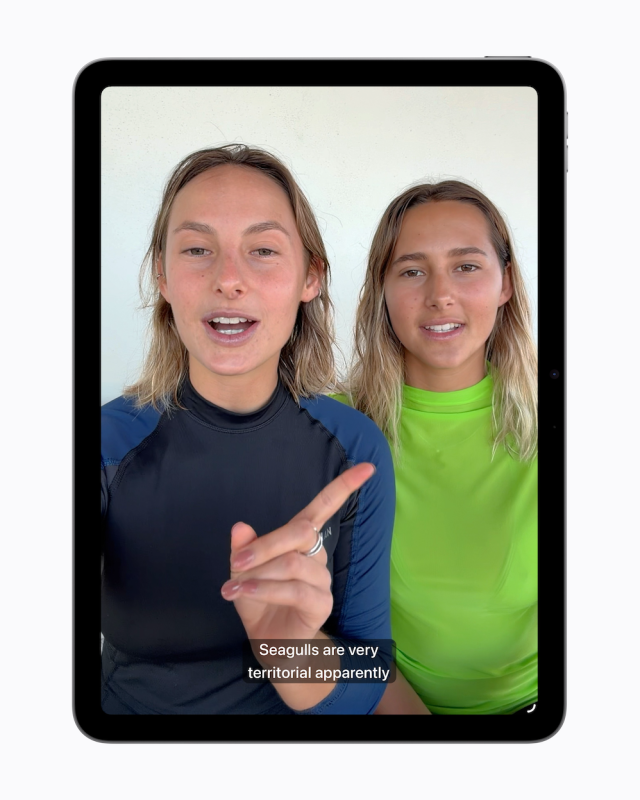
Commercially produced video is usually captioned. Personal video, such as a clip recorded on someone’s own iPhone, generally is not. Apple’s operating systems will now generate closed captions automatically for uncaptioned video, processed privately on the device, and available on iPhone, iPad, Mac, Apple TV and Vision Pro. This closes a long-standing gap between professional and everyday content that many Deaf and hard of hearing users have raised for years. Once iOS 27 is installed, the toggle will be available in Settings, under Accessibility, then Subtitles & Captioning.
Wheelchair Control for Vision Pro
The feature that caught my attention most this year is Wheelchair Control, which uses the Vision Pro’s eye tracking functionality to control a powered wheelchair, intended for people for whom joystick control is not possible. This is a genuinely interesting feature, and it is encouraging to see eye tracking, already established in Apple’s software as an input method, extended into something as consequential as mobility. It also raises the questions we always need to ask of new assistive technology. A Vision Pro remains an expensive piece of hardware, and driving a wheelchair is a safety critical task in a way that scrolling a screen is not. How this performs outdoors, in poor light, or over extended use, and who is actually able to access and fund it, will matter far more than how it looks in a demonstration video. A short demonstration of this feature is available below, taken from Apple’s official announcement introducing Wheelchair Control for Vision Pro.
Vehicle Motion Cues, Face Gestures and Dwell Control
Vision Pro also gains an extended set of interaction methods. Vehicle Motion Cues, introduced in 2024 to reduce motion sickness when using an iPhone or iPad in a moving vehicle, is now supported in visionOS as well. Face gestures can be used for taps and system actions, and a new Dwell Control method allows selection using the eyes alone, without a physical input. Taken together, these updates continue to broaden the range of ways a person can control an Apple device without relying on hands.
Touch Accommodations and Hearing Aids
A couple of smaller but still meaningful updates round out this year’s accessibility announcements. Touch Accommodations bring new options to personalise touch input on iOS and iPadOS, found in Settings under Accessibility, then Touch. Made for iPhone hearing aids gain more reliable pairing and hand-off, meaning the audio switches automatically to whichever Apple device you are using without needing to reconnect manually, alongside an improved setup experience across iOS, iPadOS, macOS and visionOS, managed from Settings under Accessibility, then Hearing Devices.
Google I/O 2026: The Agent Era
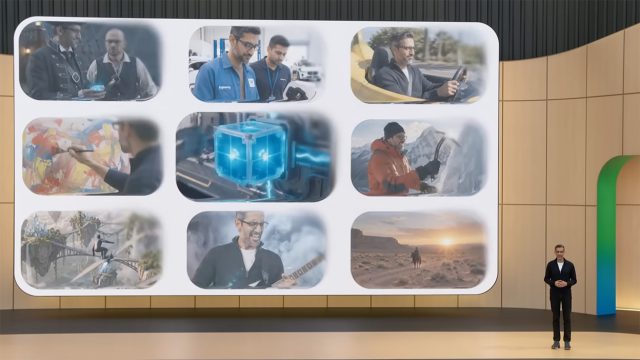
Google I/O took place in May, and if WWDC was Apple’s attempt to catch up on AI, Google I/O was a statement that Google intends to stay ahead. The event introduced Gemini 3.5 Flash, the first in Google’s latest family of models, and the language used throughout the keynote was telling. Google described a shift from AI that assists you to agents that act on your behalf, a distinction that is likely to matter a great deal for how these tools are used, and by whom, in the years ahead.
A Search Box Reimagined

Google Search received what the company calls its biggest upgrade in over twenty five years. The search box itself has been redesigned around AI Mode, now expanding to nearly two hundred countries and ninety eight languages, with no subscription required. Search can build a custom response on the fly, including interactive visuals, tables and simulations tailored to the question asked, and can, for select categories such as home repair or beauty appointments, call a business on the person’s behalf. Personal Intelligence, which allows Search to draw on connected apps such as Gmail and Google Photos, is opt in throughout, and Google has been explicit that people choose if and when to connect each app.
Gemini Spark and the Rise of the Agent

Perhaps the clearest expression of this year’s theme is Gemini Spark, described by Google as a personal agent that takes real actions on a person’s behalf, integrating first with Gmail, Docs and other Workspace apps before expanding to third party tools in the coming months. A companion feature, Daily Brief, draws on Gmail, Calendar and Tasks to produce a personalised digest of the day ahead. Both work in much the same spirit as Apple’s Siri AI: assistants that once waited for a question are now expected to notice what needs doing and get on with it unprompted. It will be worth watching how comfortable people feel handing over that much initiative, and how much say they are given over what is done on their behalf.
Accessibility Highlights from Google I/O 2026
Google’s dedicated accessibility session at I/O 2026 covered updates to TalkBack and Voice Access, an expanded dark theme, and a set of new accessibility APIs intended to make it easier for developers to build inclusive experiences from the outset. Detail on these updates remains less than Apple’s equivalent announcements this year, which is itself worth noting. Accessibility featured clearly in Google’s developer sessions, but rarely in the main keynote, where the emphasis was almost entirely on Gemini and agentic tools.
Intelligent Eyewear
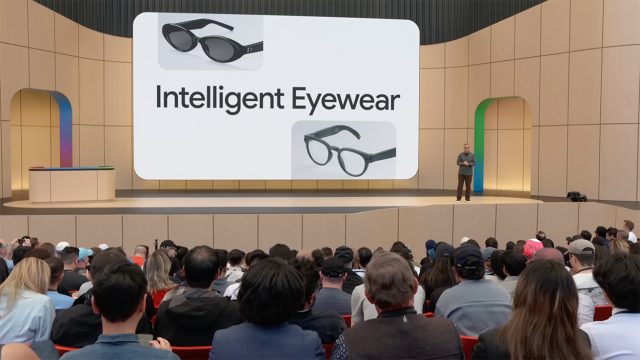
Google also showed new intelligent eyewear arriving this autumn, continuing the direction previewed as Android XR last year. Developed with Samsung and eyewear brands Gentle Monster and Warby Parker, the first models are audio only, with no display, and lean on Gemini to give spoken directions, read out messages, answer questions about what is in front of you, and take photos on request, woken with a spoken word or a tap on the frame. Display versions are expected to follow. The glasses pair with both Android and iOS phones, so this is not locked to Google’s own ecosystem. For anyone with a visual impairment, restricted hand function or sensory sensitivity, hands free, audio led interaction of this kind has clear potential, though as with any new hardware category, it is too early to say how well it will work outside a stage demonstration, or what it will cost once it reaches shop shelves.
The Path Ahead
Both companies are edging toward the same idea: an assistant that gets on with things once you have asked it, or occasionally before you have asked at all, rather than one that simply waits for a question. Apple’s Siri AI and Google’s Gemini Spark are, in their own ways, both examples of this. For many of the people we support, an assistant that can hold context, understand what is on screen, and carry out several steps in a row could ease some of the physical and cognitive effort that using a device still involves.
Whether that promise holds up in daily use is, as ever, a separate matter from how well it was announced. The features that impress on stage are usually the ones that need the newest phone, a paid subscription, or both. Apple has kept its most capable Siri AI features for its newest iPhones, and Google’s newest AI Ultra tier costs one hundred dollars a month in the United States.
None of that makes either announcement less worth watching. It does mean the useful question stays the same as it has every year: will the person you are actually supporting, with their own device, their own budget and their own way of communicating, get to use any of this?
As always, I am keen to hear how you are using AI and accessibility features on Apple and Android devices in your setting. If you would like a particular topic covered in the next newsletter, please let me know. Finally, if any of the features covered in this article sound useful and you would like a hand getting them set up, or you have any other question or need technical help and support, please do get in touch.
Martin Pistorius
Karten Network Technology Advisor
Article meta data
Clicking on any of the links in this section will take you to other articles that have been tagged in the same category.
- Featured in the Karten Summer 2026 Newsletter
- This article is listed in the following subject areas: Technology, Update from Technology Advisor