Hello to our readers and welcome to our late spring newsletter. Goodness it is such a busy time at the moment, and there is so much fabulous work going on in our Karten Centres and across the Network. Thanks as ever to our contributors for generously sharing their news, as you can see there is so much to be proud of and to celebrate!
In addition to providing support for Karten Centres, we are involved in lots of other activities: research and development; lobbying at a national level; participation in special interest groups. The outputs from the Nuvoic project are very exciting, there is an article about the project in this newsletter so you can see the progress being made. It is still possible to participate in this project on a fully funded and supported basis, email liz@karten-network.org.uk to find out how get involved.
Check out the TechAbility article for updates about all sorts of support and opportunities. There is also a call for presentations from Karten Centres for the 2022 TechAbility Conference. Don’t be shy, this is a super opportunity for you to showcase your use of technology at a national conference.
Finally, I would like to thank those of you who have invited me to visit and see the excellent work you are doing in person. This is a welcome and sure sign that we are beginning to transition to something closer to normal.
Keep safe and I look forward to catching up with you soon.
In August 2021, ESPA College South Hill was granted funding and official Karten Centre status and saw the successful installation of a brand new Sensory Room.
ESPA College South Hill is an education setting for young autistic people between the ages of 16 and 25 years. The majority of students have additional and complex needs, including learning disabilities, ADHD, mental health conditions, behaviours that challenge and sensory issues.
The sensory space was created in collaboration with Mike Ayres Design and college staff. The team chose a suitable space in their building, and selected the very best equipment, to meet the complex sensory needs of their students.
The Sensory Room features:
Large bubble tube
Rainbow light bar
Tactile cause and effect wall panel
Sound and light wall panel
Interactive fibre optic unit
Sensory projector
Sparkle cloud
Integrated audio and visual system
The sensory needs of our students can be a barrier to their education, so the installation of this state-of-the-art Sensory Room supports students to manage their sensory needs; making it easier to focus and participate in lessons and community activities.
The room is used, at present, for two 2-hour sessions per day (Mon-Fri). This is a mixture of individual and small-group use (usually a maximum of three students at one time).
Because the users of the room have full control over the mood created, the room can be quiet and calm, or stimulating, depending on what the individual requires. When someone is craving some sensory input, the Sensory Room can be the perfect place for them to get the stimulation that they need. The room is also used regularly to implement established sensory routines in order to reduce or manage sensory overload, and regulate sensory input.
Sessions within the room can be for small groups – which encourages socialising amongst the learners – or individuals, who like to use the space help to manage emotions and reduce anxiety and stress. It can also be a safe place to practice coping skills and emotional regulation strategies.
Our learners and staff at South Hill have had access to the new Sensory Room since the beginning of the academic year and the feedback has been overwhelmingly positive. We have been providing inductions for ESPA residential staff, so they can use the room for their service users when the college is closed (evenings and weekends). We have also opened in holiday times for our residential services. This is something we would like to increase once people become confident using the equipment.
Case Studies
Katie and Sarah use the Sensory Room twice a week. They both use the room for different reasons and get different outcomes from the sessions that take place.
Katie
Katie likes to go into the room and enjoy the quietness as this really helps her to self-regulate. She likes to listen to Disney music whilst in the space and interact with different pieces of equipment; most often she likes to entwine the string lights through her fingers and watch the different colour changes that occur. The texture of the strings on her hands as she moves them through her fingers stimulates her senses through touch and sight. The sensory input that Katie requires is high, and she needs her senses stimulating throughout the day, in different ways, using sensory items and objects.
Katie enjoys watching herself in the mirrors and seeing her own reflection, and the facial expressions she makes, whilst watching the bubble tube. She will focus on the bubbles moving up and down the tube, and watch as it changes colour after a few seconds. Occasionally, Katie will watch what staff are engaging with and, with some encouragement, will explore the equipment herself. Katie will watch staff interacting on the sound box drums on the wall and she will move closer and then start off one at a time by pressing one of the buttons and then copying the sounds the staff make. Eventually she will carry on doing it all herself.
Sarah
Sarah loves all the different colour and mirrors in the Sensory Room. She loves to explore the different textures using her hands and feet. Sarah loves to remove her socks and feel the different textures of the flooring and mats with her feet. Sarah will move around the Sensory Room and explore the different texture of the equipment; again with her hands or her feet.
Sarah loves to sit on the mats near the by bubble tube and watch herself in the mirrors and explore and watch what others are doing around her. She will pull faces in the mirrors and occasionally she will touch the mirrors if she sees something she likes. Sarah will also interact with the bubble tube; watching the bubbles move up and down the tube and exploring the colour changes. Sarah can get very fixated with the bubble tube and she will lie on the mats next to it and explore everything about it; the colours; the different shapes of the bubbles; the way a few bubbles stick together. She finds all of this so interesting and curious and she expresses this through her facial expressions.
Throughout Katie and Sarah’s sessions in the Sensory Room both students are encouraged to use different pieces of equipment and try and engage their senses through touch, sight, smell and sound. We have found that if for any reason we miss a session in the Sensory Room both Katie and Sarah’s behaviour can change. This is apparent through their body language towards staff, and refusing to listen to staff, or becoming very mischievous and running to different parts of the college.
The Sensory Room plays a very big part in Katie and Sarah’s education as they need their senses stimulated, otherwise they would find their day hard to cope with. By using the Sensory Room, Katie and Sarah can learn in different ways and absorb information differently. The sessions are very much tailored to each student’s needs.
Additionally, by using the different equipment with both Katie and Sarah, this helps both students to improve their colour recognition and fine and gross motor skills. It also helps with hand/eye coordination.
Georgia
Georgia really enjoys it in the Sensory Room. She relaxes a lot by the bubbles tube and watches the colours change. She also enjoys watching the colours on the Sparkle Cloud. She is also known to fall asleep sometimes! The room really helps Georgia relax.
Our immediate focus has been responding to direct need from our members and initiating a mix of face-to-face (when it was safe to do so) and remote training sessions as planned.
Our Centre has adopted a cautious reopening approach over the past 12 months to keep members safe, recently returning to being open four days a week. The equipment we were able to purchase from Karten has enabled us to deliver hybrid remote and in person training during this time and for those who may still lack the confidence to attend in person.
We’ve also been able to respond to requests for Braille training, with a number of sessions delivered. One example included a face-to-face session for five learners in November, who had previously taken part in Braille Alphabet sessions over Zoom. The members were able to get hands-on experience of this new technology including the Braille frames.
Writing is accomplished by placing a piece of paper in the slate, aligning it correctly and closing the slate. The person writing begins punching the dots in the upper right corner of the frame and works backwards towards the left. In addition, each combination of dots, which members had previously learnt, had to be completed backwards (flipped), so that when the paper is removed and turned over, the braille reads correctly. This was quite a task to master; however, the group really enjoyed the challenge and a couple of members loaned the slates to continue practicing at home.
We also looked at the much-awaited Hable One device which is essentially a braille keyboard that can be hooked up to tablets and phones using Bluetooth. The keyboard is used in conjunction with a screen reader and can be used for both navigation and text input. What makes these devices so amazing is the fact that they can be used by people who would normally struggle to perform the complex gestures needed to navigate phones and tablets using a screen reader and is much easier to master than having to learn to touch type.
The new chairs and tables were also used with positive feedback about comfort in the IT Suite. The Braille embosser has been put to good use especially with remote training, with resources printed and sent to members in advance of Zoom sessions. Fingerprint Braille course volumes have also been loaned as planned to members. We have also been able to produce learner documents in Braille and have been able to respond to transcription requests from members of the public.
Laptops and desktop computers with Zoomtext Fusion software and MS Office have been used to deliver both face-to-face and remote sessions. We also have a learner booked in to receive training on the Dragon Dictation software.
We are also planning on launching accessible gaming sessions in the future using the funded digital gift cards from Karten.
Case studies
Anon
After losing his eyesight in 2019 due to an accident at work, Anon’s journey was impacted by the pandemic meaning he hasn’t been able to adapt to his condition as quickly as he may have done.
Since becoming a member at Beacon, Anon has been enjoying I.T. and assistive technology training, making progress in learning to touch type. He has also started to explore how he can use the Mac iOS screen reader.
Anon is aiming to return to employment working in technology and with computers, meaning the course and Karten equipment is providing him with invaluable skills and confidence to regain his independence. Anon will also be supported through our employment programme.
Anon learning with equipment provided through Karten.
Nathan
Nathan began to lose his sight in July 2021 due to Leber hereditary optic neuropathy. Formerly a scaffolder and very independent, Nathan has struggled on occasion to come to terms with his condition which has gradually worsened as time has gone by.
Since being referred to Beacon, we are helping Nathan to adjust and learn new skills, allowing him to boost his confidence and regain his independence.
Since joining, Nathan has had cane training allowing him to get around unaided empowering him to meet his friends and family, run errands and attend appointments. He has also attended a Fab Lab training course.
Having developed his confidence a little more, Nathan recently began using Karten equipment through IT training. He has become more proficient in touch type and can now easily navigate the keyboard. This has enabled him to explore using new technologies such as the Windows screen reader.
Nathan would like to pursue a new career and attend college, where we are positive that he will be using assistive technology with confidence following his training.
Our IT suite was in dire need of upgrading and we were very fortunate to receive a grant for refurbishment from not only the Karten Trust but other trusts as well which enhanced the grant we received.
Since our refurbishment we have been able to not only upgrade the PCs in our Centre but also the accessories, laptops and software. During the recent Covid period this was a lifeline for us and the people we serve. We were able to re-open and continue to stay open throughout the lockdowns in 2021 due to the better technology we had in place.
In the words of our students
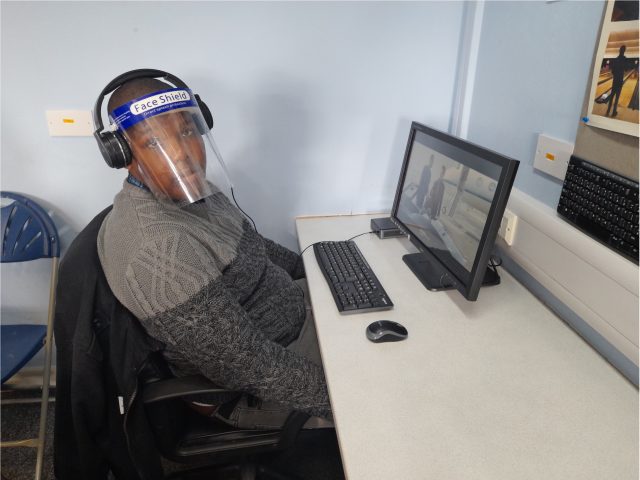
The New IT suite is great recreation for the students and works well as a fully equipped break-out space.
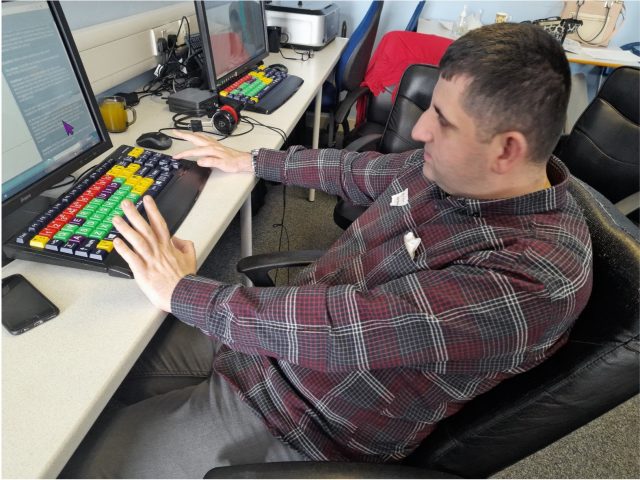
”I like the new keyboard because I can see better because of the colours and the bigger keys. I love to watch Lorraine Kelly in my Free Time at the end of the lesson. It is something that reminds me of home.” – Kadr
Using the PC’s for charity work
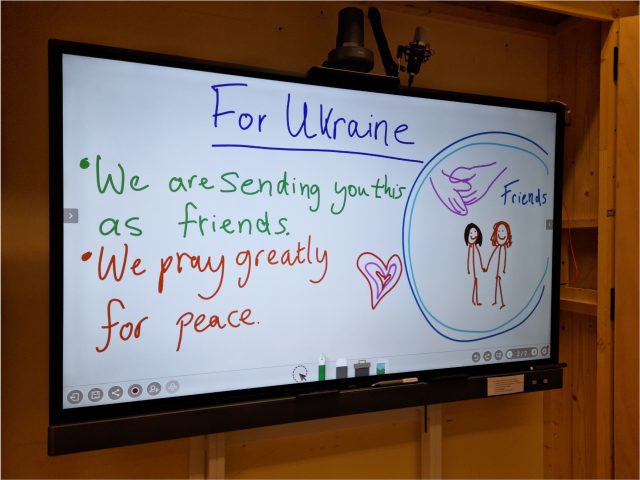
Student used the new PC’s to write letters to people from Ukraine to go alongside our First Aid supplies collection. These letters were included in our Caritas Newsletter which was sent out across the Diocese of Westminster.
Hard at Work!
“I get to type in what I do at the Day Centre. The Projects are good. I find it easier with the new equipment. The staff are very friendly.” Matthew
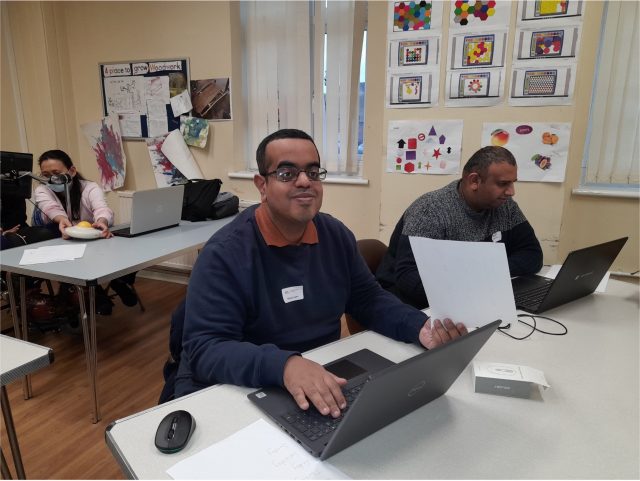
New laptops for our life skills classes
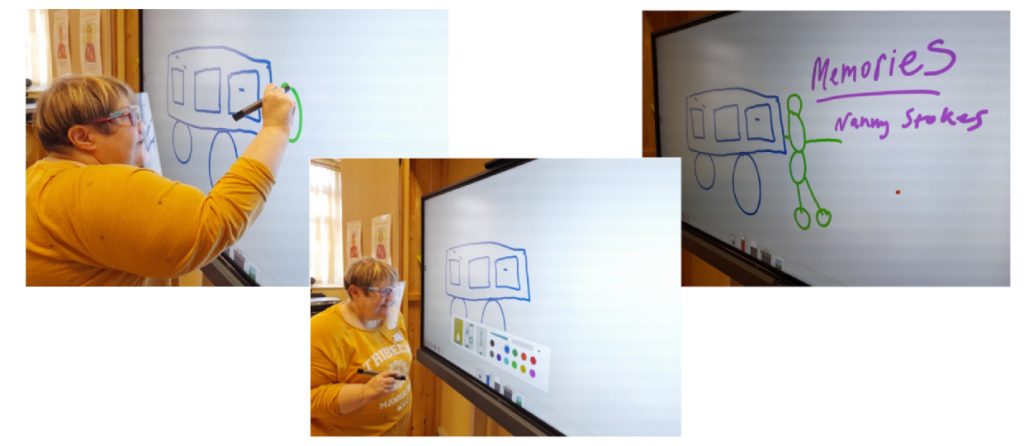
Fancy new iBoards for group work and research…
One student, delighted to be using the iBoard to express her fond memories of holidays with her family and “nanny Stokes” in front of the class.
Miles of Smiles in “Exploring Words and Numbers” class
The Leicestershire Local Enterprise Partnership (LLEP) has awarded £300,000 in grant funding to seven local projects addressing digital poverty. The LLEP grant funding supports a range of innovative projects across the city and county, including recycling devices, laptop lending, skills support and digital buddies who can provide one-to-one help.
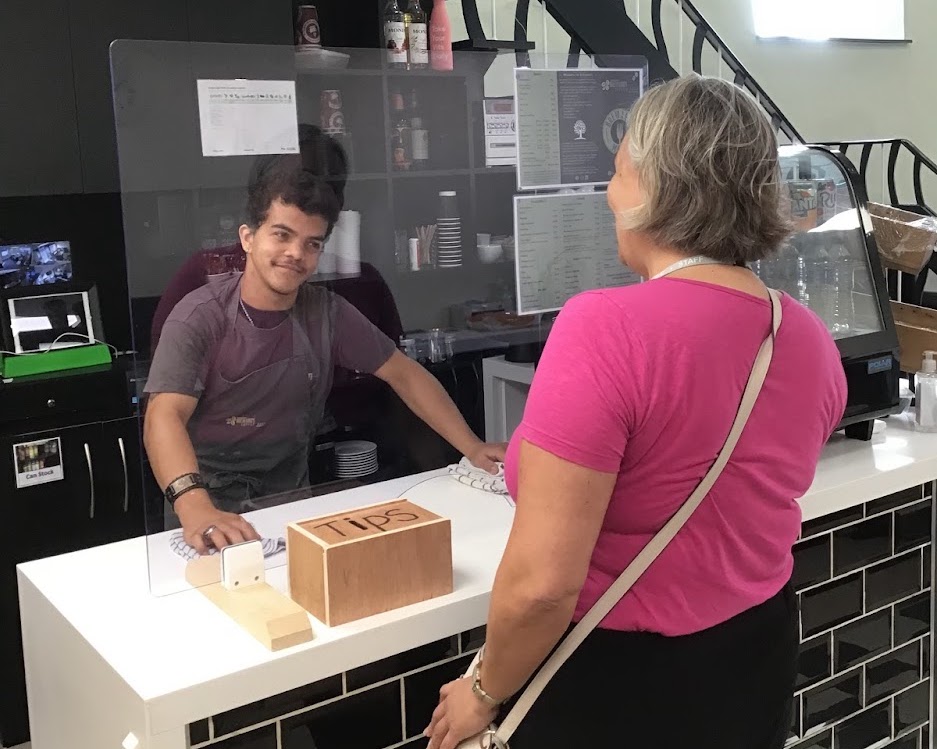
Homefield College are delighted to announce we’ve been awarded a digital poverty grant to establish a Student Assisted Technology Coaching at our college enterprise Breward’s Coffee Shop in Mountsorrel, Leicestershire. Our students will provide the elderly, jobseekers and disadvantaged people within the Mountsorrel area access to the internet, devices and technological support on a weekly basis.
The Breward’s Hub will help break down technological barriers in the local community, and students acting as technology coaches will develop their social, communication and employability skills in the process.
This is an exciting opportunity for our students to make a difference to the local community, and we will keep you updated as the project progresses.
Since the Covid pandemic hit in 2020 many people have adopted new technology as a way of keeping in contact with others and doing basic tasks like shopping online. However imagine what life would have been like if you could not see your computer or smart device during the past two years. For many people experiencing sight loss in the UK, specialist IT training with accessible technology has been very difficult to get during the pandemic.
During both lockdowns and beyond, Vision North Somerset was able to provide IT support to people who have experienced sight loss using a virtual platform. Digital coordinator Jo Healy, who is herself visually impaired, was able to give IT support to people using screenreader software over the phone. In a time when it was impossible for people to meet physically, Jo’s experience as a screenreader user made it possible to continue tuition for some by simply listening to the client’s screen reader down the phone. Alternatively, Jo was able to take over a client’s PC using Quick Assist and help them remotely. This type of support was invaluable for many people who would have been otherwise isolated during this time.
At a time when the whole world was keeping in touch via zoom and similar platforms, Vision North Somerset found that many of their service users had initial barriers to using this software. For this reason, during both lockdowns and beyond, Vision North Somerset has been able to support social interaction via an accessible conference calling package. This conference calling package rings group participants at the start of the meeting, which means they do not have to struggle with putting in telephone and pin numbers into the phone. Vision North Somerset were pleased to be able to support some of their physical groups who met in person to continue meeting on the phone, as well as creating new groups such as an audio book group, general conversation groups and a group for people interested in the arts.
During the Month of March, Members of Buzz Hub St Helens CDP had six exhibitions running in and around St Helens Town Center.
20:20 print exhibitions
We had our members 20:20 print exhibitions within the Millennium Center. The prints formed part of an international print exchange organised by Hot Bed Press.
Artwork by David, Julie and BillOther examples of our prints were shown in shop windows within the TownFaye and Laura with their artwork
This Exhibition is Rubbish
Artwork created by members using recycled rubbish. Exhibited within the Coffee shop in St Mary’s market.
Artwork by Melissa, Laura & Faye
Blanket exhibition
The many uses for a Blanket exhibition held in an empty shop space. Blankets created through different art mediums. Displayed for people to visit the space and have a picnic.
Cheryl and Stephen at the blanket exhbition
Through the Looking Glass
Our Through the Looking Glass project exhibited within the World of Glass. This explores members ideas around time travel and what a future may look like. This is exploring ideas through conversation and Artwork.
Time Travel inspired Artwork created for the exhibition by Victoria and Bill
Rock Your Socks
This exhibition was to highlight and celebrate World Down Syndrome Day.
Our members at the exhibition
It formed part of a celebration culminating in a sponsored walk in aid of funds for Mencap.
We used the Wide Format printer for the posters and the prints. Prints for our Recycled rubbish Art Exhibition. HP Envy laptop to edit the photographs and the HP Omen. Great equipment which produced great results.
We were approached at the end of last year by members of the Local Authority Transition Team. The team wanted to develop an accessible information site for young people in transition. The team consulted with our members around its full development. Our members developed / designed / animated / recorded and filmed the content. It was a great project to be involved in and the feedback has been amazing. View the transition information site.
Most of our clients here at Jewish Care Explore find the world of technology challenging.
What springs to mind when I think about what we do, is the image of a Tube train coming into a station with that well-known phrase “mind the gap!” blaring out.
The train is a symbol of the digital revolution. Some individuals climb on board without thinking too hard about it whilst others require support to navigate between platform and train.
We are constantly adapting what we do to best meet the needs of every individual.
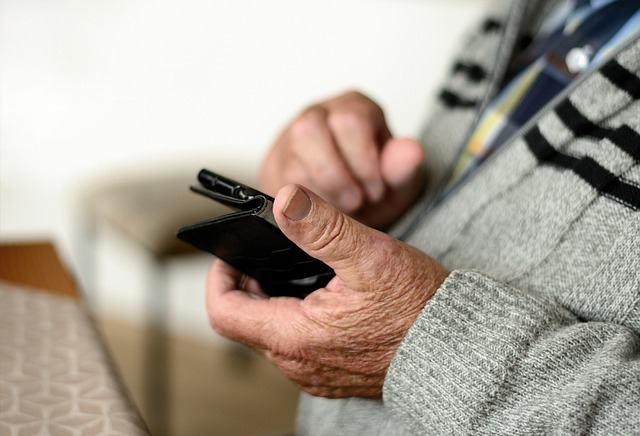
Towards the end of last year, one of our client’s, Sara (not her real name), a woman in her mid-seventies, came in to see us with the request to assist her with setting up and becoming familiar with her newly purchased android smartphone.
It was immediately apparent that Sara would benefit from using a stylus – a useful aid for individuals for whom touch screen contact is challenging.
But several sessions went by with very little overall progress being made. Each new session was starting to resemble the previous one and the one before that. Sara was just not getting a hang of making and receiving calls on her new device. It was disconcerting that she was arriving for her sessions with her phone still in its box! And this was after around 3 months! Sara was not making any attempt to use it and one day admitted to feeling overwhelmed by it.
It emerged that Sara had an anxiety relating to her new device. To make proper progress, we needed to address this. What exactly was concerning her? What was causing this worry? It was not just the sense of feeling overwhelmed that was concerning her, but she said that she was afraid of dropping it. We recommended that she buy a robust phone case. Easily addressed. A further concern was that she was uncomfortable to her device in public places. We reassured her that she would be in good company were she to make or receive a call whilst on a bus, but that she was correct to feel concerned if it rang whilst she was at the theatre, for example.
Whilst the stylus we offered Sara supported her physically, she also needed extra encouragement and support. Sara has now started to use her device, albeit cautiously. She is getting excited about the power of Google and the possibilities that exist to use her device to plan day trips. For us, we feel that we have gone some way to supporting Sara in bridging the gap.
Since our last update we’ve continued recruiting and supporting people with atypical speech to test and give feedback on the Voiceitt speech recognition app, and to donate speech samples to help improve the underlying technology. The app is designed to support communication and Smart Home control for people who have atypical speech, with details available on our project website.
Voiceitt at The Maples smart bungalow
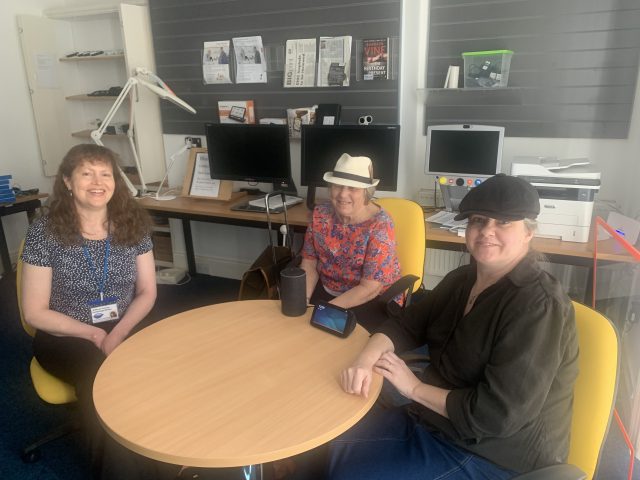
In February, the Karten Nuvoic Project team visited The Maples smart bungalow at Portland College near Mansfield, to help make voice controls for their new Smart Home installation accessible for people with atypical speech, through the Voiceitt app. The team at Portland College were already supporting learners to try out a whole range of new equipment via Alexa, including some who use voice output communication aids (see their article in January’s newsletter for details). Using Voiceitt’s speech recognition app, the Nuvoic team made these commands accessible for people who want to use their own voice but who find that Alexa doesn’t understand their speech.
We setup Voiceitt commands to control lights and blinds in every room, to set the heating and view cameras at the front and back doors, and even show what’s in the fridge! With Voiceitt, users can choose the words they want to use and train the app to recognise their unique pronunciation. The Portland team have setup routines in Alexa to carry out several actions with a single command, which we replicated with Voiceitt. For example, ‘Good morning’ will open the blinds and turn on the lights throughout the bungalow, while ‘Good night’ does the reverse. ‘Let’s chill out’ closes the blinds and sets the lights low in the chill out room, activates a bubble tube via a smart plug and plays relaxing music. We also setup commands to control the Robovac (robot vacuum cleaner), and basic commands for the TVs using voice control through Voiceitt.
Sarah Field is a Learning Support worker at Portland College, and a participant in the Nuvoic Project. Sarah trained Voiceitt to recognise how she says each of these commands and demonstrates them in the following video.
It was a great opportunity to gain experience of using Voiceitt with a fantastic range of Smart Home equipment, which we hope to share with other participants and organisations – please email liz@karten-network.org.uk if you would like more information. Huge thanks to Sarah and the team at Portland College for allowing us to visit and for all your help while we were there!
Ensemble
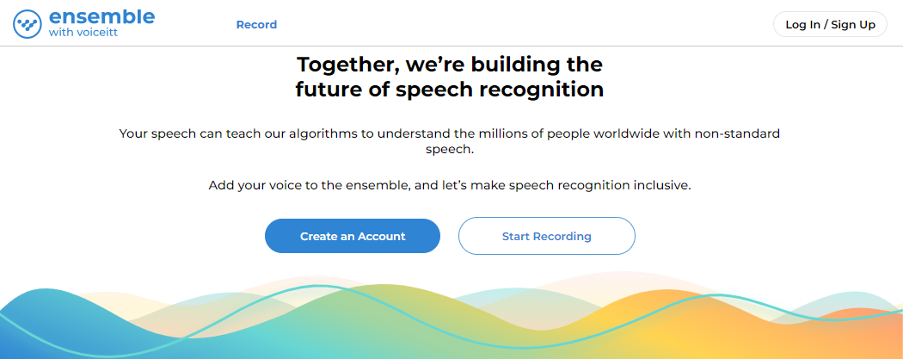
In the latest phase of our project, we’re asking people with atypical speech to record and donate phrases through the Ensemble website, to help Voiceitt improve the way their speech recognition technology works. Thanks to everyone who’s enrolled so far, through Caritas St Joseph’s, Cedar Foundation, Enable Ireland, The Grange, Homefield College, Leonard Cheshire, Leuchie House and several individual participants too. Between them, they’ve donated over 3,500 recordings so far – a brilliant start!
We’re keen to include as many non-standard voices as possible so please get in touch if you or people you support want to add theirs to the Ensemble! We can offer equipment on loan, technical support, gift cards of up to £100 for participants and funding for organisations supporting someone to take part.
If you or your organisation would like to be involved in this exciting development work, please see our web pages or contact our project co-ordinator: liz@karten-network.org.uk for more information.
Other Updates
In March one of our participants, Daniel Burgess, presented his work on the Nuvoic Project to students at Oakwood Academy in Manchester. Daniel volunteers with Leonard Cheshire as a befriender at their Hill House service in Sandbach, and delivers Zoom karaoke and quizzes to residents. As well as testing Voiceitt and donating voice samples through Voiceitt Ensemble, Daniel also supports two residents at Hill House to take part in the project – thanks Dan for your amazing contribution!
Our Project Technologist, Geena Vabulas, has also recently presented our work with Voiceitt to over 100 Assistive Technology professionals working in HE and FE at the Jisc ‘Focus on the Future’ event. This generated a lot of interest and several new enquiries from organisations wanting to get involved – fantastic job Geena!
Get in touch!
We would love to hear from you if you, or someone you know may be interested in taking part in testing the Voiceitt app and/or donating speech samples. Please email our project co-ordinator: liz@karten-network.org.uk, or you can find more information and get in touch via our project web pages.
With the release of each new mobile device or operating system the line between a tablet, (or mobile phone) and a traditional laptop computer is increasingly becoming blurred. Similar to traditional computers it is possible to do many of the same things with files on mobile devices.
What are files anyway?
A computer file, like the traditional paper-based files where the name is derived from, is a collection of information, data. This data contains information about the file itself, as well as the content. File data is then deciphered by an application and displayed as an image, audio, video, text, or a combination thereof.
Working with files on Mobile devices
Most of us work with files without thinking about them, e.g., sending someone a photo. Many of the mobile apps make use of Cloud based storage making accessing files on multiple devices or transferring between devices easy.
However, it is possible to use external storage devices with mobile devices allowing you to move or copy files, either to free-up storage space on the mobile device, create a backup, or move files to another device.
External Storage devices
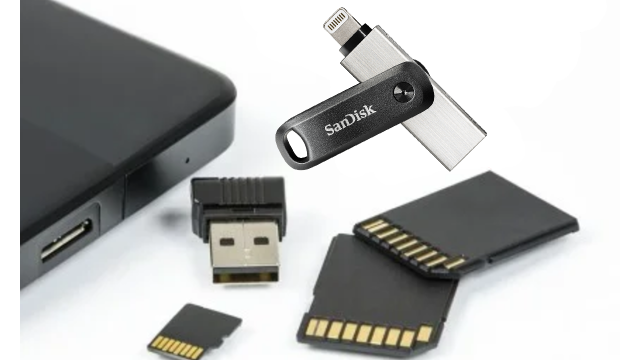
External storage devices are typically either a flash drive (a.k.a. memory stick, thumb drive) or external hard drive. These can be connected either directly to the mobile device or using an adapter. Not all external storage devices will work though as they may require more power than the mobile device is able to provide, or the file system may not be supported by the mobile device.
Tip: As you have a USB connection to the mobile device, a USB SD card reader could be used to download photos taken on a digital camera onto the mobile device.
Android devices
To use an external storage device, the mobile device must be running Android 7.0 (Nougat) or later.
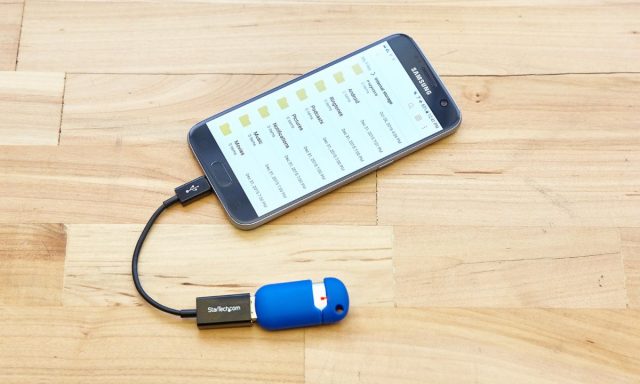
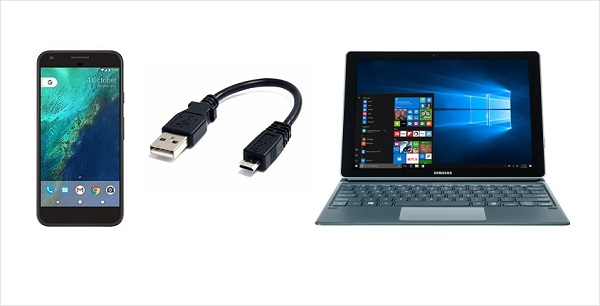
Most modern Android devices have a USB-C port and a USB-A to USB-C adapter is often included with the device. If you do not have an adapter, an OTG USB adapter (sometimes called an OTG cable, or OTG connector) are inexpensive and easily purchased online. This makes it relatively easy to connect a flash drive directly to the device. Some external hard drives may require too much power to work directly with the device – it is possible to power the hard drive separately though.
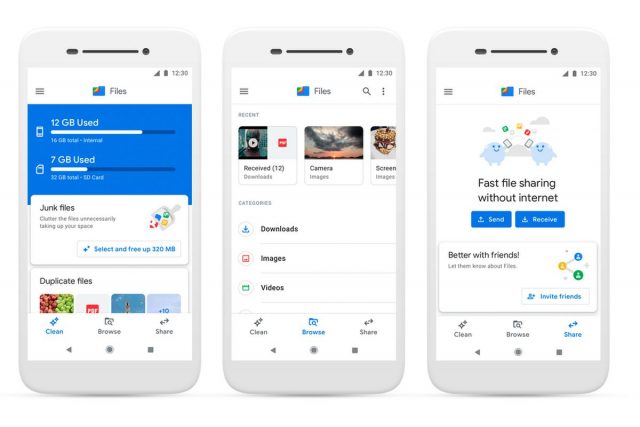
Once the external device is connected, locate the file explorer app (often called “My Files”) tapping on it will show you the storage options available, one of these should be the external storage device (other locations are likely to be “Internal storage” and “SD Card”). From here you can select to either move or copy files from various locations.
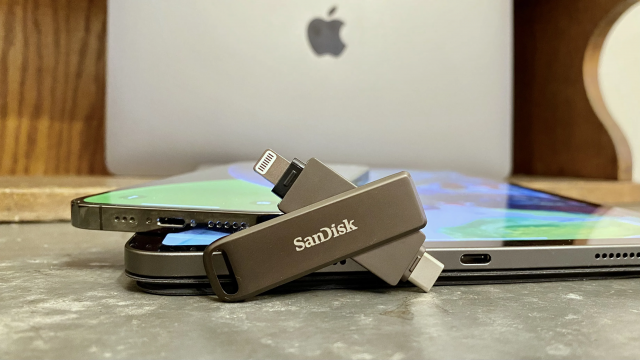
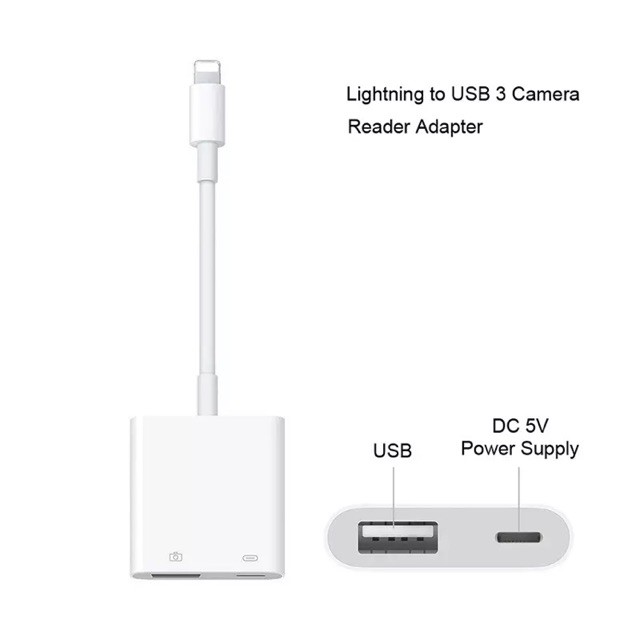
Despite Apple’s involvement in the development of USB-C, most iOS and iPadOS devices use Apple’s Lightning connector which means that you will either require a Lightning to USB adaptor or a device, for example the SanDisk® iXpand® Flash Drive that is fitted with a Lightning connector.
If you are going to use an adaptor, I do recommend opting for Apple’s Lightning to USB 3 Camera Adapter. While often more expensive than third party adapters it has more reliable power support enabling you to plug a Lightning cable into the adapter to supplement the power needs of some USB devices.
On a sidenote, in September 2021, the European Commission released a proposal that would require smartphone manufacturers to standardized USB-C as charging port on all devices. It remains to be seen what the outcome of this proposal will be for future devices.
To connect an external storage device to an iPhone or iPad the device will need to be running iOS 13 or iPadOS 13 or later. The external storage device will also need to use one of the following file systems, either macOS Extended journaled, FAT32, exFAT (FAT64) or APFS. Support for Windows default NTFS file system was only added to the current versions (version 15) of iOS and iPadOS. However, currently you can only read from devices formatted as NTFS. This means that if you want to copy or move files your external storage device will need to be using one of the other file systems.
Once the external storage device is connected you can import photos and videos to your iPad or iPhone directly through the Photo App. You can’t however view or watch video files directly from the external device through the Photo app. For detail instructions on how to import photos and videos please follow one of the links below:
Tip: Once photos and/or videos are imported you will be promoted to “keep or delete” the files from the external device, always select “keep” unless you are absolutely sure you want to permanently delete them from the external device.
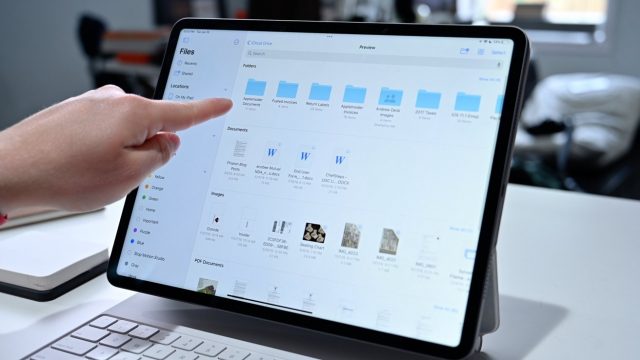
To view or watch video files directly from an external device you will either need a third-party app or you will need to use the Files app included in iOS/iPadOS. The File app will also enable you to access other files as well as move or copy files between you iPhone/iPad and the external device.
Other ways of moving files
Files can be moved or copied between devices in other ways too. mobile devices can be directly connected to a computer and accessed through the computer. However, depending on the security settings on the mobile device this may be limited.
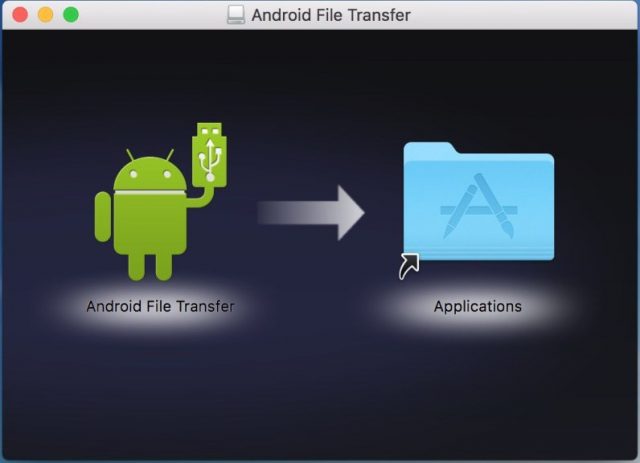
Apple Mac computers will require additional software though to be able to access the files on Android devices. Basic software (Android File Transfer) to enable you to this can be downloaded free or more advanced software (e.g. Dr.Fone) can be purchased – free trials are available.
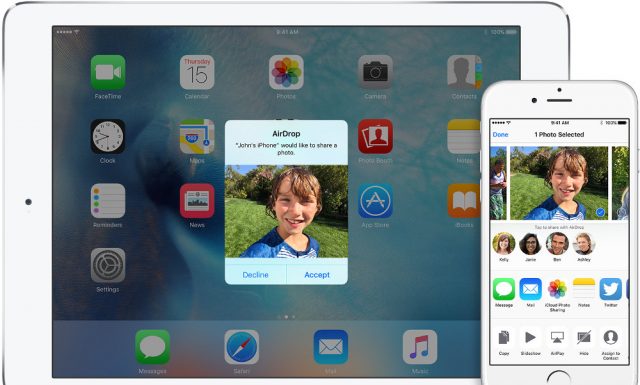
Apple devices also offer wireless transfer of files between Apple devices using AirDrop. AirDrop needs to be enabled and the devices need to be within Bluetooth and Wi-Fi range of each other. Please follow this link for more details on how to use AirDrop.
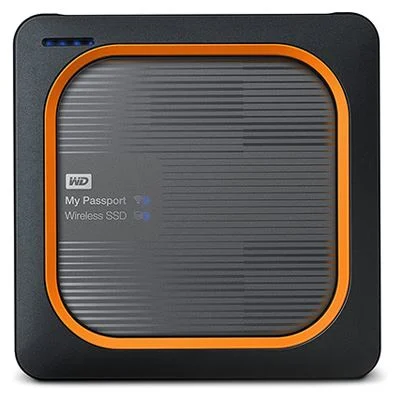
The Western Digital My Passport Wireless SSD is an external hard drive that allows wireless transfer of files between devices and the hard drive. This, (in theory) will work with all devices, eliminating the complexity of cable connections.
There are various cloud-based solutions too, however, this will not be covered in this article.
Due diligence
Transferring files between devices can offer a viable solution for creating backups, making more space on mobile devices and moving files for use on other devices. However, care needs to be taken to ensure that data protection and privacy policies are adhered to.
In this article I have highlighted some of the ways to work with files on mobile devices, should you have questions, or need support with anything mentioned please contact me. Please also let me know if there is a particular topic that you would like me to cover in a future newsletter.
As always, I am available to provide support, advice and help Karten Centres where I can.
Neil and Fil have been speaking at various events including the Bett show in March. Neil was speaking at a Global Equality Collective session on how assistive technology supports equality and inclusion. While Fil’s talk was at a session about the future of assistive technology, he focused on the fact that some of that future is here already. The Built-in access people have already in their devices shows that assistive technology is now part of our everyday lives. These technologies, whilst not appropriate for all, are a part of the big picture of assistive technology and do much to break down barriers by showing that adapting your technology should not be an unusual occurrence.
Some of the technologies on show at Bett were really exciting, but both Neil and Fil were wowed by the OrCam Learn. This is a reading pen which scans text by being pointed at the page. This is such a new product that we can’t provide a direct link yet, but to get an idea of the capabilities see the OrCam Read. We have been reassured that the new OrCam Learn will be cheaper though. We are trying to get our hands on a loan version and plan to feature it in a TechAbility webinar very soon.
We are really keen to hear from Karten members at the TechAbility conference in November about what technology is achieving for them. If you have an idea for a presentation which shows how technology is transforming the lives of the people you support, please get in touch. Presentations featuring views and experiences of AT users were highly regarded by delegates in 2021 and this is something we are also seeking to promote in 2022.
TechAbility has a really exciting set of free webinars to attend between now and the summer including: Envision: Speaking out the visual world , 3D Printing and Accessible Gaming. As ever, you will get the most value from these webinars by attending live as you get to ask questions of the presenters and benefit from other peoples’ experience too.
The wide range of training courses from TechAbility are available on regular dates. We’ve recently changed the Built-in access course so that you can access this on a drop in basis, rather than booking for your organisation. Ideally, we think everybody who supports people with technology should undertake this course so they are aware of the potential of devices. However, you might want to use this as an opportunity to try out the course before deciding it needs to be delivered to other members of staff.
All of the TechAbility online courses are half price to Karten members. The calendar of events shows dates for all the courses and webinars in the next few months.
Finally, please remember TechAbility staff are part of the service to Karten members – we can answer questions and queries about assistive technology at any time. We can also provide your organisation with a free consultation which will look at how assistive technologies can be utilised more effectively in your service. The best way to get in touch is to email techability@natspec.org.uk and we’ll get back to you as soon as possible.
Beverley and Colin Dean founded Special iApps (a non-profit social enterprise) in 2011 after they couldn’t find the apps needed to teach their youngest song William, who has Down syndrome, autism, hearing impairment and other medical needs. They found that most apps had too much going on in the background, weren’t configurable or easily personalised, and didn’t cater to William’s needs.
Over 10 years later, they are supporting children and young adults worldwide in over 100 countries and 27 languages through their apps. They have worked closely with parents, teachers, charities, educational and healthcare professionals over the years to develop the activities within their award-winning apps.
In response to the challenges children have faced in their education over the past few years due to the pandemic, Special iApps launched their brand new Membership in February 2022. The membership allows children, their families, school and support team around them to use the apps to support their education and development both at home, in the classroom and with speech and language specialists.
Available as an annual subscription, the Special iApps Membership offers access to both Special Words Plus and Special Stories Plus, with more apps coming throughout 2022. The Plus edition apps are based on Special Words and Special Stories, which were previously available on the app stores. They have new features to support accessibility and differentiating the curriculum, with more features coming soon.
There are over 500 educational resources to download from Special iApps, including Numicon Shapes. Membership provides the ability to use the apps on any device and platform, switching between desktops, laptops, tablets and phones, as well as between Apple, Android, Chromebook and Windows devices.
There is a free 14 day trial of the Special iApps Membership, which you can sign up for at www.specialiapps.org
We use cookies on our website to give you the most relevant experience by remembering your preferences and repeat visits. By clicking “Accept All”, you consent to the use of ALL the cookies. However, you may visit "Cookie Settings" to provide a controlled consent.
This website uses cookies to improve your experience while you navigate through the website. Out of these, the cookies that are categorized as necessary are stored on your browser as they are essential for the working of basic functionalities of the website. We also use third-party cookies that help us analyze and understand how you use this website. These cookies will be stored in your browser only with your consent. You also have the option to opt-out of these cookies. But opting out of some of these cookies may affect your browsing experience.
Necessary cookies are absolutely essential for the website to function properly. These cookies ensure basic functionalities and security features of the website, anonymously.
Cookie
Duration
Description
cookielawinfo-checkbox-analytics
11 months
This cookie is set by GDPR Cookie Consent plugin. The cookie is used to store the user consent for the cookies in the category "Analytics".
cookielawinfo-checkbox-functional
11 months
The cookie is set by GDPR cookie consent to record the user consent for the cookies in the category "Functional".
cookielawinfo-checkbox-necessary
11 months
This cookie is set by GDPR Cookie Consent plugin. The cookies is used to store the user consent for the cookies in the category "Necessary".
cookielawinfo-checkbox-others
11 months
This cookie is set by GDPR Cookie Consent plugin. The cookie is used to store the user consent for the cookies in the category "Other.
cookielawinfo-checkbox-performance
11 months
This cookie is set by GDPR Cookie Consent plugin. The cookie is used to store the user consent for the cookies in the category "Performance".
viewed_cookie_policy
11 months
The cookie is set by the GDPR Cookie Consent plugin and is used to store whether or not user has consented to the use of cookies. It does not store any personal data.
Functional cookies help to perform certain functionalities like sharing the content of the website on social media platforms, collect feedbacks, and other third-party features.
Performance cookies are used to understand and analyze the key performance indexes of the website which helps in delivering a better user experience for the visitors.
Analytical cookies are used to understand how visitors interact with the website. These cookies help provide information on metrics the number of visitors, bounce rate, traffic source, etc.
Advertisement cookies are used to provide visitors with relevant ads and marketing campaigns. These cookies track visitors across websites and collect information to provide customized ads.