Welcome to readers of the Karten Network’s Spring Newsletter. We hope you enjoy this edition and that you get some ideas and inspiration from it. It would be great to see Karten Centres getting involved in Sense College Loughborough’s fabulous Assistive Technology Week which will be held from 20 – 24 April, full details of how to get involved are included later in the Newsletter. TechAbility 2026, the assistive tech conference that you do not want to miss will be held on 19 November. Further details to follow, but be sure to save the date for now!
Alexa Gets Smarter: What You Need to Know About Alexa+
For many of the people we support, Amazon’s Echo devices have long been more than a convenient gadget. The ability to control the home environment, set reminders, play music, or simply ask a question without needing to navigate a touchscreen or keyboard has made Alexa genuinely useful for disabled people, particularly those with physical or communication access needs. So, when Amazon makes a significant change to Alexa, it is worth paying close attention.
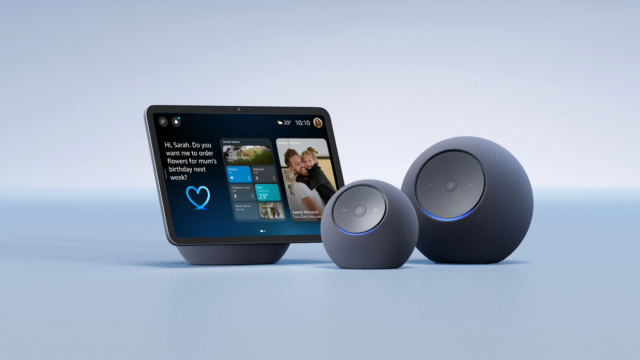
In February 2025, Amazon announced Alexa+, a substantially upgraded version of its voice assistant powered by generative artificial intelligence. After a period of early access in the United States, Alexa+ arrived in the United Kingdom on 19 March 2026, making the UK the first European country to receive the upgrade. This article explains what Alexa+ is, what is different about it, how to access it, what devices it runs on, and what it may mean for the people we support.
What Is Alexa+?
The original Alexa, launched in 2014, operated on a command-and-response model. You would ask a specific question or give a specific instruction, and Alexa would respond, or not, depending on whether it recognised the phrasing. It was capable and genuinely useful, but it was also brittle. A slightly different way of asking the same question could yield no result, and there was no sense of continuity between one exchange and the next.
Alexa+ changes this in a fundamental way. It is built on large language models, the same underlying technology behind AI chatbots such as ChatGPT and Google Gemini. Amazon has combined its own Nova AI models with models from Anthropic to power the new assistant. The result is a version of Alexa that can hold a real conversation, understand follow-up questions without needing to repeat the wake word (e.g. “Alexa”), remember context across a session, and retain preferences over time.
If you tell Alexa+ your preferred name, the name of your dog, or that you always want reminders in the morning rather than the evening, it will remember. This kind of persistent, personalised memory is a meaningful shift from the stateless interactions of classic Alexa.
Alexa+ can also take actions on your behalf, in what is sometimes described as agentic behaviour. In the UK, this currently includes actions such as making restaurant reservations through OpenTable, with more partners such as Just Eat and additional services reported to be coming soon. The UK version has also been specifically localised: Amazon trained it on 40 regional dialects and worked to ensure it understands British nuance, vocabulary, and cultural context, rather than simply translating from a US-centric model.
What to Expect in Practice
Two things are immediately noticeable when switching to Alexa+. The first is that the voice has changed slightly. It has a somewhat different quality to the classic Alexa voice, which some people may welcome, and others may find takes some getting used to. For people who have a strong familiarity with the original voice, or who find changes in routine unsettling, it is worth flagging this in advance rather than letting it come as a surprise.
The second, and more practically significant, is a processing delay. Because Alexa+ uses large language models running in the cloud rather than the faster lookup approach of classic Alexa, there is a brief pause after you speak before a response begins. In everyday use this is typically a matter of seconds, but it is long enough to change the rhythm of an interaction. Someone who speaks to Alexa and then hears silence may reasonably assume their request was not heard and repeat it, which can produce a confused or doubled response.
This is worth explaining to the people you support, and to family members or carers who help set up or use the device alongside them. The pause does not mean something has gone wrong; it means Alexa+ is thinking. Once people are aware of it, it becomes much easier to manage. That said, it is a real limitation of the current implementation, and it will be interesting to see whether Amazon is able to reduce latency over time as the service matures.
Accessibility: What Carries Over, and What Is New
It is important to say clearly that the existing accessibility features of Alexa-enabled devices are not being removed. These features, some of which are less well known than they deserve to be, remain available through the device’s settings and continue to provide meaningful support across a range of needs.
For people with limited or no speech, Tap to Alexa allows interaction through on-screen tiles on Echo Show devices, without needing to use voice at all. VoiceView provides a screen reader for Echo Show devices, reading out text and interface elements. Adaptive Listening gives people extra time to finish speaking before Alexa responds, which is particularly useful for anyone whose speech is slower or less consistent. Captioning can display Alexa’s spoken responses as text on screen. For people with visual impairments, options such as screen magnification, colour inversion, and colour correction are available, alongside the Show and Tell feature, which uses the Echo Show’s camera to identify packaged items.
These features are available via Settings > Accessibility on any Echo Show device. Amazon also maintains an Accessibility Hub at amazon.co.uk/alexaaccessibility, which provides an overview of what is available and guidance on setting things up.
What Alexa+ adds on top of this is a conversational intelligence that may make the core experience considerably more useful for many disabled people. For someone who finds rigid command structures difficult, whether because of a cognitive difference, speech variation, or simply the way they naturally communicate, a system that can interpret a wider range of phrasings and follow a natural conversational thread is a practical improvement, not merely a technical one.
I have not tested Alexa+ directly with my own AAC device yet. My observations so far come from watching others use it. On that basis, the more flexible language understanding does appear to make interactions feel less constrained. Whether it performs well specifically with AAC output, or with the kind of atypical speech patterns that some AAC users also have, is a question that deserves further exploration.
A Note on Communal and Shared Settings
Many of the settings Karten Network members work in are not single-user home environments. Alexa devices are used in care homes, day centres, supported living properties, and other communal spaces where multiple people may interact with the same device. Alexa+ introduces some considerations that are worth thinking through in these contexts.
The personalisation and memory features of Alexa+ are designed around an individual user tied to an Amazon account. In a shared setting, this raises practical questions: whose preferences does the device learn? How does the device handle different people asking for different things? And is it appropriate for a shared device to retain personal information about multiple individuals, particularly where some of those individuals may have limited capacity to understand or consent to data being stored?
These are not reasons to avoid Alexa+ in communal settings, but they are reasons to think carefully about how devices are configured and what account and privacy settings are applied. Classic Alexa’s stateless approach, with no memory and no personalisation, was in some ways better suited to shared use. It will be interesting to see whether Amazon develops specific guidance or configuration options for multi-user and care environments as Alexa+ matures.
Cost and How to Access It
Alexa+ costs £19.99 per month as a standalone subscription. However, it is included at no extra cost for Amazon Prime members, and Prime itself costs £8.99 per month or £95 per year. If someone you support is already a Prime subscriber, Alexa+ is effectively already available to them.
During the current Early Access period, Alexa+ is free for all users, including those without a Prime membership, though Amazon has not confirmed how long this period will last.
To access Alexa+ in the UK, there are currently two routes. If you purchase one of the new compatible Echo devices, including the Echo Dot Max, Echo Studio (2025), Echo Show 8 (4th generation) or Echo Show 11, Early Access is granted automatically. If you already own a compatible device, you can register your interest at www.amazon.co.uk/newalexa and wait for an invitation. Amazon has indicated that a web browser version of Alexa+ is also coming, though no specific date has been confirmed for that.
Which Devices Are Compatible?
Amazon says Alexa+ will work on most Echo devices. That is broadly reassuring for people who already have Echo hardware. Alexa+ is available on recent Echo smart speakers, Echo Show smart displays, and compatible Fire TV devices. Fire tablet support has been confirmed for the US version of Alexa+ but has not been announced for the UK launch at this stage.
However, older devices are excluded. The first-generation Echo Dot, original Echo Spot, first and second-generation Echo Show displays, and the discontinued Amazon Tap will not receive Alexa+. These devices may continue to function for basic voice commands and music, but they will not benefit from the new AI capabilities and are unlikely to receive further software updates.
It is also worth noting that some features may arrive on different devices at different times as the rollout continues.
If you are unsure whether a specific device is compatible, the most reliable check is Amazon’s own compatibility page, or, if the device is already registered to an Amazon account, checking the Settings menu for an update prompt or Early Access notification.
A Few Things to Consider
Alexa+ raises some questions that are worth thinking through, particularly for practitioners supporting people in care or residential settings.
The first is privacy. Alexa+ requires a persistent internet connection, and Amazon ended its limited local voice-processing option on supported Echo devices in March 2025. The assistant retains memory of past conversations and stated preferences. For many people, this personalisation is the point: the more Alexa+ knows about someone, the more useful it can become. But it also means that more personal data is being held and processed by Amazon. It is worth discussing with people and their families or support teams what they are comfortable with and ensuring that any device is set up with clear account controls.
The second is the question of access and cost. The free Prime inclusion is genuinely helpful, and the Early Access free period extends that further. But for people on lower incomes, or those who are not already within Amazon’s ecosystem, £19.99 a month is not a trivial sum. It will be interesting to see whether Amazon introduces any concessions for people with disabilities or those receiving benefits, as has happened with other subscription services.
Finally, it is worth keeping expectations measured. Early reviews of Alexa+ have been generally positive, and the improvements in conversational intelligence are real. But it is a service that is still developing, and not every feature is fully available yet.
As always, I am keen to hear how you are using Alexa+, or classic Alexa, in your setting, and whether the upgrade makes a meaningful difference to the people you support. I am particularly interested to hear from anyone who has tried Alexa+ with AAC devices or in communal care environments. If you would like a particular topic covered in the next newsletter, please let me know. Finally, please feel free to contact me if you have a question or need technical help and support.
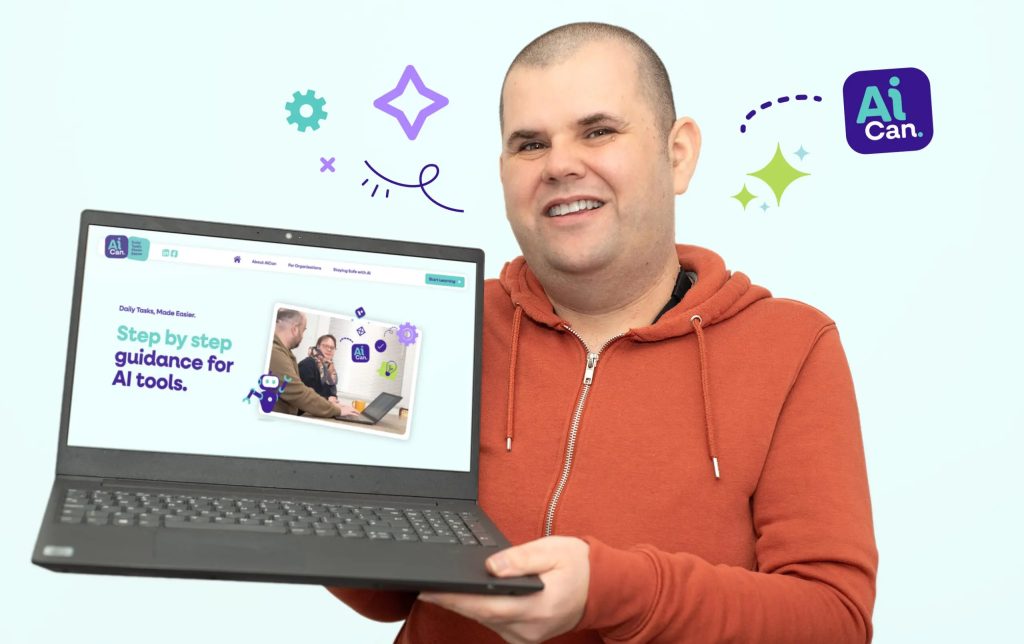
A new training programme has recently launched to help autistic people and people with learning disabilities use AI tools safely, confidently, and independently.
The AI CAN initiative is a peer-led training programme and digital hub developed by The Pro-Active Community, in partnership with Active Prospects and researchers from the University of Surrey. The project is funded by the Department for Science, Innovation and Technology.
AI CAN is designed to support people in using generative AI tools such as ChatGPT and Copilot in everyday life. This includes practical tasks like writing emails, planning meals, understanding online information, and creating accessible, easy-read content. A key focus of the programme is online safety, helping users understand how to use AI responsibly, recognise potential risks and protect their personal information.
Training is also provided for support workers, equipping them with the knowledge and confidence to use AI safely in their roles and to better support the people they work with.
The project was inspired by Matt Leadbeater, who found that AI transformed how he communicates and manages day-to-day tasks. “The words were still mine, but AI helped me shape them clearly and confidently,” he said. “It wasn’t just helping me work better – it was helping me live more independently.”
Early research highlights strong demand for this kind of support, with 93% of participants saying they want training to help them use AI safely and confidently. The biggest barrier identified was a lack of knowledge and understanding, rather than a lack of interest.
Launched in March 2026, AI CAN aims to ensure autistic people and people with learning disabilities are not left behind as AI continues to shape how we live and work. For more information on training opportunities or resources contact: hello@proactivecommunity.org.uk
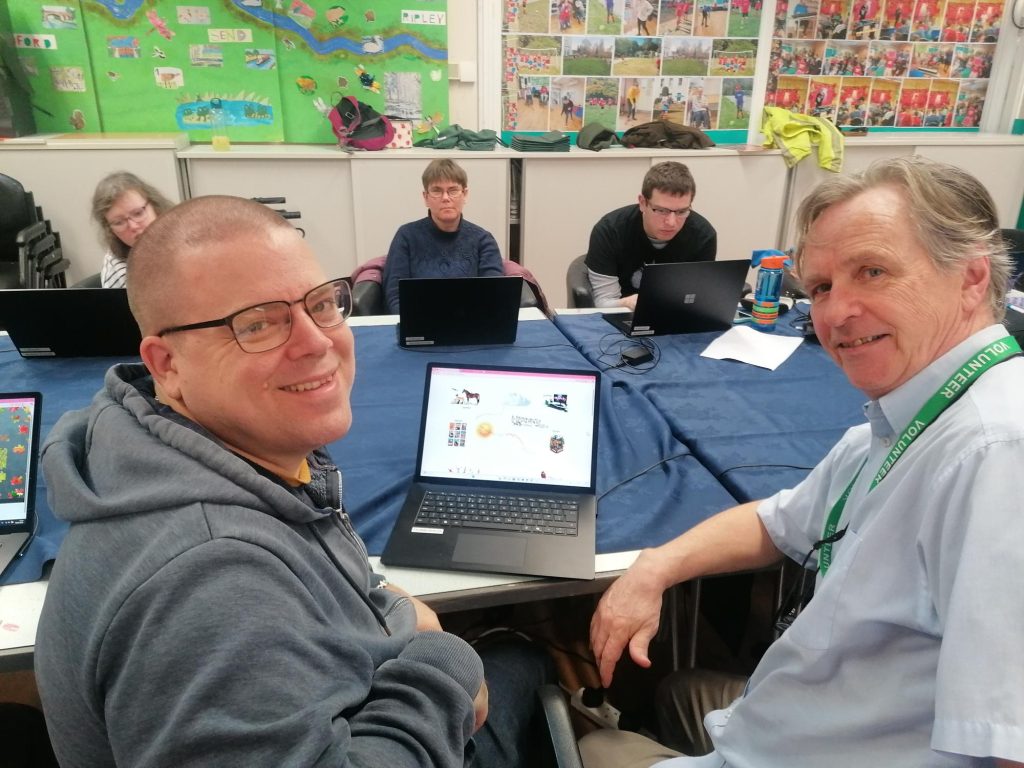
Members of the Meath IT. group are working on their website with everyone supported in researching and creating their own web page on their subject of choice! From Music to gaming, art, and history, group members are enjoying conversing and sharing their research findings while also building their IT skills.
Technology is playing a crucial role in making workplaces more inclusive for disabled people. For those who are deaf, hard of hearing, sight impaired or deafblind, accessible tools can remove barriers, build confidence and support genuine independence at work.
For over 10 years, BID Services has been delivering Employment Services, helping people move into work, education or volunteering and supporting those with acquired sight or hearing loss who are already in work to adapt within a workplace environment.
In recent years, the Ian Karten Charitable Trust has supported us in this mission. Thanks to the Ian Karten Charitable Trust, Karten Centres across the UK provide accessible learning spaces equipped with the latest assistive technology and BID Services is proud to run Karten Centres in Leeds and Birmingham which offer access to specialist technology including:
Laptops and accessible software (JAWS, ZoomText)
A touchscreen learning hub
Support to build digital and workplace skills
These resources are used within our Employment Services and allow individuals to practise using technology at their own pace and prepare for employment.
The impact of our work and access to technology, in the journey to employment and in the workplace is evident in our clients’ journeys. The story below highlights how important access to technology can be for individuals who are deaf, hard of hearing or sight impaired.
One of our recent clients, who has been completely blind for over a decade, accessed our Employment Service for support to gain employment within a customer‑facing and administrative role. As part of this journey, they accessed our Karten Centre resources and with support from our Employment Service developed the digital skills needed within these roles. This included using:
iPhone with built‑in screen reading
Windows laptop with JAWS screenreader
Used for Word, Outlook, Teams and CRM systems
Supported more complex work tasks
AI‑powered support tools
They first explored this technology in our Karten Centre, practising at their own pace before entering employment. Their story highlights a major shift in access technology, from expensive bespoke equipment to powerful software and apps available on mainstream devices.
The Future of Assistive Technology
The rapid development of artificial intelligence (AI) is transforming access technology, especially for blind and low‑vision users. AI tools can now:
Summarise large blocks of text
Describe images in detail
Identify landmarks, doorways or obstacles
Provide real‑time assistance during travel
Support learning of complex software
This future is both exciting and constantly evolving and it means continual upskilling for both clients and our own team.
Creating a More Inclusive Future
Technology, combined with the right support, is opening doors for disabled people in the workplace. BID Services remains committed to empowering individuals through accessible technology, specialist guidance and strong partnerships with inclusive employers.
We would like to say a huge thank you to Dawn Green, the Karten Network and the Ian Karten Charitable Trust for your ongoing support of BID Services, in particular our Employment Services. This has been invaluable in helping ensure our clients have access to up-to-date technology on which they can gain the skills and confidence they need not only within the workplace but also in their journey to employment.
If you would like to find out more about our Employment Service, please contact our team at employment@bid.org.uk
Early Intervention Pathway for 0-2s — Supporting Families Early
CPotential in North London are proud to launch their Early Intervention Pathway — a heavily subsidised therapy support programme for families with children aged 0–2 years who are experiencing early developmental challenges.
Why it matters
The first years are a time of rapid growth. Early support can make a lasting difference — helping children reach their potential and giving families confidence and practical help at the right time.
What’s included:
Early Milestones Telehealth Discussion — supportive online session with a senior clinician
Intensive Therapy Pathway (or regularly across 8-12 weeks) — led by expert Conductive Education & Music Therapy tailored to your child
Family Wellbeing Support — wellbeing coaching, parent networks, and dedicated support from a Family Support Manager
Legal, Financial & Educational Guidance — free consultation with supporters Slater and Gordon and Irwin Mitchell
Heavily subsidised costs — £45 for initial assessment; £10 per session (£120 for 12 weeks)
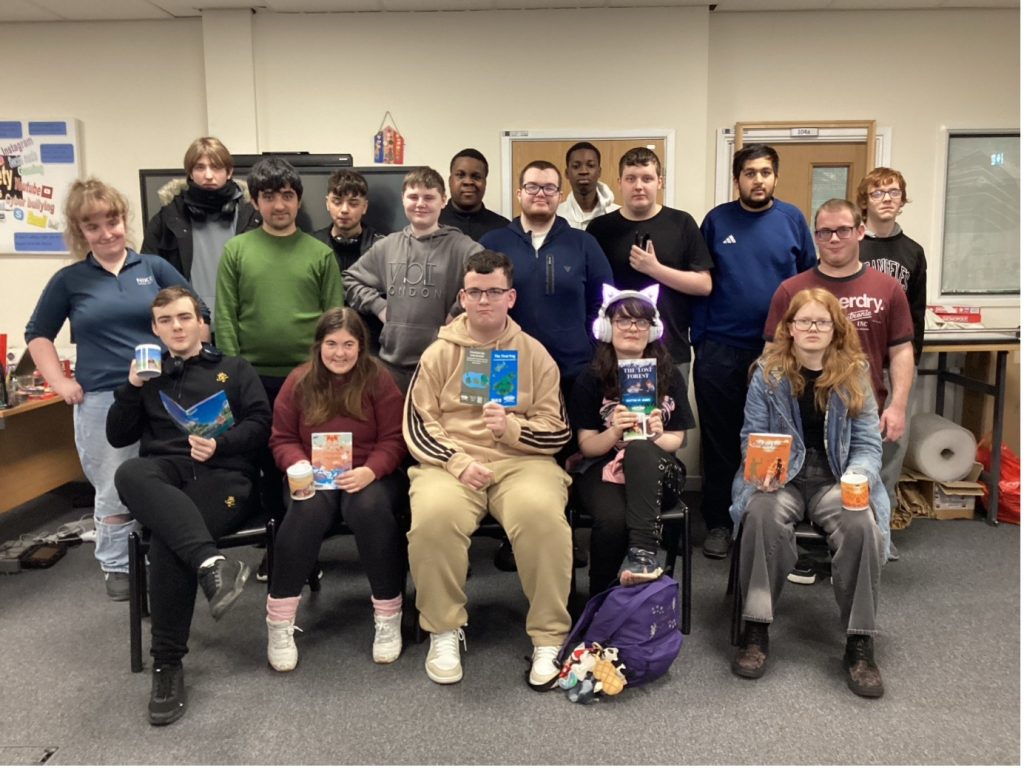
At Wonder, we believe student voices deserve to be heard, shared, and celebrated. Over the past few months, our journey as a student-led publishing company has grown beyond anything we imagined, and we wanted to share what we’ve achieved so far — and where we’re heading next.
We’re incredibly proud to currently be first on the Young Enterprise Trading Station leaderboard, a milestone that reflects the hard work, creativity, and teamwork of everyone involved in our company. From our first ideas to running a real enterprise, every member of the team has played a part in making Wonder what it is today.
One of our biggest achievements has been building our catalogue of 10 published books, all created, designed, and marketed by students. Each book represents collaboration, creativity, and the confidence to turn ideas into something real that people can hold and read.
As we continue to grow, we’re excited to be developing limited-edition Wonder box sets. These collections will bring together selected titles in premium packaging, giving readers something special and collectible while allowing us to explore branding, design, and product development as a real publishing company would.
Next month marks another major step for us as we take part in our first Dragons’ Den event. We’ll be pitching our business, sharing our journey, and presenting our future plans — an exciting challenge that is already helping us develop confidence and entrepreneurial skills.
Looking ahead, our goals are clear. We aim to:
Qualify for the Young Enterprise National Finals this year
Successfully launch and sell our limited-edition box sets
Continue growing Wonder as a professional student publishing brand
Wonder is more than just a company — it’s a chance for students to learn new skills, work as a team, and prove that young people can create something meaningful together.
We are holding our second Assistive Technology Week which is taking place from Monday 20th to Friday 24th April. This year the Assistive Technology Week will feature interactive demonstrations and activities for Sense College Loughborough (SCL) students and online information workshops for students, staff, parents, carers, employers and other professionals..
The event has a new logo which was designed by an SCL member of staff and our motto is the same as last year – Limitless by Inclusion.
Our purpose is to encourage people to see how assistive technology empowers young people in education, in the workplace and in the home. The focus of the event is on three main themes:
Artificial Intelligence (AI)
Virtual Reality (VR)
Transitions from College to home
On Monday 20th, Wednesday 22nd and Friday 24th April in-house SCL students will be able to take part in sessions with Vision Aid, SensePilot, Sense Hub Sports, and with our Speech and Language Therapist and Learning Technology Co-ordinator, as well as joining in with an eSports tournament with visiting students from Portland College. We are very excited about these opportunities.
On Tuesday 21st and Thursday 23rd April we will be holding a selection of online information sessions and workshops lasting between 30 minutes and one hour. These will be led by organisations who specialise in Assistive Technology and who will focus on one or more of the main themes. These organisations include:
AT Superstore – AI and AT
Aventido – Technology to help with reading, note taking and noise sensitivity
Bodyswaps – VR and AI to transform soft skills
Brain in Hand – Transition – supporting neurodivergent individuals
CareScribe – AI – Empowering learners through assistive technology
Liberator Ltd – Using Apple iOS for communication
SensePilot – PC control and gaming solution without hardware
Smartbox Assistive Technology – Empowering AAC users with language and communication
Techability Champions – Transitions
TellMi – Digital safety and chat-based counselling
Newfriars College – Bridging the SEND Gap with AI
Game Mates – Demonstration for gaming
We would love for Karten Network members to join in with the online sessions. If you are interested and want to register or want more information, then please visit theAssistive Technology Week 2026 page on our website or email EnquiriesLoughborough@Sense.org.uk.
We hope to see you then.
We use cookies on our website to give you the most relevant experience by remembering your preferences and repeat visits. By clicking “Accept All”, you consent to the use of ALL the cookies. However, you may visit "Cookie Settings" to provide a controlled consent.
This website uses cookies to improve your experience while you navigate through the website. Out of these, the cookies that are categorized as necessary are stored on your browser as they are essential for the working of basic functionalities of the website. We also use third-party cookies that help us analyze and understand how you use this website. These cookies will be stored in your browser only with your consent. You also have the option to opt-out of these cookies. But opting out of some of these cookies may affect your browsing experience.
Necessary cookies are absolutely essential for the website to function properly. These cookies ensure basic functionalities and security features of the website, anonymously.
Cookie
Duration
Description
cookielawinfo-checkbox-analytics
11 months
This cookie is set by GDPR Cookie Consent plugin. The cookie is used to store the user consent for the cookies in the category "Analytics".
cookielawinfo-checkbox-functional
11 months
The cookie is set by GDPR cookie consent to record the user consent for the cookies in the category "Functional".
cookielawinfo-checkbox-necessary
11 months
This cookie is set by GDPR Cookie Consent plugin. The cookies is used to store the user consent for the cookies in the category "Necessary".
cookielawinfo-checkbox-others
11 months
This cookie is set by GDPR Cookie Consent plugin. The cookie is used to store the user consent for the cookies in the category "Other.
cookielawinfo-checkbox-performance
11 months
This cookie is set by GDPR Cookie Consent plugin. The cookie is used to store the user consent for the cookies in the category "Performance".
viewed_cookie_policy
11 months
The cookie is set by the GDPR Cookie Consent plugin and is used to store whether or not user has consented to the use of cookies. It does not store any personal data.
Functional cookies help to perform certain functionalities like sharing the content of the website on social media platforms, collect feedbacks, and other third-party features.
Performance cookies are used to understand and analyze the key performance indexes of the website which helps in delivering a better user experience for the visitors.
Analytical cookies are used to understand how visitors interact with the website. These cookies help provide information on metrics the number of visitors, bounce rate, traffic source, etc.
Advertisement cookies are used to provide visitors with relevant ads and marketing campaigns. These cookies track visitors across websites and collect information to provide customized ads.