Hello everyone and welcome to our Summer newsletter. Hopefully there is something in it for everyone and you find the articles provide a good mix of information about technology, an update from the Nuvoic project, news from Centres and some ideas about relevant products and services. We have also included an article from TechAbility which covers a range of free support, resources and initiatives you can access as Karten Centres. Remember to book your place for the TechAbility Conference on 16 November, it’s the event to be at for anyone who has an interest in assistive technologies.
Our newsletter is for you and the people you support, so if there’s anything you would like to include next time please do not hesitate to make suggestions by email to dawn@karten-network.org.uk.
Cantraybridge have recently been awarded funding for our digital studio from the Karten Trust.
Cantraybridge is a college for students with learning disabilities and are in a rural situation. Digital technology is the way forward, and our students wished for new hi tech computers, VR equipment and 3D printers. This was provided from the funding by Karten and was greatly appreciated by all.
Cantraybridge have also been able to pay for a trainer to teach the students the techniques and knowledge, to be able to produce digital models and eventually, work on 3D printing. Here are a few pictures of the department and the students who are learning on the equipment.
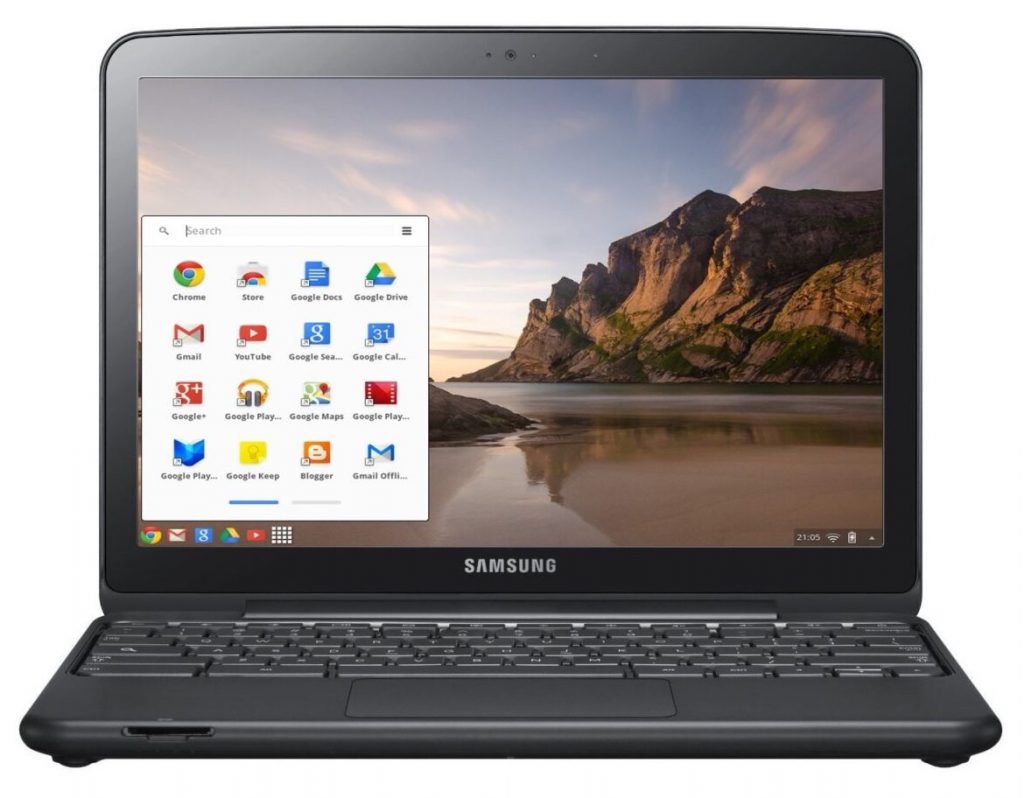
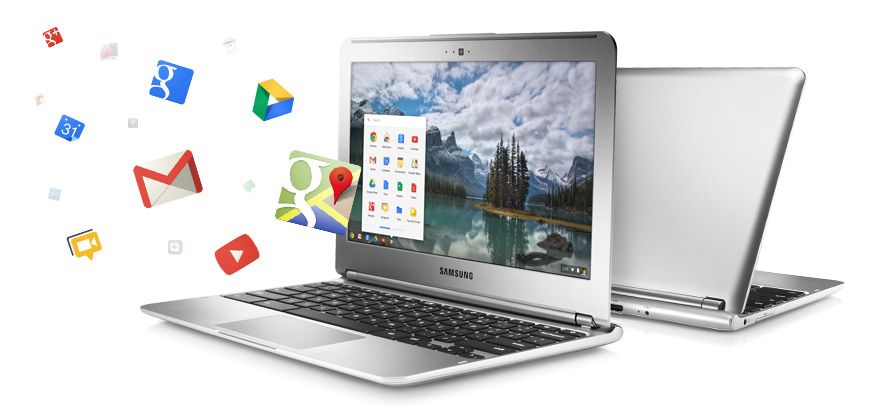
A chromebook is a laptop computer which has the google chrome operating system built-in. Just like windows and Apple Mac computers, Chromebooks can be used for everyday tasks such as word processing, working with email, using the internet and so much more. They are also a lot cheaper to buy, although if you have never used one before, it does take a bit of getting used to. However, I am one of those people who did decide to persevere and learn how to use a Chromebook and it is now my laptop of choice.
Why choose a Chromebook?
As I have already said, they are a much cheaper alternative to windows and Apple computers. The main reason for this, is because they require very little storage, my Chromebook only has 32gb. This is of little concern because any work I do is saved and backed up online automatically. For me at least, this is a huge advantage, as it means that I don’t have to back anything up on to an external device such as a memory stick or SD card. It also means that, if for any reason my Chromebook stopped working or was lost or stolen, I could just replace it for less than £200 and all of my previous work would be immediately available after signing-in with my Google account details. While there are other online storage services available, in most cases, you can only use a limited amount of storage. You will then be charged either monthly or yearly if you want to use more. This is not the case with Chromebooks, unless you need to store vast amounts of information. The final point to note, is that Chromebooks don’t pick up viruses very often if at all, because they are continually performing automatic updates in the background when the device is switched on. There is nothing you need to do, just let the Chromebook do the work.
So now we need to ask the question, how accessible are Chromebooks for people with a visual impairment?
The short answer is completely accessible. They have a number of built-in accessibility features to assist people who have low vision or for those who are unable to see the screen and therefore need to use a screen reader. Google’s version of a built-in screen reader is called ChromeVox and it can be used to navigate the entire Chrome operating system and will also work with the Google suite of apps which include:
Google Docs [for word processing];
Google Sheets [ when you need to work with spreadsheets];
Gmail [for email];
Google Chrome [for web browsing];
Google slides [for PowerPoint presentations];
Google Calendar [for scheduling and keeping track of appointments]; and
Google Drive [where all of your files and folders can be accessed]
To turn the ChromeVox screen reader on, press the keystroke Control+alt+z. This is a toggle keystroke to enable and disable the screen reader. When you turn ChromeVox on for the first time, you are taken through a quick start tutorial, which walks you through the basics of using ChromeVox. There are also other fantastic help features built-in to the screen reader, mainly a keyboard learn mode and a keyboard commands menu, which you can access at any time by pressing certain keystrokes.
Final thoughts
After making the decision to purchase a Chromebook and persevere in terms of learning the new operating system and screen reader, I can honestly say that the positives far outweigh the negatives and while Chromebooks obviously won’t be everyone’s preference, they should be seriously considered when making the decision about what computer will best suit your needs.
For more information, please contact Stuart Beveridge.
Students from St Helens Buzz Hub participated ine the Oral History Festival. We hosted a special edition of BuzzTV featuring interviews we conducted as part of St Helens Oral History project. As part of this project students interviewed local and national figures. Many of these were record the interviews in the heart of St Helens Library and later displayed in the Library.
The Hive – episode 2
We are proud to present the second episode of The Hive, showcasing many of the activities our students have participated in.
TechAbility 2022 sees us back with a face-to-face conference; essential CPD for anyone working in the field of Assistive Technology. You will have opportunities to hear a range of excellent speakers – all sharing their practice in this area and enabling you to do the same. The conference takes place on Wednesday 16 November at Conference Aston, Birmingham. An easy to reach venue with excellent facilities.
The theme of this year’s TechAbility Conference is ‘Assistive Technology – everyone’s responsibility’. This theme emphasises how assistive technology must be integrated well, and supported by all staff, to be successful. Presentations will highlight how this has been promoted and achieved in organisations through practice or research. We hope you agree it is a really exciting line-up and there are a few sessions yet to be announced.
Eleven workshops for #TechAbility2022 are now confirmed, with more to come! Here are some of the highlights:
Interactive iPad activities -a multi disciplinary approach: Jodie Tatlow, Treloar’s College
Treloar’s College have increased learners’ active and independent use of iPads on the Sensory and Interactive curriculum. A group consisting of Assistive Technologists, Occupational Therapists and a Speech and Language Therapist was formed to look at meaningful activities and how students could access these, especially for those who use access switches.
Jodie will demonstrate using Switch Recipes as a way of unlocking many apps and web programmes for learners who cannot use direct access. A training and support programme has been established so that the activities can be implemented by teaching and learning support staff.
Making gaming accessible: Tom Dore, British Esports
Great advances have been made in making gaming accessible to more people through physical adaptations such as the XBox Adaptive Controller and software adjustments within games. Giving people access to these adaptations can level the game playing field and enable inclusion in competitions. Tom will outline how these adaptations can make a difference and introduce the Specialist Colleges ESports Cup which has run in parallel for the last two years with the Association of Colleges Student Champs competition.
Tom will show how each adaptive equipment setup is unique, and provides opportunity for the user to be involved in gaming where they may have not been able to before. This levels the playing field and provides opportunities that may have been closed off to people previously.
Accessibility of Virtual and Augmented Reality: Dr. Chris Creed, Birmingham City University
Augmented and virtual reality (AR/VR) holds significant potential to transform how we work, learn, and engage with others. However, there has been a lack of work exploring the challenges associated with these technologies for disabled people. In particular, it is unclear the extent to which significant future uptake of this technology across the wider population could have a negative impact and further exacerbate the digital divide.
As such, there is an urgent need to understand the potential of these technologies to both support disabled people, but also to investigate the wider implications around the proliferation of AR and VR. Chris will describe how researchers at BCU are investigating the opportunities around AR/VR to support disabled people, such as those across the spectrum of visual, physical, auditory, and cognitive impairments.
Delivering SmartHome solutions: Rebecca Cooper and Trevor Edwards, Portland College
Portland College will present an overview of the implementation of their SMARTHome facility. This uses voice activation such as Alexa, Google and Bixby to aid independence, communication and wellbeing. Learners can control a wide range of devices from lighting through to washing machines, vacuum cleaners and fridges.
Partnership working, through an Multi Disciplinary Team approach was integral to the success of this project and included input from IT services, Occupational Therapy, Speech and Language Therapy, Education, Care, Estates, Finance. This approach demonstrates how partnership working within college and externally, has ensured that learners have the opportunity to meet their independence, communication and wellbeing outcomes.
We are still here over the summer! So if you haven’t booked a consultation yet or signed up to our TechAbility AT champions programme then why not chat to us about how we can help? No need for any previous knowledge and low demands on time. All part of being a Karten member with no additional costs. Just email techability@natspec.org.uk and we’ll do the rest.
BETT Advisory Board
We are happy to announce that BETT have appointed TechAbility’s Fil McIntyre to their advisory board, this will bring a great steer to including accessible technology to Europe’s largest EdTech event.
“Design is an enormous privilege, but it’s also a bigger responsibility.” These words by Sinead Burke echo constantly in my mind as one of the driving factors behind building Envision. When we first came up with the idea of Envision, we were excited about how we can make this world more accessible for blind and visually impaired people. We built a software tool that can speak out about the visual world around them, enabling them to not just perceive their surroundings but also to perceive possibilities that were considered beyond reach.
Today, with the Envision App and Envision Glasses, thousands of users around the world live more independent and productive lives. They are facing difficult exams, securing dream jobs, making new friends, and connecting more with the world around them. The stream of happy user stories that pour in, every day from all over the world, fuels us to constantly do what we can to make our products more accessible to the people who need them the most.
Accessibility is at the heart of everything we do. From creating life-changing assistive technologies to making them as available as possible. While our products’ innovation may steal the spotlight, their affordability has been challenging for some, which is why we have been working hard to reduce costs wherever we can. The key has been to create a viable business model that enables us to sustainably and consistently design and develop better services for our users while making sure the price is affordable to as large a group as possible. Hence, it gives me immense pleasure to announce that with immediate effect we are making significant pricing updates to both the Envision App and Envision Glasses.
The Envision App will be free of cost, for all who need it.
Yes, you read that right. Until now, it has been essential for us to have a fixed minimal subscription cost for the Envision App. This has been due to the ongoing costs of servers, development, and maintenance. Now, with recent engineering breakthroughs, newer product features, and the evolution of business models, we are able to sustain a significantly larger number of users at a much smaller, incremental cost — savings which we are passing on to you, our community.
So here is how the app is going to work: from mid-July, the Envision App will be free for all iOS and Android users. Everyone will still receive the same great features, product updates, and experiences that you have come to love from Envision. If you are someone who has the means and would like to support the app, you can choose to pay us whatever amount you deem fair. We will continue to develop and improve the app with the same enthusiasm regardless, but every penny you pay us will solely go towards supporting its evolution.
Confirming Envision Glasses are approved for recommendation by assessors in DSA and are in the Student Loans Company E Quote portal that Assessors use. Hopefully, you can just select from the portal if you want to get them for a student.
Hi everyone! I’m Finola, and I wanted to write to you all to share my experience of working with my college’s Communications Team this academic year. I have had great fun furthering my Marketing & Digital Communications skills, through producing a variety of social media content for Homefield College’s accounts (Facebook, Instagram & LinkedIn), as well as blog posts on topics such as Social Anxiety, Safer Internet Day and Employer Encounters for the website.
In addition to this, I have learnt lots of new design skills including how to use Canva (to create simple but impactful graphics), Meta Business Suite (to schedule Facebook & Instagram posts), WordPress (to upload and edit website content), LinkedIn (to promote the College and the work we do) successfully and navigate Mail Chimp to create Bulletin Articles for the ‘Homefield Happenings’ News Bulletin that gets emailed out to students, parents, and carers.
My confidence has soared in lots of areas of Marketing, but my stand out progression area has definitely been accessibility. I now have a clearer understanding of how to adapt content for those with impairments and other disabilities. Whereas, when I first started, I wasn’t aware of how to change content to make it easier for other to digest / see. Brand guidelines and contrasting font and background colours are the first thing I think of now! I am still learning about which are the best colour combinations to use when, but I have a big awareness of its importance now!
Some of my placement highlights have been getting to develop my strong narrative voice even more, and adapting my written words to suit a range of audiences. It has been really informative for me to learn how I can use content and then repurpose it, because I am usually just used to just writing a new piece for each task I’m set. Shadowing the professional photographer that came to shoot some images for our website a few weeks ago was also really enjoyable, as I was shown tips and tricks for how to capture the best images / videos just using my iPhone camera, as well as having the opportunity to shoot a slow-motion video that I used to create an Instagram Reel with.
I have been challenged to push my creative boundaries even further and loved being able to have a part in the College’s social media presence. It has been a learning curve for me in some areas, but on the whole, it has been amazing! So much so, that I have applied and got an interview for a Digital Communications Apprentice position at the College & have been offered some paid work over the summer within that team, which I’m really looking forward to doing.
Fundify is a new grant funding platform and search engine unlike anything else available. We use algorithms and AI to do the heavy lifting helping organisations and individuals find funding in the shortest possible timeframe. We believe we can go from in excess of 20,000 opportunities to under 20 in 4 clicks or less, dramatically saving time and frustration when looking for grant support.
Fundify has a subscription for organisations who are continuously fundraising and a FREE area that can be accessed by individuals who have a disability, are living in poverty or have been adversely affected by the pandemic.
To ensure Fundify works for all audiences we would like to find a range of Beta testers who could help inform our continuing developmental roadmap. We are asking members of the Karten Network who use technology to help us by using the system, trying new features and helping to identify bugs, feeding back on what needs to be changed or improved to make it more accessible and user friendly. We currently undertake all this work online and remotely so all that is needed is access to a desktop/laptop with a wifi connection. We will have a number of how to’s, videos and explainers on how to use the system along with dedicated support. We are likely to commence this work in late August/September, so are looking for testers with availability at this time.
If you feel you could help make Fundify an even better place to be, please sign up Community@fundify.org.uk, It would be amazingly helpful if you could initially tell us about your needs, so we can select a range of testers.
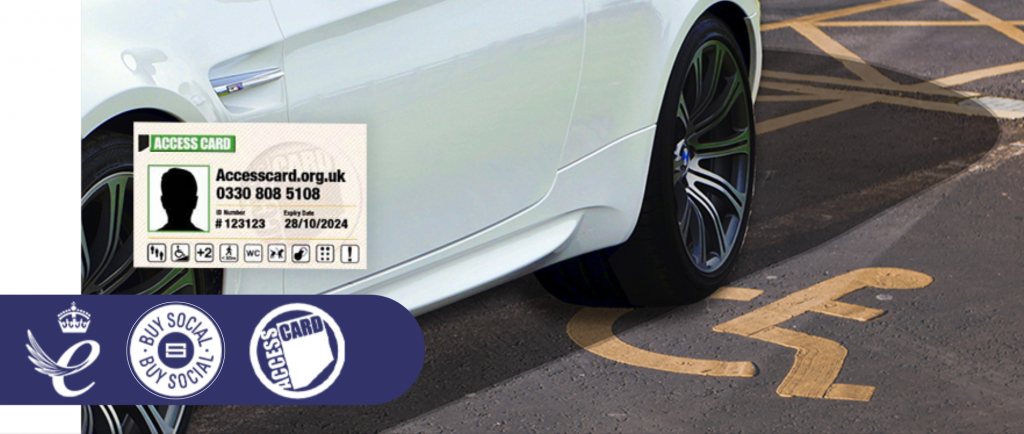
Nimbus Disability was created in 2006 by Martin Austin. Nimbus is a Social Enterprise with several areas of focus, from Training on Disability and the Social model of Disability to Access Audits, but its main area of business is running the Access Card. The organisation is run by and for disabled people, which is a very unique and outstanding model of operation.
Martin describes ‘The Access Card’ as a card like no other; we translate your disability or impairment into symbols that highlight the barriers you face and the reasonable adjustments you might need.
He goes on to say it’s all based on your rights under the Equality Act and providers’ responsibilities to ensure that Disabled people are not put at a disadvantage in participating in such events as live music or sporting events. The card and our partners have expanded over the years to see it being used at Buckingham Palace to Alton Towers. Once you are a cardholder and your needs have been assessed based on your application, this informs providers quickly and discreetly about the support you need and may gain you access to things like concessionary ticket prices and complex reasonable adjustments without having to go into loads of personal detail.
Even more ground-breaking is the international reach of the Card, having been rolled out the other side of the world, in New Zealand. The locally operated Hapai Access Card, works in the exact same way and is led by a dedicated team in Auckland.
Accolades
In 2019, Martin was named in the New Year’s Honours list, receiving an MBE for Accessibility in the Tourism and Entertainment Sector. Martin describes the moment he found out about the award:
“There was the usual bundle of mail on my desk when I got into the office. After a little while of going through emails etc out of the corner of my eye I noticed a letter from the Cabinet Office. I couldn’t believe it when I opened the envelope.
“I had to read the letter a few times but couldn’t really take it in. Was it spam?! Eventually, it sank in and I was just… speechless!
Now in 2022 Nimbus discovered that the Access Card has received the extremely prestigious Queen’s Award for Enterprise in the Innovation category. Mark Briggs, Nimbus latest member of the team, working as Director of Partnerships, describes this as a true accolade to the determination of Martin and the team in getting the card to this place, and now we have the springboard to shout from the hilltops about how different and innovative thinking can be so impactful to Disabled people. The next few months are going to be very exciting as we unveil so many new projects and partners that will expand the Card and Nimbus’s reach. One of these in development is an ingenious way we will be able to use the concept of the Access Card and new digital technology to protect Disabled people’s parking. Much of the detail is still under wraps for the moment, but we are close to announcing our partnership with sector leaders in parking management and EV charging, that could be the answer to one of the most contentious issues for Disabled people, the misuse of accessible parking bays.
You can apply for the Access Card by visiting www.accesscard.org.uk. it’s £15 for 3 years and you can see all the benefits of the card on the website along with provider and access information.
Parkability
The ongoing misuse of Disabled peoples parking bays has been a topic on many news stories and governmental agendas.
To date, there is no universal way to mitigate this abuse other than on-site enforcement, and now with the introduction of ANPR car parking management, there is no on-site presence, resulting in an increased ‘allowance of abuse’, which puts Disabled people at an increased disadvantage. This misuse will only increase with the rollout of electric vehicles and their charging points, which will be instrumental in Disabled people having an equitable mobile future.
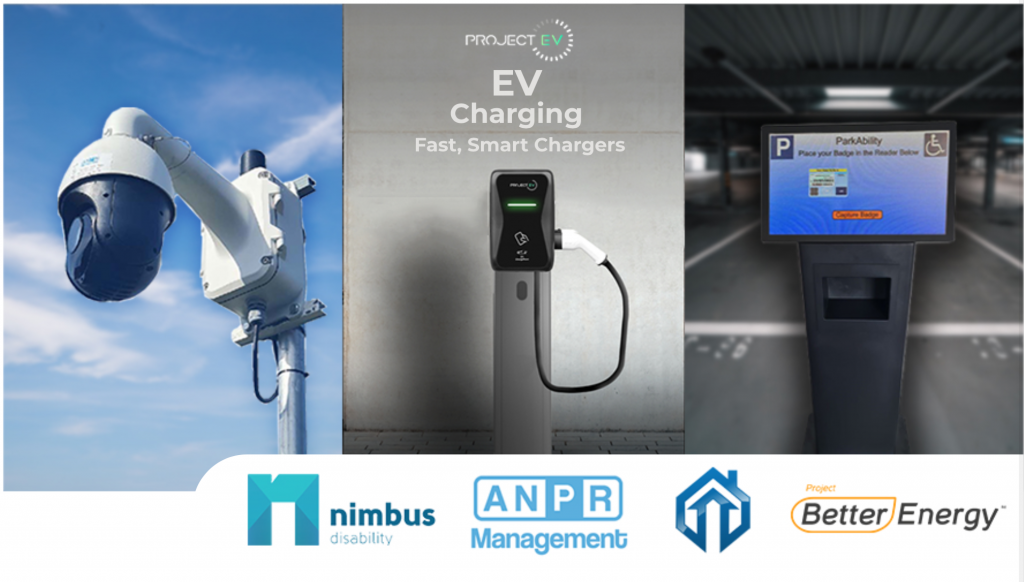
The ParkAbility partnership, Combines the Queens Award winning Access Card, cutting edge technology and accessible EV charging solutions, monitoring bay by bay vehicle interaction, validating registered Blue Badges. The one time registration is simple and easy via the Access Card, with Blue Badge kiosks in larger retail environments or by a simple phone app, that validates you in under a minute.
The Technology
The Patent Pending camera technology can monitor a number of individual bays within a car park including Disabled Parking bays and EV Charging bays. Each bay is individually cross referenced with the Nimbus Access Card database. You can register your Blue Badge and vehicles simply and easily either by the web app or buy using the onsite kiosks.
Any unregistered vehicles using the bays will automatically be issued with a parking notice charge (PNC), and or in the case of EV chargers, be unable to use to draw charge.
In late spring developers from around the world gathered to attend the two major developer conferences – Google I/O and Apple’s WWDC. These conferences typically serve as platforms for major announcements and glimpses into the near future, this year was no exception.
Google I/O
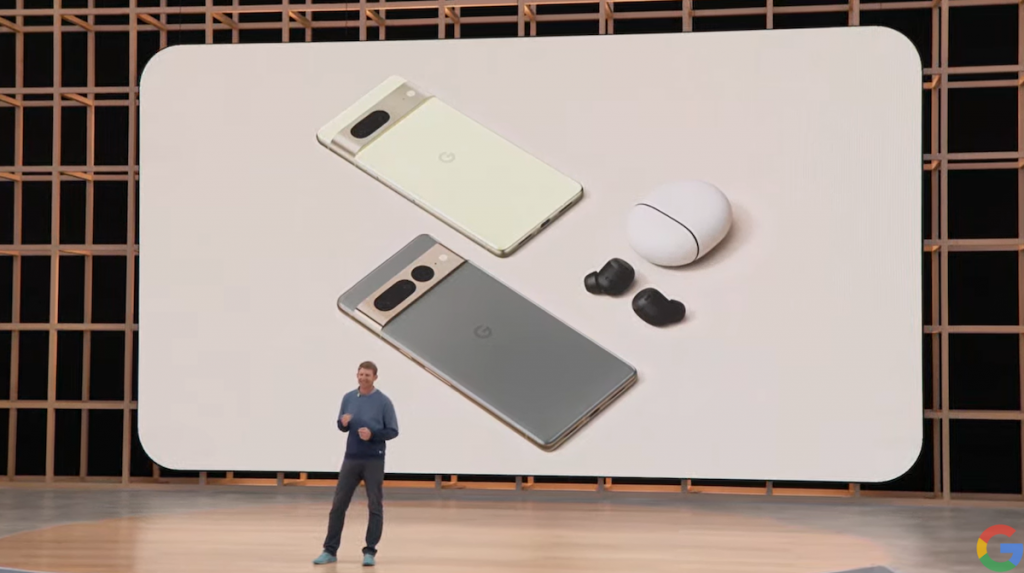
Google I/O held in early May incorporated many announcements, these included four new mobile devices (Google Pixel 6A, Pixel 7, Pixel Watch and Pixel Tablet), Android 13, and excitingly, the return of Google glass.
Android 13
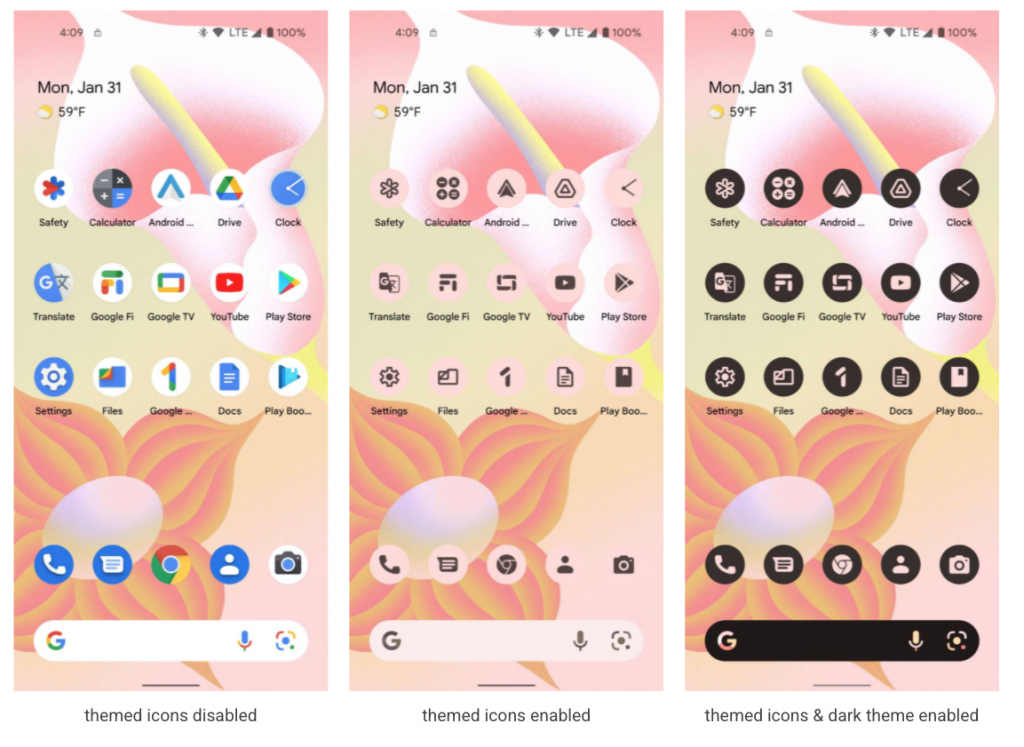
The latest iteration of the Android operating system, Android 13 will include a host of improvements and refinements. Most noteworthy improvements have been made to the user interface through Google’s “Material You” theme.
Google will also be relaunching Google Wallet. This is expected to go beyond just Google Pay and will now support a variety of digital ID – much like the features currently offered by Apple Wallet.
Android 13 could be considered more of a refinement of Android 12 than a significate jump forward. Android 13 is available as a public beta for those who wish to explore it, and is expected to be released later in the year.
Google Pixels
Google will be launching 3 new mobile phones. The Pixel 6A, a mid-range phone expected to be available at the end of July this year. Unlike previous models where the cost of the device was reduced by using a less powerful processor, the 6A will feature the same Pixel 6 Tensor chip and design but will only have a 12-megapixel camera compared to the 50 megapixel camera in the standard Pixel 6.
Google also provided a glimpse into their new flagship phones, the Pixel 7 and Pixel 7 Pro. These new devices will include a newer version of Google’s Tensor chip and improved cameras. However, the full specifications of the new devices will only be known when they become available in the autumn.
Pixel Watch
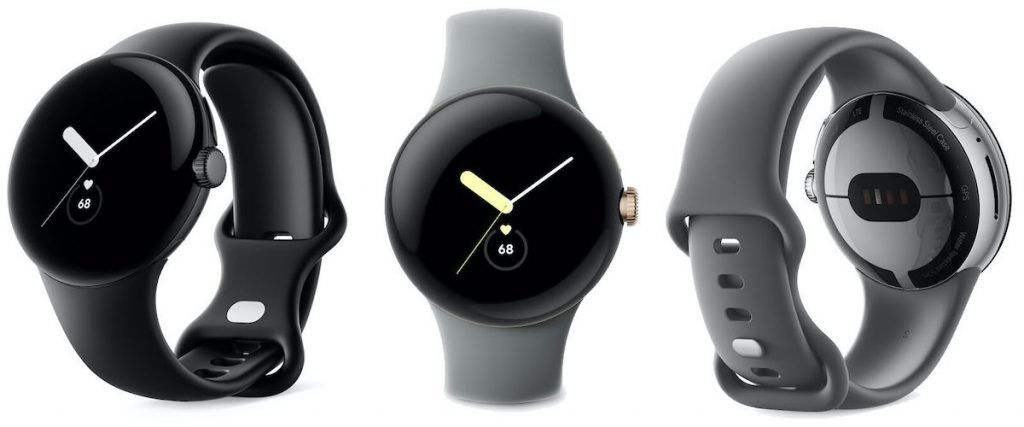
Similar to the Pixel 7 and Pixel 7 Pro not much detail was revealed other than Google will be releasing its own smart watch, the Pixel Watch. Google acquired Fitbit a little over two years ago for their health and wellness tracking technology. The Pixel Watch will be fully integrated with Fitbit system and run on Google’s Tensor chip. It is expected to include emergency SOS features as well as work with the Google Wallet, Google Maps, and Google Smart Home apps. The Pixel Watch is expected to be released in the autumn.
Pixel Tablet
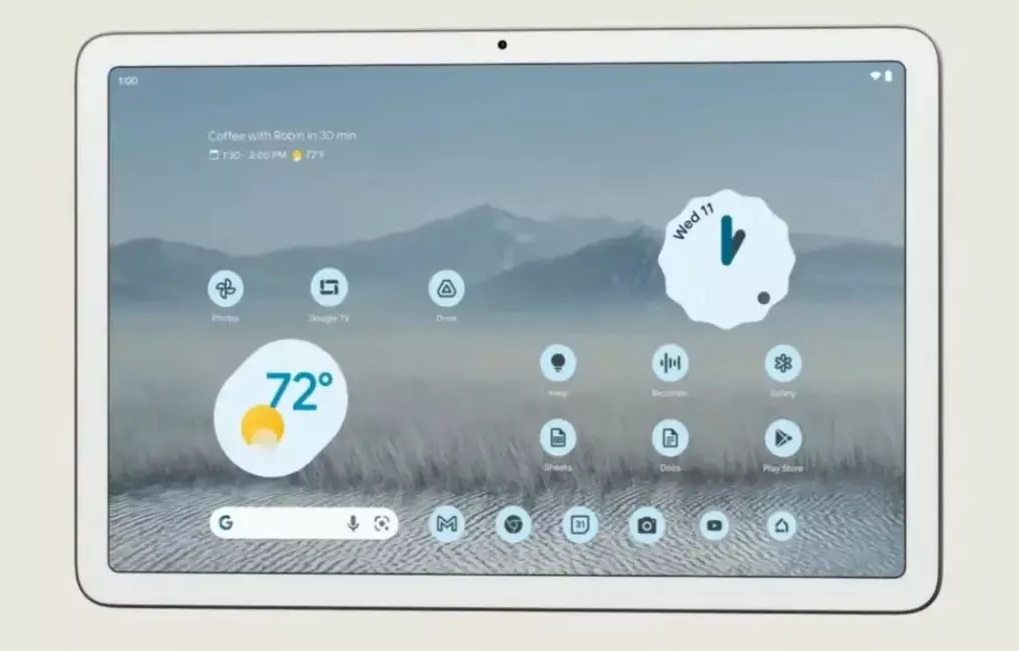
While Google was very sketchy with the details of the new Pixel Tablet, they did confirm that it will run on Tensor, like Google’s other devices and will be released next year.
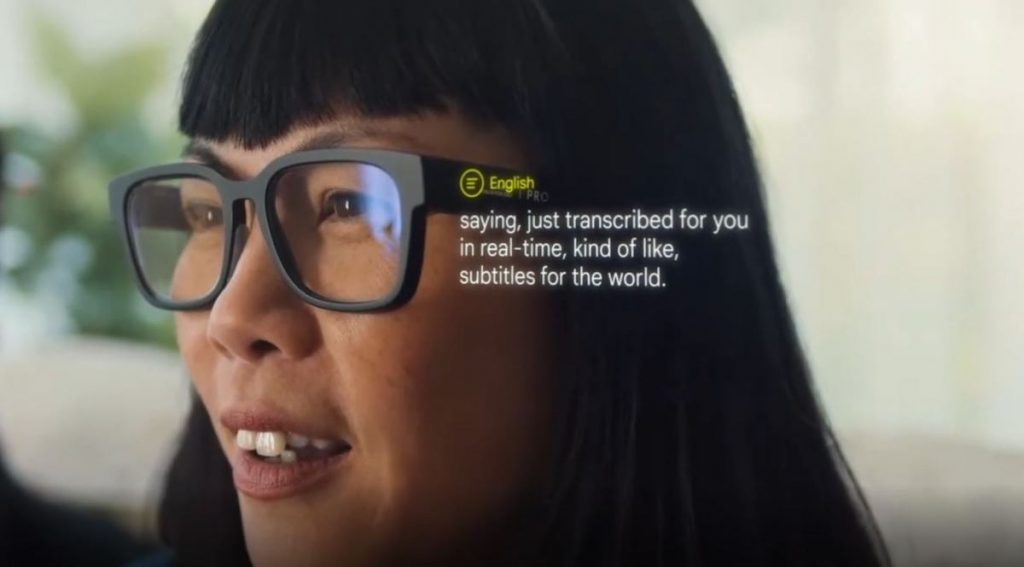
The return of Google Glass
Perhaps the most exciting announcement was Google’s next generation augmentative reality (AR) glass. Gone is the futuristic look of the first generation of Google Glass – appearing more like regular glasses. Despite Google not really providing any details, they are clearly keen to join the likes of Meta (i.e. Facebook/Instagram) Snap and Magic Leap in the augmentative reality space. In Google’s demonstration they showed Google’s glasses being used to project real-time translation of what someone was saying, this included being able to translate American sign language into text.
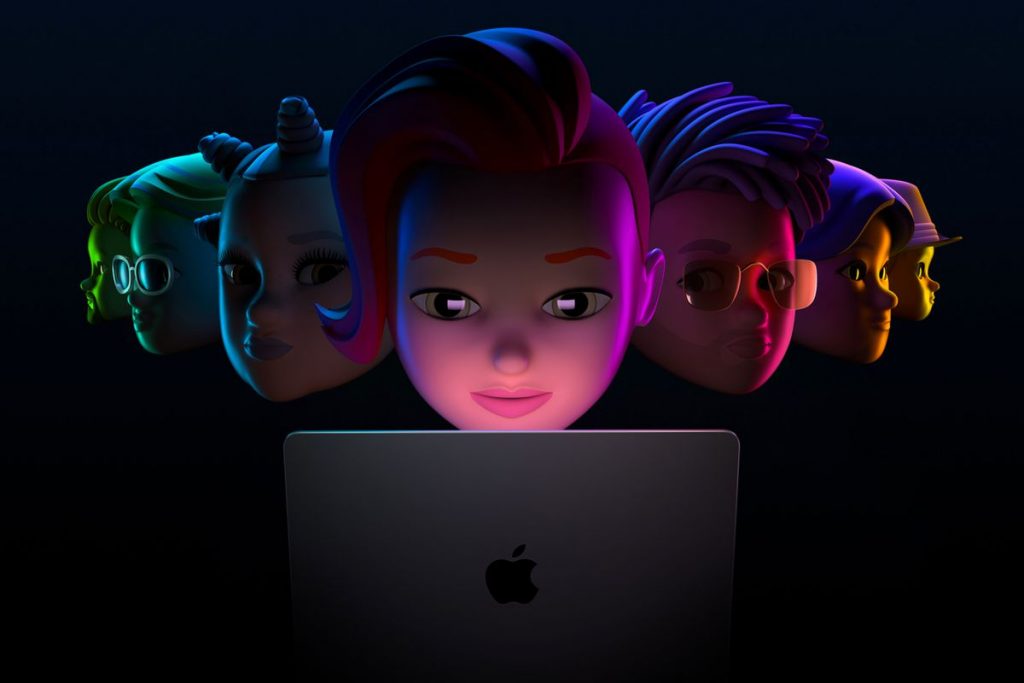
WWDC 2022
During the WWDC keynote Apple announced the new MacBook Air, and excitingly the next generation of Apple Silicon – the M2 Chip, a major advance on the M1 processor. In keeping with tradition Apple announced a plethora of new software updates for the iPhone, iPad, Apple Watch, and Mac. Here are just a few highlights of what will be coming to a supported device later in the year.
iOS16
As with every release of iOS there are a raft of improvements, refinements, and new features, many not even making the news headlines. Below and some of the changes coming in iOS 16.
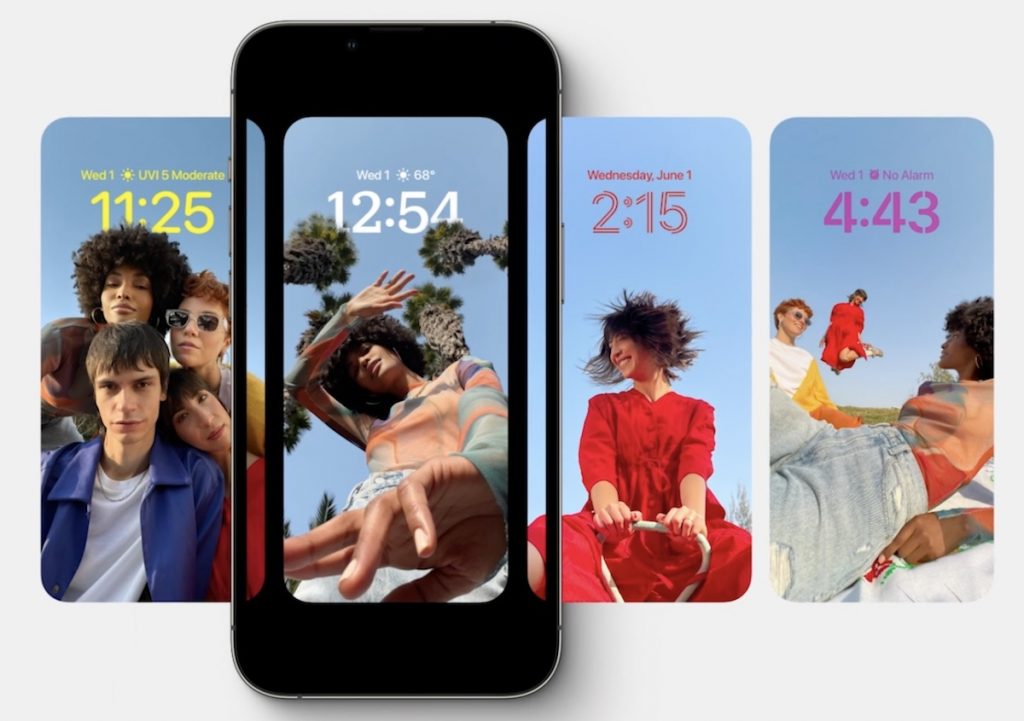
All-New Lock Screen
The new lock screen is now highly customizable with different styles, colour filters, and fonts. New widgets can now also be added to display information such as calendars, weather and even live updates from various sporting events. You can now also use photo shuffle to display different photos on the lock screen throughout the day.
Dictation
Major updates to dictation will now allow you to swap seamlessly between voice dictation and the touchscreen keyboard. Along with the improvements to Dictation itself it will automatically add updates to the text and can even include emoji dictation.
Live Text
Live Text, which enables text to be extract from either the camera or images has now been extended to video too. Now you can pause on any frame and interact or grab text from the video.
This technology has also been expanded to allow you to now extract images from a background and paste them into other apps.
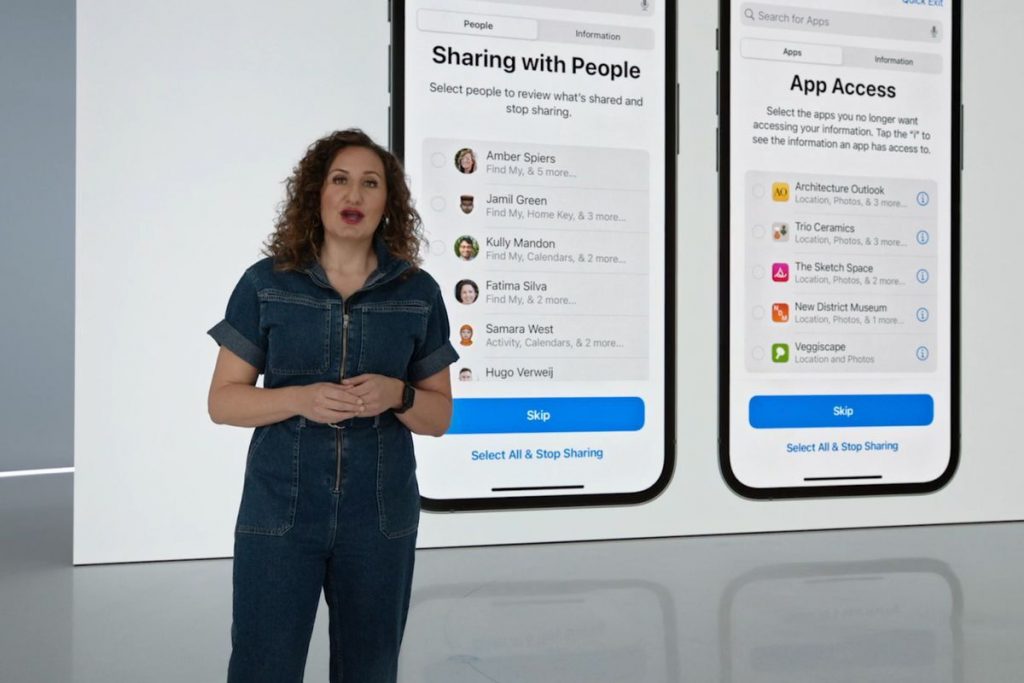
Safety Check Privacy Settings
Apple in recent years has put a lot of effort into improving your privacy when using their devices and announced Safety Check. This new privacy setting to review allows you to quickly revoke access, sign out of iCloud on all devices and limit Messages to a single device. This feature is aimed at supporting people who find themselves in an abusive relationship.
Security updates
Starting with iOS16 security updates will be able to be automatically installed as they become available and will no longer require a full new version of iOS. This will allow you to ensure that your devices are kept as secure as possible without you needing to think about it.
This new feature will be enabled by default. However, should you wish to turn it off. (not recommended) you can do so by with Settings app under “General > Software Update > automatic security updates”.
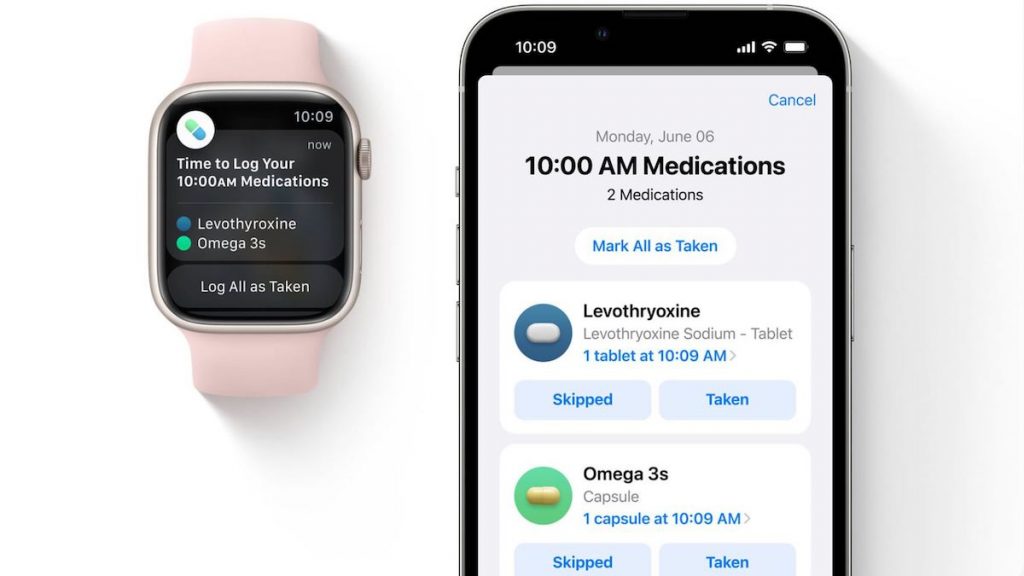
Medication tracking
While only available in the US for now, this new feature will enable reminders to be set and log when medication was taken. It will also notify you if there are any potential negative interactions of the medication, for example, if it’s not advisable to consume alcohol while taking a particular medication.
Matter Smart Home App
Apple have redeveloped there Home app incorporating the Matter standard. Matter is a connectivity standard that emerged from an industry lead (Amazon, Apple, Google, Samsung SmartThings, the Zigbee Alliance) working group started in 2019. Matter aims to allow smart home devices to seamlessly work together.
Apples new Smart Home app now allows better control and navigation of smart home devices. You can now get an overview of your smart home stats in a single image, and the app has new features such as lights and climate controls. You can now add a home widget to the lock screen too, making it possible to keep an eye on your smart home without needing to unlock your phone.
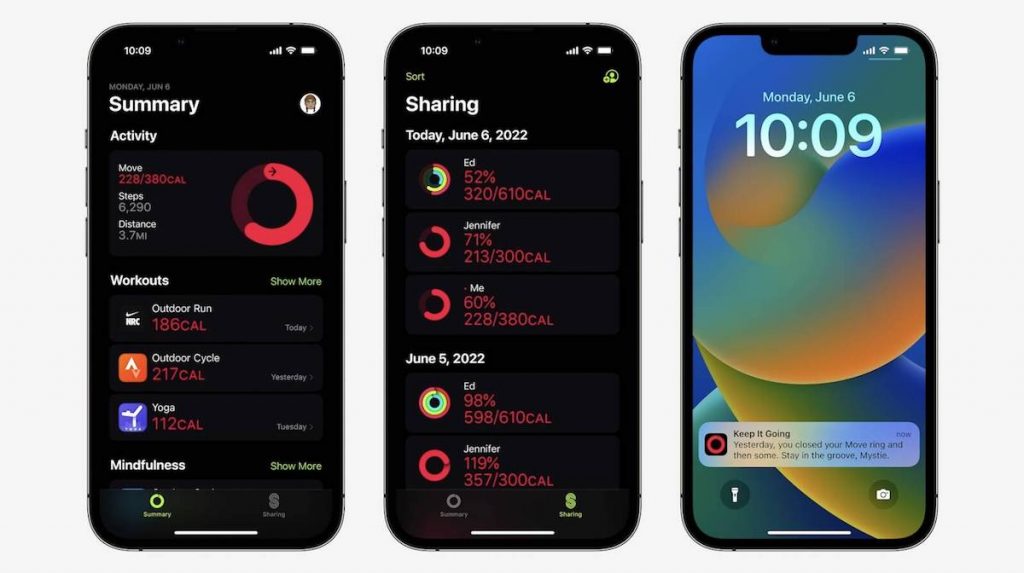
Fitness app
Until now Apple’s fitness app was only available to Apple Watch users. Starting from iOS16 the Fitness app will now be available to all iPhone users.
Accessibility improvements
Apple has often led the way by embedding accessibility into every aspect of their technology. With the advancements in hardware, machine learning and software, iOS16 will include even more accessibility features. These include:
Door Detection
This feature will assist someone with a visual impairment to navigate by identifying a door. Door Detection can then provide the person with information about how far they are from the door, if it is open or closed, whether it can be opened by pushing, turning a knob, or pulling a handle. Additionally, Door Detection can read signs, door number and symbols around the door.
Door Detection requires iPhone or iPad with the LiDAR Scanner, for instance either the iPhone 12 Pro and Pro Max, iPhone 13 Pro and Pro Max, or the iPad Pro.
Live Captions
Live Captions will now be available on iPhone, iPad, and Mac. Live Captions are generated in real time on the device ensuring they are provivate and secure. With Live Live Captions enabled any audio content will appear as text captions too. This could be a phone or FaceTime call, using a video conferencing or social media app, streaming media content, or having a conversation with someone next to you. You can adjust font size to suite your needs too. When using this feature with FaceTime on a Mac you have the option to type a response, and have it spoken aloud in real time to others who are part of the conversation.
Live Captions will be available on the Phone 11 and later, iPad models with A12 Bionic and later, and Macs with Apple silicon.
Buddy Controller
Buddy Controller combines any two game controllers into one, this means multiple controllers can drive the input for a single player. So now someone can ask a care provider or friend to help them play a game.
Siri Pause Time
For people with speech disabilities, you can now adjust how long Siri waits before responding to a request.
Sound Recognition
Allows you to effectively teach your device to recognise custom sounds for example a home’s unique alarm, doorbell, or appliances.
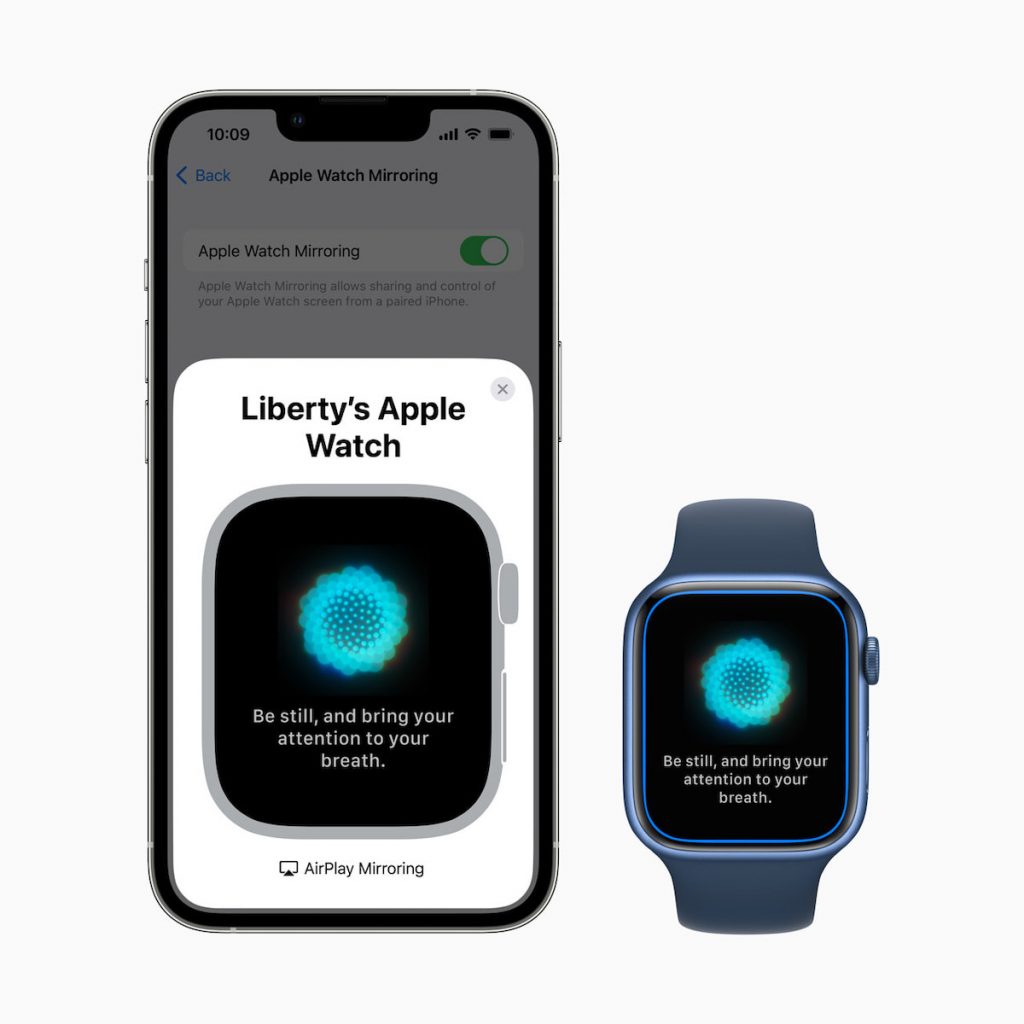
Apple Watch Mirroring
For people who have difficulty interacting with Apple Watch, Apple has introduced Apple Watch Mirroring allowing you to control a watch paired with your iPhone. This allows you to then use the iPhone’s assistive features such as Voice Control and Switch Control as alternatives to tapping the Apple Watch display.
iPadOS 16
Many of the new features included in iOS16 will also appear in iPadOS.
One new feature coming to iPad is Apple Stage Manager. This new feature automatically organises open apps and windows allowing you to focus on your task while still being able to see everything at a glance. Unfortunately, due to the memory requirements, Apple Stage Manager will only be available on iPads with an M1 or newer Chip.
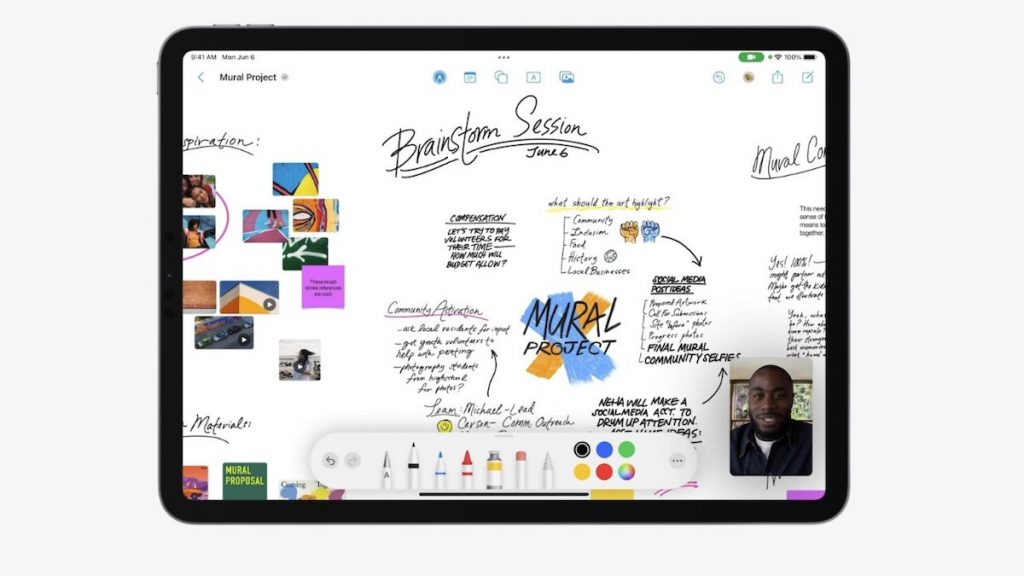
A new digital whiteboard app will also be introduced. The Freeform app, enables you to add notes, include photos, draw and even FaceTime someone directly from the app. Freeform supports collaboration so it is possible for you to work together with others on the digital whiteboard with changes happening in real-time.
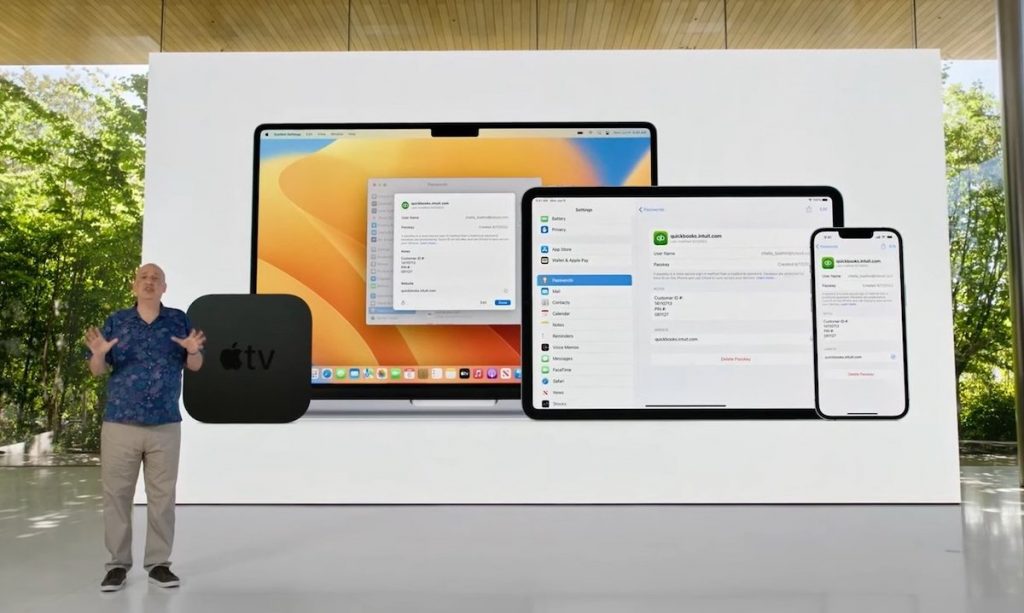
Apple Passkeys
Currently a lot of effort is being put into creating a more secure way of logging into systems. Apple is working with industry partners such as Microsoft and Google, the FIDO alliance and developers to create a next-generation credential that’s more secure and easier to use. While there is still a long way to go, the aim is to create passwordless logins across mobile, desktop, apps, and browsers.
Passkeys which Apple announced during an WWDC presentation on updates to Safari (Apple’s web browser) aims to make this possible. In simple terms, Apple Passkeys uses the biometrics features built into Apple devices such as Touch ID or Face ID and “cryptographic techniques” to generate a unique and secure key. This is then stored on your Apple devices and shared through Apples iCloud Keychain which uses end-to-end encryption. This, in theory, means that your password can’t be stollen because it only securely exists on your device. In time, you will be able to sign into websites and apps on non-Apple devices using an iPhone or iPad by scanning a QR code and then use Touch ID or Face ID to authenticate.
This is really exciting, not only as it provides a more secure means to login but will make it easier for those who have difficulty logging into systems. Many more announcements covering other products were made during WWDC. It remains thrilling to see the ongoing advances in technology and its potential to improve people’s lives.
Here to help
As always, I am interested to hear about how you are using mobile and other smart technology. If you would like to have a particular topic covered in the next newsletter, please let me know. I am also available at any time to support and help where I can.
As we move into our third and final year of the Nuvoic Project, we’re seeing some great feedback from participants with atypical speech about the different ways they’ve been using the Voiceitt speech recognition app, and ideas on how it could be improved. Voiceitt have already implemented some of these ideas and are working on others. In this update, we also have a blog from Haroon Sahir, one of our participants from St Joseph’s in London, about his experience of taking part.
Feedback from users
Over 70 people with atypical speech have now joined the project and shared feedback about using the Voiceitt app to communicate or control Smart Home technology like Alexa, including the following comments:
It’s got easier as it learns my voice
It felt good, it was the first time a speech recognition app understood me
The recognition seems to work much better the more I use it
When it’s noisy it doesn’t work as well and I usually have to repeat a few times
It makes it easier to do some things for myself
It helps me when I want to go out to places and communicate with new people
Symbols for every phrase would be useful
It could be incredibly useful if the recognition works better
The Voiceitt team have used participants’ feedback to improve the app, including making it quicker and easier to train new phrases and adding points and achievements to make it more fun! Most people would like the app to understand their speech without having to train each phrase in advance, and we now have 21 participants donating speech data through Project Ensemble to help with this.
Ensemble
In the latest phase of our project, we’re asking people with atypical speech to record and donate phrases through the Ensemble website, to help Voiceitt improve the way their speech recognition technology works. Thanks to everyone who’s enrolled so far. Between them, they’ve donated over 7,000 recordings so far – a brilliant start!
We’re keen to include as many non-standard voices as possible so please get in touch if you or people you support want to add theirs to the Ensemble! We can offer equipment on loan, technical support, gift cards of up to £100 for participants and funding for organisations supporting someone to take part. If you or your organisation would like to be involved in this exciting development work, please see our web pages or contact our project co-ordinator: liz@karten-network.org.uk for more information.
Other Updates
One of our participants, Haroon Sahir, has written the following piece about his experience of the project, testing the Voiceitt app and donating speech recordings through Voiceitt Ensemble:
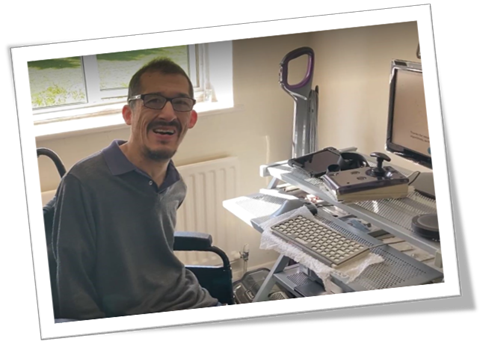
It was just about the end of Lockdown when my main carer Leanne came back from her Covid-19 break. Before this I was just having three hours care a week during the ‘dark days of London Lockdown.’ When Leanne returned we were having telephone conversations with staff from the St Joseph’s centre in Hendon, London. We were trying to figure out on how to install Microsoft Teams onto my decade-old adapted I.T. equipment because nearly everyone was doing Zoom calls on their computers, mobiles or iPads and I wasn’t able to do this during lockdowns!’ Staff asked, after they noticed I was having speech impairment problems over the telephone, if I would be interested in taking part in a speech project. I said ‘yes’ and this led to the introduction to Geena, a technologist on the project, via e-mail.
We carried on by using the trusted and my best form of communication, which is email! There were lots of email exchanges between Geena from the Karten Network, St Joseph’s and me before I first met Geena with support from Leanne, travelling by London public bus to the St Joseph centre. That was start of the Voiceitt project for me. We did Zoom calls using Leanne’s mobile, using iPads to do my voice recordings, and Leanne videoed me using my speech recordings on the iPad in the gym and at the centre. During Geena’s home visits we set up my computer with Zoom and a microphone and she interviewed me and videoed me doing the Voiceitt recordings on my computer. Geena is coming again to try to set up our old 37″ TV in my bedroom, so I don’t have to use the awkward old Toshiba television remote control!
The most valuable and interesting thing about working on the Voiceitt project I did some 1729 Voiceitt recordings for Voiceitt Ensemble. When recording on Ensemble I felt I was working on my fourth unofficial internet job and more importantly in my opinion I was doing speech therapy independently without the help from a human speech therapist. In the future Voiceitt could be used as a science fiction version to speech therapy?
The interesting or funny thing was when I was doing the Voiceitt recordings at several night times my 77 year old mother came from her bedroom into my bedroom to see why I was talking to myself! Eventually Voiceitt Ensemble said “It has run out of sentences to record in this dataset”! I was the first person to complete all the phrases. I missed doing the recordings and hearing my speech back through the speaker/microphone which was one of the gadgets provided by the Voiceitt project and ordered by Geena via the internet!
After this was written, the team released new sentences and Haroon has been busy recording again! You can also check out Haroon’s sports writing on Facebook. Many thanks to Haroon for his blog and his fantastic work on the project.
Get in touch!
We would love to hear from you if you, or someone you know may be interested in taking part in testing the Voiceitt app and/or donating speech samples. Please email our project co-ordinator: liz@karten-network.org.uk, or you can find more information and get in touch via our project web pages.
We use cookies on our website to give you the most relevant experience by remembering your preferences and repeat visits. By clicking “Accept All”, you consent to the use of ALL the cookies. However, you may visit "Cookie Settings" to provide a controlled consent.
This website uses cookies to improve your experience while you navigate through the website. Out of these, the cookies that are categorized as necessary are stored on your browser as they are essential for the working of basic functionalities of the website. We also use third-party cookies that help us analyze and understand how you use this website. These cookies will be stored in your browser only with your consent. You also have the option to opt-out of these cookies. But opting out of some of these cookies may affect your browsing experience.
Necessary cookies are absolutely essential for the website to function properly. These cookies ensure basic functionalities and security features of the website, anonymously.
Cookie
Duration
Description
cookielawinfo-checkbox-analytics
11 months
This cookie is set by GDPR Cookie Consent plugin. The cookie is used to store the user consent for the cookies in the category "Analytics".
cookielawinfo-checkbox-functional
11 months
The cookie is set by GDPR cookie consent to record the user consent for the cookies in the category "Functional".
cookielawinfo-checkbox-necessary
11 months
This cookie is set by GDPR Cookie Consent plugin. The cookies is used to store the user consent for the cookies in the category "Necessary".
cookielawinfo-checkbox-others
11 months
This cookie is set by GDPR Cookie Consent plugin. The cookie is used to store the user consent for the cookies in the category "Other.
cookielawinfo-checkbox-performance
11 months
This cookie is set by GDPR Cookie Consent plugin. The cookie is used to store the user consent for the cookies in the category "Performance".
viewed_cookie_policy
11 months
The cookie is set by the GDPR Cookie Consent plugin and is used to store whether or not user has consented to the use of cookies. It does not store any personal data.
Functional cookies help to perform certain functionalities like sharing the content of the website on social media platforms, collect feedbacks, and other third-party features.
Performance cookies are used to understand and analyze the key performance indexes of the website which helps in delivering a better user experience for the visitors.
Analytical cookies are used to understand how visitors interact with the website. These cookies help provide information on metrics the number of visitors, bounce rate, traffic source, etc.
Advertisement cookies are used to provide visitors with relevant ads and marketing campaigns. These cookies track visitors across websites and collect information to provide customized ads.