The coronavirus pandemic has made us all think about different ways of working with young people and Sense College Loughborough has had to be creative in developing the curriculum to fit in with the restrictions and challenges, as well as ensuring students at home were able to access the curriculum. The Karten Network funded technology has played a big role in making this happen.
In College
The majority of students have continued to attend Sense College throughout the lockdown period and have accessed the curriculum in College.
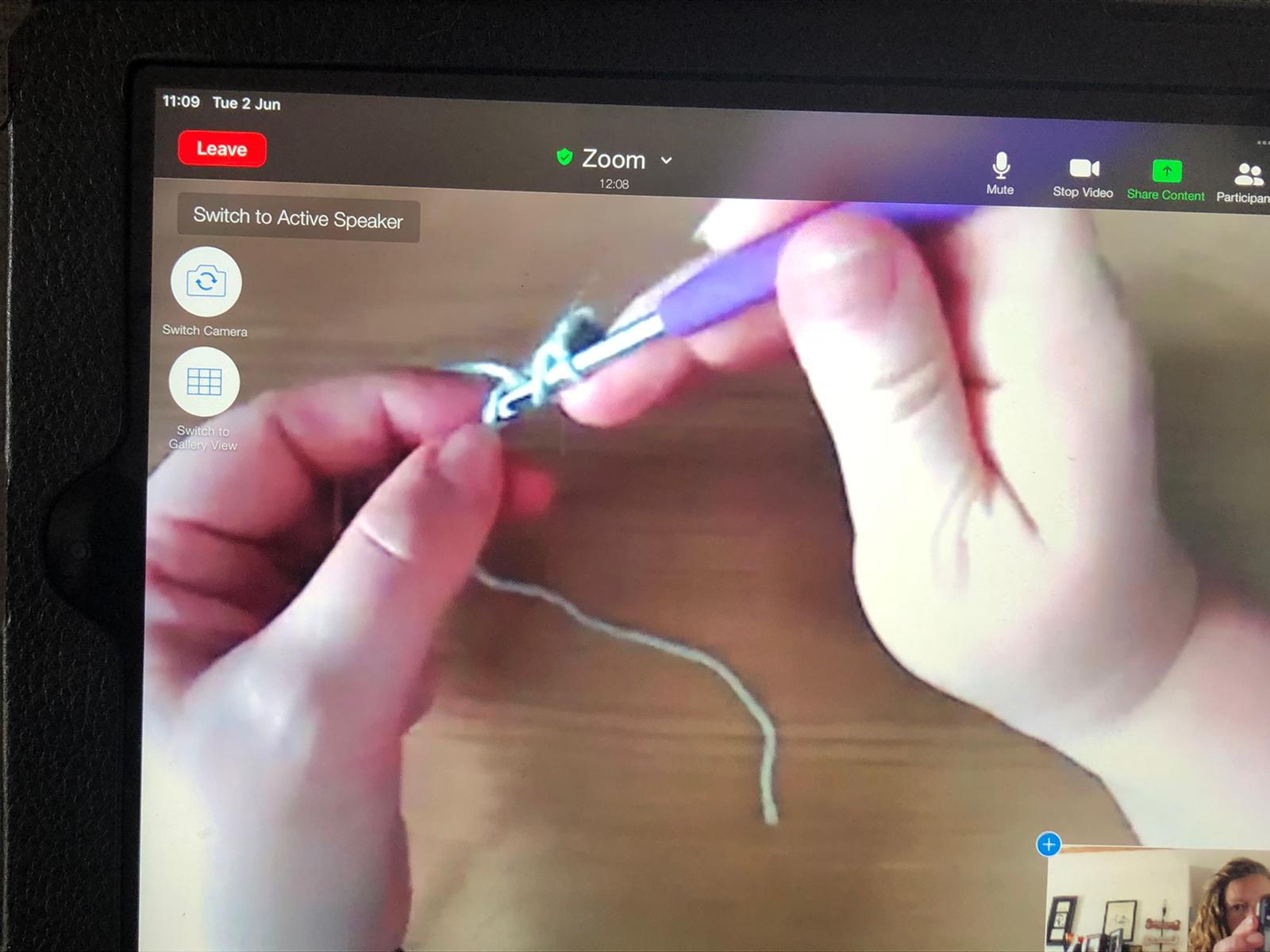
Our Sensory Pathway students have been using iPads and Augmentative and Alternative Communication (AAC) equipment to communicate with their peers and with staff. The sensory tent has a range of equipment to stimulate or relax students. This includes technology that was purchased through the Karten Network grant, for example the projector, fibre optics and colour changing equipment, as well as bubble tubes and switches. Every Friday, students in College and at home attend a live Zoom drumming workshop, using the smartboard.
Students with sight loss have continued to use a range of appropriate technology from the Karten Network Sight Loss Hub to enable them to access the curriculum. All of the equipment that is available is out on loan with students who use it daily. Students are able to use video magnifiers, colour detectors, and scanner readers as well as other access technology to complete their tasks. The iPads and tablets have a range of apps that can also support students with sight loss.
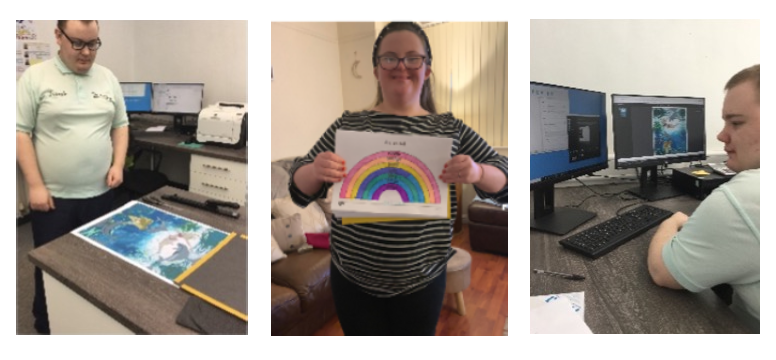
Media students have found the Media Hub iPads funded by the Karten Network to be very useful for their learning. Students have been making stop motion films and designing a food truck. They have also been filming around College with a 360 camera mounted on a bike helmet in order to make a virtual tour film of the College for prospective parents and students. These students have been able to gain valuable transferable skills when completing their tasks, eg working as a team and good communication.
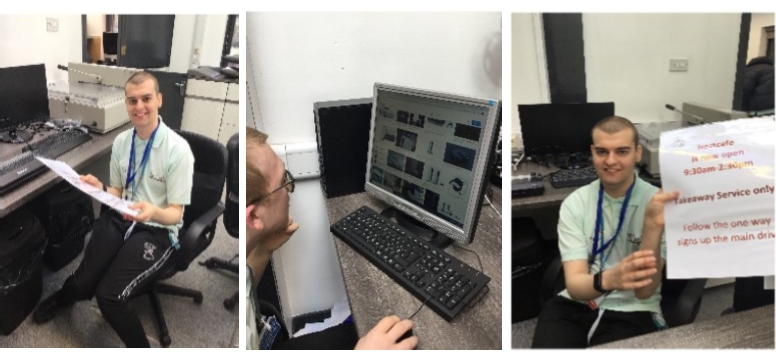
The Interns are writing a blog supported by College marketing staff, as part of a work placement. Students at home have been able to take part in blog team meetings and complete their tasks remotely. The Interns have also been writing a half termly newsletter and a professional newsletter for employers who work with us. These activities would not have been possible without the use of a range of technologies, and have been a key vehicle for learning important work focused skills. This is particularly important as the Interns have not been able to attend external work placements during lockdown.
At home
Students have been able to join sessions via Teams so that they can take part in different sessions, tasks and activities, as well as see their peers. The work sent home has also been linked to different sessions so that students can also join in and carry out the same tasks as the students who are in College.
In the Team Work session students are working together to prepare for a Hidden Disabilities Awareness Day that they are organising. The students in College have been making sunflowers to decorate the College, as well as making sunflower badges, sending emails, making films and PowerPoint presentations about the Sunflower scheme. Students at home have joined in sessions to take part in or lead team meetings, as well as to chat with their friends. They have also been able to join in with the team to make sunflowers and films and PowerPoint presentations etc.
Media students have taken part in a food truck design project from home and have joined in with their peers in discussions and votes to choose their favourite food truck designs. The students used graphic tablets and iPads as well as pen and paper to make their designs. Some of the students have also made films at home about health and safety signs and other topics and been able to share their work with their peers.
Some staff have had to shield and work from home. Technology has had a huge impact in making sure staff can continue to teach. Staff have been able to deliver sessions from home to students who are in College as well as those who are working from home. The ICT tutor has had live Teams sessions, which has enabled her to remotely provide 1:1 support, resolve issues and give feedback to each student in the group. In the Sensory bubble students used Teams and a projector to connect the students with the teacher who was shielding. The iPad was placed on a tripod so that it was easily moved around. This meant that the member of staff could interact with the students, see their work, and provide instant feedback and support as needed.
As well as remote learning, tutors have used Teams and Zoom to carry out tutorials, discussions and attend Annual Review meetings. The Vocational Pathway students and Interns who are at home also meet with a tutor daily via Teams to make sure work is being completed, and to provide feedback on completed work, as well as to ensure that students are not feeling isolated during lockdown. Students have found this particularly helpful in terms of their mental health, as they also have opportunities to chat with each other and with staff during the daily meeting.
Although the Covid-19 pandemic and lockdown restrictions have been challenging, the College staff and students have risen to the challenge. This would not have been possible without the use of technology. The Karten Network funded equipment in the Sight Loss Hub and the Media Hub have proved to be invaluable in maintaining an at home curriculum for students who are not in College, as well as helping students in College to access a fun, varied and useful programme of study. The use of appropriate technology in College has increased and it is now just a normal part of everyday College life.
Well what a challenging year. That feels like quite an understatement. Challenging is certainly one description.Our charity Buzz Hub St Helens CDP provides activity and opportunities to young people and adults who have a learning disability. We closed the service on March 23rd. The feelings were of complete and utter devastation. Our services are vibrant, creative and most of all fun! The day after the lockdown announcement we were sat at our base at Nuttall House in complete silence.With lingering uncertainty, our challenge was to do everything in our power to reconnect with our members.
Our regular telephone contacts were highlighting the growing difficulties being experienced by our members. Lack of routine and with no particular reason to get dressed in a morning. Anxiety and for some members a growing isolation were prevalent over this time.
The GOOD NEWS STORY starts at our discovery of the Facebook portal. The portal is a device witha remote camera. We invested in some portals and delivered them to a group of members. We undertook a test with seven members together on screen. They had not had contact with each other for weeks. The test lasted over two and a half hours. They were so reluctant to leave the screen. It proved to be a turning point. We invested in the purchase of more devices. We had a kind donation and received some funding to purchase more. We rolled them out to both members and session facilitators.
We Currently have over 70 devices distributed!
I would like to pay tribute to our staff team as they have been and continue to be magnificent over this time. We got to a point early on where we were delivering over 140 sessions remotely. The sessions as best we can mirror the activity menu of choice available prior to lockdown. In some cases the activity was secondary. The fact that members and staff were reconnecting was the complete joy. Our evening social portal activities are extremely popular. We have game shows, bingo, quiz nights, music and Karaoke. Feedback has been amazing with parents and carers regularly joining in with the activity. As we plan to phase members return to service and activity the portals will allow members shielding to be a part of activity taking place from the safety of their own home.
It cannot be underestimated the value and impact that the portals have made to our members, their family’s, our staff team and our service as a whole. They remain an integral part of our service going forward. We currently deliver over 200 sessions throughout the month.
We would like to send our Best Wishes to everyone within the Karten Network.
Over the last 12 months we have implemented the use of the technology funded by the Karten Charitable Trust. There have been some clear successes and some challenges, particularly because of the coronavirus epidemic.
Construction/Transportation Virtual Simulator
Over 50 young people had an opportunity to use the forklift truck module on the simulator. This has been used as a break-out activity when having IT lessons, on a rotational basis. What has been very powerful is seeing those most disaffected students, who don’t usually engage in technology, get excited about using the fork lift simulator.
We have worked closely with Tenstar Simulations in keeping the software updated and ensured the machine is maintained. To ensure the device is being used as a pathway on to further progress we have made links with Mantra Learning around the ‘Pathway to
Apprenticeship’. This was part of the ‘next steps’ approach for those young people who demonstrated an interest in driving forklift trucks. So far, we haven’t enrolled anyone on the course with Mantra Learning due to progress being hampered with COVID. Once we are able to be back on site, and move across bubbles more, we will hopefully develop the technology further and enrol students with Mantra Learning.
ClassVR, Oculus VR and 360 Camera technology
Just before lockdown we were still in the exploration phase of VR. We used VR headsets in 4 different ways:
ExploreVR – Using the Google Earth VR app and the Oculus Rift equipment to take students to places they could never have imagined visiting. We have had huge engagement with this project where students have been on a rota to visit places around the world, visiting places like San Francisco, Rome, Paris, New York or even Wembley Stadium!
What has been incredible is the immersive reality that the technology brings whereby students have been excited to feel like they’ve travelled far and wide when many have never stepped out of the local town. We spent some time creating video tutorials as the experience is a solitary one and as we introduced new students to the technology we wanted to guide them through it which worked really well.
TransitionVR – Another exciting development was the use of the 360 cameras and the ClassVR headsets to support transition from college to the workplace. We started the project by filming footage at the RSPCA and Atrium Cafe where we had work placements ready for students.
This allowed students to feel less anxious before their placement by using the headsets within the classroom and taking a tour of the building virtually.
We only managed the one transition before the first lockdown happened but we are keen to explore further when we return.
CurriculumVR – The other opportunity we explored is the use of VR headsets supporting the learning experience. This has involved visiting the Titanic, seeing the pyramids and moving through our solar system. The 360 experience has really brought alive some of the different curriculum we offer our young people.
RelaxVR – Some of our more complex learners have been using the ClassVR and OculusGo headsets as ways to relax when in a state of heightened anxiety. We have had several cases where students have been exhibiting challenging behaviour and the use of the headset has helped them to calm. Its remarkable what a swim with Dolphins can achieve!
After being donated amazing printing equipment from Karten Network we were all excited to create various projects but unfortunately, our location (although beautiful) had a terrible internet connection, and this was proving to be a major issue in carrying out the work.
This is when Openreach saved the day by fitting a £25,000 Fibre line and getting us back online. But again, we found we had the issue that this wonderful fast connection was not working as it should as our server was outdated!
Again, we were saved by Karten Network as they donated a new server and we were up and running at last.
Coronavirus and lockdown brought new pressures on us all, but we have remained open and carried on as well as we could, creating new ways to keep busy for both the trainees who attended and the ones who were shielding at home.
One of the ideas the Trainees came up with was to produce a ‘positive’ newspaper full of happy news and promoting the business.
Trainees have been busy creating their own articles.
Presently, as we are preparing to come out of lockdown and a number of Trainees are back in Lakeside Printing, they have been working on marketing ideas and have decided to offer monthly deals on our products, starting with personalised canvases at discount prices.
Cedar’s Southern ‘Inclusion Works’ brain injury staff have had to get creative in more ways than one in terms of service delivery during the lockdown, to support service users to engage in activities they could enjoy from the comfort of their own home. The staff and service users feel that learning a new skill like crochet can help support recovery from Brain Injury by supporting concentration, developing the ability to stay on task and maintain focus.
Susie Blake takes part in the online Crochet sessions and has said “Being on the Cedar Inclusion Works programme has helped to hasten my recovery, improve my social skills and participate more fully in my community”.
She went on to say: “Taking part in the Crochet group has also helped me build on my crochet skills, having learnt the basics from my grandmother over 50 years ago! It’s increased my confidence and supported me in attempting bigger more complex designs”.
Fiona Campbell of Flo’s Crafty Crochet agreed: “Crochet has also been proven to help fight insomnia through the calming motions (when it is going right). It reduces stress and anxiety levels providing time to take your mind off whatever is going on out in the real world. It can also relieve depression and instil a great sense of achievement which in turn boosts self-esteem. Trying something new and the mathematical structure of crochet can also help cognitive function”.
She further commented: “Alongside learning the skill of crochet our team of ladies also had to get to grips with the use of technology which allowed them to engage in online classes. Cedar supported the ladies getting set up for online learning through step by step instruction and also by providing tripods and headphones which would leave their hands free and minimise any distractions”.
Sinead and Helena from the Cedar Foundation enquired about the possibility of running beginner crochet course for some of Cedar’s service users.
Fiona tentatively agreed to give it a shot and she said “It was one of the best decisions I have ever made. I’ve seen the ladies become so much more confident over the weeks as they enjoy the crochet and craic, they are also keen to accept any new challenge that I set for them which is fantastic!”.
Another service user, Binky Paxton, said: “I have only started my crochet class in the last few weeks and Fiona is a great teacher. I am getting on really well with it. I crochet every night as I love it and find it very therapeutic. A massive thanks to Helena from Cedar for helping me get enrolled.”
Sinead from the Cedar Inclusion Works Southern team commented “Having the ability to sample courses in the comfort of the service user’s own home is a fantastic resource to have. It solves the problem of bringing people from various localities to one place and trying to organise transport. It also takes away the fear of walking into a room full of strangers as people can be very nervous, especially with learning a new skill. We are so grateful to Fiona for providing so much support and encouragement and we are so very proud of the participants and how far they have come in such a short period of time.”
Our Summer 2020 newsletter featured Derwen College Industry Champion, Neil Bevan, and the work his company had been doing with Derwen College in the development of their award-winning ‘Support Work’ mobile apps.
The lessons learned, the success of the project and the collaboration with the college, which includes the ‘Working in a Printshop’ app used in Derwen’s Karten Printshop, prompted Neil to separate out the app development side of his design and marketing business to form a new company – Starfish Labs Ltd.
Starfish Labs has recently launched the first of a suite of apps to support people with special educational needs and disabilities to understand the changes in society and regulations due to the ongoing Coronavirus pandemic.
The app, ‘COVID-19: Staying Safe’, has been part funded by the Welsh Government rapid response Covid-19 RD&I scheme, and is unique in allowing carers, parents or teachers to customise the content using their own photographs, video and spoken word, and simple steps to make the wearing of masks, lockdown restrictions and hand washing etc. familiar and relevant to the user’s own environment and to the changing regional and local lockdown rules. Generic content is available in English and Welsh. You can find out more about how the apps can be customised and a link to download at: https://starfishlabs.co.uk/products/
A further two apps, ‘COVID-19: Social Space’ covering social distancing and the concept of support bubbles etc., and ‘COVID-19: Happy&Healthy’, covering general health and wellbeing are due for launch during February.
The first app is available now for iPhone and iPad from the App Store, and will shortly be available for Android on Google Play. The additional apps will be available on both platforms as soon as they are published. The cost of the app is £3.99 and proceeds will be re-invested in further projects to support vulnerable people.
The apps were created in collaboration with Derwen College, working with their tutors on content, and feature Derwen clients (many of whom are former students) demonstrating the correct use of face masks, how to wash your hands, the use of hand sanitiser and other aspects of Covid-safe support through videos and photographs, along with cartoon images and Makaton symbols.
Teaming up with two additional directors, Neil and Kirsten Bevan established the new tech startup at Aberystwyth University Innovation & Enterprise Centre, to take advantage of the R&D collaboration opportunities with the University. The company is specifically focussed on developing apps for the SEND sector, to support people with training apps to improve their lives, and to developing relationships which will also be financially beneficial or will provide enhanced learning and enrichment opportunities to the people and organisations with whom they work.
The company has already created employment for two graduates and is about to employ a further developer, having recently won a significant export project in the SEND sector in the UAE.
Starfish Labs Director, Neil Bevan, says, “As the Covid-19 pandemic is still very much with us, the ongoing changes in lockdown rules and guidance in different parts of the UK are confusing for many people, and especially for those with learning difficulties.”
“So much of the existing guidance doesn’t really mean very much to someone who has Autism or who doesn’t recognise that generic images of hand washing, or face coverings have any meaning to their own life. We recognised that a suite of apps could help to simplify the guidance – breaking instructions down into understandable short sequences – and the ability for people to use their own photos or videos of their own masks, their own washbasin, and their own local environment would make the rules much more relevant.”
Neil continues, “We are grateful to Welsh Government for supporting Starfish Labs in funding the development of the apps, and we’re proud to be developing them in Welsh, as well as English, to support vulnerable people in Wales who may have Welsh as their first language. We’re also really pleased to be working with Derwen College again on this project.”
Starfish Labs is also looking to develop versions of the apps in other languages, such as Urdu and Punjabi.
Ellie is one of the hundreds of disabled people whose lives have been enhanced by a new state of the art sensory suite, which was generously funded by The Ian Karten Charitable Trust.
The gift of £24,582 for Percy Hedley’s adult day services in Forest Hall has been used to create a sensory suite with a range of specialist equipment which will improve the lives of the many disabled people across the North East.
Ellie has a diagnosis of Cerebral Palsy, she is quadriplegic in all limbs, has visual impairment, severe learning development delay, epilepsy and is not able to communicate verbally.
The care team at Percy Hedley have an interactive session in the sensory suite with Ellie every week. These sessions are calm and soothing incorporating music, visuals, lighting, massage and tactile touch, creating a perfect environment for increasing bonding and reducing sensitivity to touch.
Over time, as a result of the sensory therapy, the stress which Ellie has experienced in daily life, where touch is needed, has reduced. This has impacted on her overall stress levels, her happiness and her ability to become socially involved with her family, friends and peers. These sessions have drastically improved Ellie’s life and have opened up opportunities to her which she would have been otherwise unable to engage in.
Every day the staff team at Percy Hedley see first-hand the benefits that this new environment is having for the disabled people who we care for. Some of the changes that the disabled people who use the sensory suite have experienced includes reductions in stress, improved bonding, sensory development, behavioural changes, reduced sensitivity to touch, improvements in communication and better emotional well-being.
Patrick Smith, Support Worker, described the suite as “ a great area for our service users to calm and relax themselves, where a frown can quickly into a smile. Service users who are tired and showing challenging behaviours find the sensory beds a good place to relax. We see improvements in behaviours daily.”
Carole Harder, CEO of Percy Hedley says “The support which The Ian Karten Charitable Trust has given us over recent years has positively impacted on thousands of disabled people’s lives across the North East and continues to do so. We are thrilled that we are able to provide this new facility especially as this will make a such a difference to everyone who uses it. We are extremely grateful for your continued support and commitment.
Learners using a Prowise board, microphone and MOVE camera to participate in a performing arts lesson via Zoom. This has brought the sessions to life, enhanced and increased communication and significantly helped support learners to maintain their courses of study whilst fully complying with the Coronavirus restrictions.
The Karten Trust grant awarded to Linkage’s Weelsby campus has had a significant impact upon the Linkage blended learning approach. Learners are now able to regularly access the equipment beyond the Karten centres, and this has enabled learners to develop their skills and led to a reduction in support required from teaching staff when completing a range of tasks and activities. To date 73 of the 83 learners at the Weelsby campus (88%) have accessed equipment funded by the grant outside of formal Karten centre sessions.
Prior to the lockdown in March 2020 the media group of 15 learners planned, developed and facilitated an exhibition to showcase their fantastic work. Some of the group were working towards a qualification in Creative Media Production and creating images was a key aspect of their course of study. The theme for the photography project had been ‘Nature’. Having some beautiful grounds, we were very lucky to be able to capture images of nature every week with slightly different themes and purposes, for example macro photography, remembrance photography, landscape photography, autumn, Halloween, and Christmas. The images were a mixture of original and edited images all created by the learners. Showcasing their work really boosted their confidence and pride in their work and ability.
The exhibition was promoted to families, other Linkage services and a range of stakeholders. Visitor data was collated and in total 94 people accessed the exhibition. Feedback from attendees was extremely positive with students receiving specific individual feedback regarding the high quality of their work.
Linkage have embedded the equipment purchased within the assessment process. Learners have experienced interactive assessment sessions and virtual campus tours have also taken place.
Four digital champions are undertaking Jisc training to develop their skills, understanding and use of a variety of learning resources. Information and expertise is being shared through the peer review and development group of specialist colleges within the East Midlands.
Staff have this year attended the online TechAbility conference in November covering innovative practices surrounding assistive technology, participated in training as part of the EdTech Hub and attended captioning training delivered by Natspec.
We are also in the process of working with Liz Howarth from the Karten Network as part of the Nuvoic project to support, test and feedback on accessible smart home control for people with dysarthric speech.
We are endeavouring to build our relationship with the Karten Network, and have been developing the roll out of cross-campus competitions using the Karten centres with a view to opening these up to the network.
Case study: Chaz L
Chaz has significant visual impairment which includes an involuntary oscillation of the eyes, which causes her vision to be blurred and indistinct. She is registered as disabled, although wants to be seen as with an ability which is different.
Chaz benefits from the Zoomax magnifier on a daily basis, which enables her to perform tasks independently, and develop a range of skills including communication and functional skills by using the equipment within a retail environment in preparation for her external work experience.
The increase in availability of iPads and the centralised booking system has also benefited Chaz, as previously she has struggled to sustain focus. She now regularly uses an iPad with the assistive technology apps to support her progress across the curriculum, and has also used it within personal social and development lessons to increase her confidence in planning travel routes.
Case study: Emma W
Emma W is using the mixed colour upper and lower case keyboards. Emma W has significant learning difficulties and has difficulties with fine and gross motor co-ordination. The keyboards have enabled her to grow in confidence, and to easily identify letters, which is really improving Emma’s communication and literacy skills.
Our participants have enjoyed experimenting with the new learning methods, equipment and services we have been able to provide since our successful application of the Karten application in September 2019. We have been privileged to be able to purchase an Epson wide format printer, height adjustable desks, a Tajima Sai embroidery machine, sewing Machine, semi-automatic creaser, a projector, a screen to project onto, iPad pro air tablets with keyboards and iPad arms so we can connect them to the participants desks. All of this equipment has significantly improved the learning experience for our participants as well as the range of services available to our customers.
Impact of Orchardville Works Karten Centre on our participants
Orchardville Works is a Social Enterprise of Orchardville, a charity organisation that believes that with the right support anyone with a learning disability or autism can reach their employment aspirations. In total we support over 500 adults with learning disability or autism in Northern Ireland. Our main employment project is called Ignite2, each Participant that joins Orchardville follows a journey to help them achieve their goals by developing personal, social and employability skills.
Some participants feel ready to head straight to paid employment with the support of their appointed employment officer, others feel they need some more time to develop their skills further. Fortunately, we can provide on the job work experience in a safe and supported environment. Orchardville currently has 5 Social Enterprises (3 x cafes across Belfast, Orchardville Cleans & Orchardville Works)
To enable work experience at Orchardville Works (OW), we take in live jobs from customers which can range from goodie bag packing, fulfilling mail, digital printing, wide format printing, t-shirt printing and embroidery. We employ four Vocational mentors who provide individual training and support where required to enable our participants to progress and develop their skills.
With a strong emphasis on self-sufficiency, OW provides training experience across a variety of tasks for up to 60 participants weekly. OW has built on its core printing and packing activities to successfully launch new products including natural linen scarves, sold online and in store, which are fringed and packaged by our participants. In addition, a new embroidery machine has enhanced our branded uniform offering, providing more diverse work experience and training for participants. OW fulfils printing and hand packing orders for more than 100 customers annually, with a 25% rise in new customer relationships in 2019/20 as a result of the Karten equipment.
Case Study
As a result of the successful Karten application and the newly purchased embroidery machine we have been able to work with a wider customer base by offering branded workwear. Some of our new customers in this area include The Ulster Flying Club, Rex Detailing and PWC.
Many of our participants have expressed an interest in learning how to use the machine. Owen Galbraith has been attending OW since March 2018 and has been working hard to develop his employability skills. At Orchardville Works we encourage all our participants to learn the importance of punctuality, attention to detail and quality control, wearing a uniform and working as part of a team. Over the past two years Owen has made significant progress in these areas and has been successful in gaining external paid employment as an admin assistant. Owen has remained with us at Orchardville Works and continues to develop his skills further, each week he attends he is becoming more enthusiastic about attempting new tasks and challenges, most recently Owen has been working on the embroidery machine helping to produce the Black Santa hats for PWC.
Belfast’s Black Santa Sit-Out charity appeal
Each December, thousands of visitors come to the steps of Belfast’s St Anne’s Cathedral and donate money to the Sit-Out fund, which almost 200 charities across Northern Ireland benefit from.
This year due to Covid-19 restrictions, the campaign was instead promoted across social media and the Sit-Out’s brand new website.
The beanie hats produced by Orchardville Works are not only a fantastic brand recognition for Orchardville but it also provides Owen with purposeful activity while he is training with us.
Our participants have continued to use the tablets provided by Karten, for video learning techniques, it has been invaluable at providing an alternative method of communicating a task from the vocational mentor to the participant.
Video learning techniques
Darren can be seen here using the video learning technique to assemble a packaging box for Tayto.
We have also been able to provide online ecommerce as a result of the wide format machine, this is a new and exciting area for Orchardville Works and the team have enjoyed being part of the process by wrapping the canvas, packaging and despatch.
The funding and equipment supplied by Karten Network has been invaluable to Orchardville Works in many ways, it has helped us move forward into new market areas as well as providing additional learning experiences for the participants attending. We have been able to connect with new customers that we couldn’t before as we can offer more services.
by Derwen College ‘industry champion’ and project manager Neil Bevan, owner of design and app development business Hunter Bevan Ltd
Hunter Bevan Ltd is working in partnership with Derwen College on a three-year project to support young people with special educational needs and disabilities (SEND) to gain supported work placements as part of their learning journey. For some students this may ultimately lead to paid employment, the added independence and sense of achievement that brings. Our involvement in the project is in the development of a suite of iOS and Android-compatible apps to support training through an accessible, understandable platform.
As Project Manager, it is interesting to interface between the needs of the educational sector and the technical delivery of desired outcomes from the apps. The challenges include how we deliver those outcomes through the use of technology and mobile devices for training which are understandable, easy to use and accessible to students, using simple design and specific content such as Makaton symbols, which will be of benefit to staff and students as a teaching and learning aid.
In ‘mainstream’ commercial training apps we might take a totally different approach to that of working in a specialist college setting. Some of the things we are learning through working with the college are shaping the future development of apps in this sector – such as the example of fingerprint recognition patterns being different in students with Down syndrome to those of the wider community, meaning that using that method of recognising an individual may be difficult using current technology. These subtle differences are informing future accessibility to the apps we are developing in relation to security and safeguarding issues. We are also exploring the use of different learning methods – using video and spoken word, Makaton and written words, and a series of pictures and written words, to learn which approach different types of students prefer for their own personal learning. One thing that is definite is that the use of technology is being welcomed by the students and they enjoy using the apps in their learning. This is demonstrated by students requesting to continue to use the apps on their personal devices after leaving the college!
We have worked with the college to systemise the approach to determining the desired learning outcomes, producing easy-to-understand flowcharts of how the apps will work so that the specification can be agreed at an early stage. User interface designs are then created and presented to college staff so that we can discuss accessibility and user-friendliness appropriate to the students’ needs, learning from their specialist knowledge, before coding begins. We then share beta test versions of the apps with the college during the build process for evaluation, and continue to improve the ‘user journey’ through staff and student feedback. This ensures ongoing quality control and agility in being able to modify functionality and usability as we proceed to build the apps. The software behind the apps is the Laravel Nova admin panel, Cordova and React Native. We are partnering with Amazon Web Servers (AWS) to deliver server-side functionality where required, and the college is in the process of accessing grant funding from Amazon to support development on AWS. These state-of-the art development tools will enable further development of the apps in the future.
Current apps include:
Housekeeping training developed in conjunction with Premier Inn – working with Derwen College to convert Premier Inn’s training manual into a pictorial, Makaton and simple sentence version on paper – and then into a fully functioning app with the choice of using video and spoken word, Makaton and written words, and a series of pictures and written words.
‘Working in a Café’ – a step-by-step guide to common tasks when working in a café, using pictures, Makaton and words, which can be customised to an individual café’s own processes and ways of undertaking different tasks (e.g. multiple ways of making a cup of coffee using different equipment.
Digital CV builder, which enables a student to select descriptive words about themselves, upload pictures and personal data, and to incorporate videos and documents as evidence of their skills and work experience. As well as choosing from options, students can further personalise their CV using text, or voice recognition. The app also allows for schools and colleges attended, qualifications, work experience, references and a mock interview to be uploaded. An online or pdf CV is then generated which can be accessed by a potential employer who has been granted a secure access code.
Early-stage development of a ‘Getting ready for work’ calendar-based app to support being ‘work-ready’ and the use of public transport to travel to work.
As the apps are currently for internal use within the college and a limited user-base outside the college, they are distributed to users as .apk files for Android and via TestFlight for iOS. Hunter Bevan Ltd are approved Apple Developers for iOS.
We are delighted to be working on this project as it presents us with design and development challenges in building effective tools to benefit people with learning difficulties and disabilities which are really making a difference to the students’ lives and employment opportunities. The project has forged stronger links with Hunter Bevan and Derwen College and I have taken on a voluntary role as an Industry Champion for the Retail Pathway with the College – promoting their work, and supporting the staff and students with ‘real life’ business experience. The project has also proven to be an effective platform to introduce and present the work of the college to the wider business community.
I spend a lot of my time on campus working in the Karten Print Shop. This has given me lots of great work experience and developed my work skills. It has helped me do well in my external work placements and will help me in any job I do in the future. It has given me confidence to look for a job when I leave College. I went from being a rookie to a professional!
The type of jobs I do in the Karten Print Shop include:
Answering the telephone and telephoning external customers and taking orders,
Using the heat pressing machine to decorate sport tops and leavers tops,
Using the automatic guillotine to cut leaflet,
Quality control such as checking the quality of business cards,
Making badges and key rings counting them to make sure we have the right quantity,
Printing and creating banners,
Binding booklets
Deliveries-around campus and to external customers picking up from campus,
Cashing up the till,
Printing off labels for jam jars then delivering them to the Food Centre,
Showing visitors around the Print Shop,
Manning the reception desk,
Helping first year students and other students who are less experienced than me.
This has helped me develop many skills including:
Confidence to talk to customers on the phone and in person,
Communication skills and listening skills as I have to listen to customers carefully as they have detailed specific requirements,
Administration and organisational skills for example in taking down orders, checking numbers, etc.,
Practical skills – using specialist machinery like the heat press, guillotine, banner printer, badge making tool,
Mentoring skills,
Money skills.
My work in the Karten Print Shop made me feel ready to take on external work experience with Severn Trent. At Severn Trent I work on reception, greeting external customers. I use the intercom and CCTV to control people entering the building and I have to tell them off if they are tail-gaiting. The communication skills I have learnt in Karten in dealing with customers has allowed me to do my reception work with confidence.
I also use my practical and organisational skills when I rank the post and count how many items of post there are. These skills and my quality control skills are also essential when I do my other duty of doing fire safety checks of every building on the Severn Trent site. Without my experience in the Karten Print Shop I might not have had the confidence to take on this important role on Severn Trent reception.
My experience at Karten enabled me to take on the job at Severn Trent. It makes me feel I would have a lot to offer in any retail, business or office environment and will give me the confidence to apply for jobs when I leave College. I now have lots of essential work skills. I am a good communicator with a focus on customer service and quality of service. I mentor and help other staff. I have administrative and organisational skills and also practical skills. I understand the importance of quality work and quality control and know I can learn to use different types of machinery with confidence once I have been shown how.
When lockdown started on March 23rd, everything came to a stop. But for social care workers up and down the country though, that wasn’t the case.
Initially, anything beyond ‘health’ and the safety of the people we support and our colleagues had to take a back seat and it’s easy to see why – none of us have experienced the challenges of a once in a lifetime pandemic before – but at SeeAbility we’re all about pushing beyond day-to-day medical care and supporting people to live ambitious lives in inclusive communities.
So how could we continue to support inclusion in a society where everyone is literally isolating? And how could we support people with the very real challenges of understanding the changes to their routines and daily life, and why they could no longer see their friends and family members? The answer: lots of video calls.
It wasn’t and still isn’t just about occasional ‘check-in’ video calls however. It’s about making sure that people have all the tools they need to be part of society – that means control over their lives, the specialist support to communicate, and the contacts within the community.
Amplifying the voices that matter
Even before the covid-19 pandemic railroaded through our routines and lives, we were making a concerted effort to amplify the voices of people we’re supporting, so they can campaign for change both in their local communities and within SeeAbility, and have more control over their lives.
Scott Watkin BEM is the first person in our leadership team with the lived experience of a learning disability, and leads on ensuring people with learning disabilities have a bigger voice in society. He’s recruited three ‘associates’ from people we support and is training them to become the next generation of campaigners with disabilities.
We didn’t want to stop this incredible engagement activity just because of lockdown. In fact, it became more important than ever for us to engage with people to find out how they’re coping with lockdown and what we can do to support people even better through it.
So Scott set up a weekly drop-in Zoom call every week, where anyone we support can join to discuss how they’re finding lockdown, exchange ideas, talk about their feelings and feel part of a community.
“I think it’s really important,” says Scott. “People need to have that opportunity to make their voice heard and express how they’re feeling, so we can work out how we can make changes as an organisation.”
For many of the Zoom regulars, the call is an incredibly important way for them to stay connected with other people with similar experiences.
“The calls are there to give people a voice, but also for them to connect with other people, their colleagues and their friends. Last week people were even bringing along didgeridoos! That was unexpected!”
Providing specialist support remotely
As well as helping people to find their voices and express their opinions on the things that matter to them, we also make sure people are able to get the specialist support they need to communicate effectively. We’ve got an in-house team of Speech and Language Therapists who work with the people we support to help them find ways to communicate.
One of these ways is through Makaton a sign language that is often used by people with learning disabilities who find verbal communication challenging. Speech and Language Therapist Lesley Thorndycraft has been running Zoom ‘Sign-a-longs’ for people who use Makaton, for anyone to learn new signs through popular songs. It’s also open to their families to join in.
“It means that people are able to keep learning Makaton across SeeAbility in a fun and accessible way,” says Lesley. “When people learn the signs to a song they know, they learn the signs without even realising it, just through the repetition.”
“It’s been a lifeline for some people. One lady lives at home with her family and she relies on Makaton to communicate. The sing-a-longs keeps her engaged and help her stay mentally healthy even when she can’t see other people face-to-face.”
Staying connected with the outside world
But our dream of an inclusive community is that people with disabilities are able to participate in the wider community outside their support. We empower people to make changes within the organisation, and give them the specialist support they need to communicate – but ultimately, we want to help people engage with wider society.
Our volunteers have been brilliant here. In normal times, we have over 150 volunteers who give their time to support people with all sorts of things, often partnering up with someone through a shared hobby. For instance, there’s a volunteer tandem club, pairing up sighted volunteers and people who have visual impairments.
Although hobbies like tandem cycling are impossible during lockdown, we’ve worked with the volunteers to ensure they can continue with their roles as far as possible.
Volunteer Vivien has become close friends with Joyce, and they usually meet up to sing duets together. These sing-a-longs have now moved to the phone, so they can carry on singing virtually.
“I miss seeing my friend Joyce in person.” says Vivien. “But I phone every few days to speak to her. We ‘duet’ to a couple of her favourite songs over the phone! I’ve been a voluntary friend for over 8 years now and find it so hard not being able to visit.”
Volunteers like Vivien going the extra mile during lockdown mean that people we’re supporting are still able to make those valuable connections with the outside world and feel included in their communities.
Inclusion remains at the very heart of what we do, and through technology we’ve been able to keep people connected and included even through these difficult circumstances. Scott says it best: “If we ever have to go into lockdown again, we’d do everything the same. I think we’ve done really well to make sure people have remained connected and are feeling part of their communities.”
Yael Shraga Roitman, Institutional accessibility advisor, Ono academic college.
Last week I was sitting in a cafe with some co-workers. We had a conversation about the current state of special education in Israel. Though the conversation was interesting, I didn’t enjoy it. The music was loud, and other people were talking around us. I was struggling to listen to my friends, tried to read their lips, to lean against the table, and to assemble coherent sentences from the fragments I’ve heard. At some point, I got tired, and although I had a lot to say, all I wanted was to go back to the office.
I often hear about similar experiences when I talk to students and lecturers. As an Institutional accessibility advisor, complaints about noise are one of the most common complaints in academic environments. Students tell that they couldn’t get a clear understanding of the learning material because of noise interruptions, and lecturers explain that they had difficulties giving clear and coherent explanations to the students due to the same reasons. Both students and lecturers told me that the class took a lot of effort, and on many occasions, they didn’t fulfill their learning and teaching goals.
Julian Treasure, a sound and communication expert, said in his Ted lecture “Why architects need to use their ears”: “If you can hear me, you can understand me without seeing me. If you can see me without hearing me, that does not work”. In other words, excellent acoustics are essential to any learning experience. The discussion about acoustics in learning spaces becomes more relevant when we talk about students with cognitive disabilities, hearing disabilities, and visual disabilities. A quiet environment prevents distractions and makes it easier to grasp the information more clearly.
Generally, acoustic adjustments in learning spaces include noise isolation coming from outside, noise reduction originating in the interior space, and echo reduction from the floor, walls, and ceiling. For starters, it’s recommended to identify the most influential factor that affects the acoustics and address it. If, for example, traffic noise coming from the windows is the most disturbing factor in the lecture hall, sealing the windows might be the most effective solution for this particular space.
Furthermore, lecture halls should have a good sound system that includes a high-quality set of microphones and speakers that are distributed equally in the learners’ area.
Due to the contribution made in 2017 by the Ian Karten Charitable Trust, we improved the acoustics in 14 lecture halls and the Support center for students with disabilities in Ono academic college. Because of this, more students are choosing to come and study in the Support center. Also, students and lecturers become more aware of the importance of a quiet environment and a high-quality sound system in the lecture halls and other learning spaces. They ask to learn and teach in the lecture halls with acoustic accessibility and direct our attention to problematic areas on the campus.
As the number of students in higher education increases over the years, the physical environment plays a significant role in students’ engagement in campus activities. Acoustic design around campus can ensure quiet as well as noisy areas that can be planned according to the type of use and users. Hopefully, professionals who are involved in space design will refer to diverse users and optimize their academic experience.
The Cedar Foundation is an organisation based in Northern Ireland that supports people living with disability, autism & brain injury (https://www.cedar-foundation.org/). It has two Karten CTEC Centres, one based in Belfast and the other in Ballymena.
As part of its Inclusion Works programme Cedar provides person centred assessment, training and support to adults to enable their full participation in society. The following outlines one of Cedar’s participant’s experience on her journey…
Rebekah is one of Cedar’s Inclusion Works participants who has received training in The Cedar Foundation’s Belfast, Karten CTEC Centre. After initial assessment for Assistive Technology and IT Support Rebekah participated in work the placement with Cedar’s Communications Team. This enabled Rebekah to raise awareness of ABI & relate her ongoing story of recovery through social media and her online blog. This is Rebekah’s story…
“My name is Rebekah and I am 28 years old. When I was 24, I had a car accident when I was going to my horse-riding lesson. The accident left me with an Acquired Brain Injury which affects the left-hand side of my body. I was in a coma for 4 months in the Royal Victoria Hospital and in January 2017 I was transferred to the Regional Acquired Brain Injury Unit (RABIU) in Musgrave Park Hospital. While at RABIU I underwent assessment and rehabilitation and was discharged September 2017.
I came out feeling broken and had no confidence – unsure of who I was, the left side of my body wasn’t working, and I felt angry and frustrated! I have always had the support of my fiancé and family which has been irreplaceable.
In November 2018, my Occupational Therapist from the Community Brain Injury Team (CBIT) referred me to the Cedar Foundation’s Inclusion Works Service Belfast (IWB). I had previously heard good reports about the Cedar Foundation from a good friend whose son had attended there as a service user.
I started on the IWB Programme in January 2019. I was introduced to my Case Officer, Helen Savage, who has been very supportive and attentive. When I started Cedar, I was unsure what I would like to do. Initially I met with Helen weekly, we discussed my goals and ways to help me build my confidence and stamina. Prior to my accident I was extremely independent and worked full-time.
Photos of Rebecka at work and play
I started attending ICT classes in Cedar’s Karten CTEC Suite. I found this very beneficial as I write a blog about my experience of living with a Brain Injury. Joe Cash (IT Tutor) supported me with online social media and exploring assistive technology options. I was also provided with support to try out online courses. This enabled me to explore remote learning options and helped me to refresh my previous learning.
Prior to my accident I had achieved a 1st Class Honours degree in Communication and Public Relations. As a result, Helen set up a work placement with Cedar’s Communications Team. I thoroughly enjoyed this placement and felt I had taken the first step to looking at work since my accident. I helped with updating Cedar’s Facebook and Twitter page. These opportunities helped to build on my self-confidence, resilience and communication skills.
I hope my placement will resume soon – after Covid-19! In the meantime I will continue to focus on my hobbies (Art and Cooking) and update my daily blog – https://rebroken.blog/. Please check my blog out.
Meeting the Cedar team has been a great experience and they have been very supportive, helping me to improve my confidence, especially in exploring my workplace options in the future :-) “.
Receiving the news that a family member has been diagnosed with ALS, is a tumultuous and life-rending moment for the patient and family.
AL.S. is a progressive neurodegenerative disease that affects nerve cells in the brain and the spinal cord. As a result, all voluntary muscles in the body are injured and degenerate to a state where the patient remains confined to his bed, unable move and unable to communicate with his environment, fed by a PEG and ventilated by an oxygen machine after a tracheostomy. However, the patient’s cognitive and sensory ability is not impaired, and he is aware of his condition and what is happening around him.
This is a complex and difficult disease that causes the patient considerable physical and mental suffering. It presents the patient with many different and complex struggles and challenges that create a confusing and intensely emotional and draining reality.
The disease brings with it a continuous sequence of deteriorating physical loss and emotional impact. The loss of physical ability creates a reality of endless changes in the daily level of functionality and organization.
Along with these changes also come changes in family and professional roles that also evoke feelings of loss and frustration. These and other changes can cause a range of fragile emotions that sometimes contradict each other and add to feelings of confusion, chaos and helplessness.
As the disease develops, communication becomes increasingly difficult and eventually the patient completely loses the ability to speak. At this stage there is the need for Augmentative and alternative communication (AAC). Communication is primarily carried out by means of a communication computer with the Grid 3 communication software together with the appropriate accessibility method, for example: a head-controlled mouse, or EyeGaze system.
The use of the supportive and alternative communication systems requires great effort and patience from the patient and his family. As a result, in a large percentage of cases the communication becomes limited and sparse around concrete and basic needs only.
In addition, leaving home involves a great deal of effort from both the patient and the family, and is mainly reduced to “no choice” situations, medical examinations or emergencies only.
Dealing with the difficulties of illness and the knowledge of imminent death, the inability to leave the home and the intrinsic difficulty of interpersonal communication, raises serious emotions among patients such as: loneliness, anger, frustration, jealousy of the healthy people close to them, a feeling of isolation, the erasure of the self, the difficulty of finding interest and meaning in their lives, acute anxiety of the future to come and depression.
In most families, there is a fundamental difficulty in talking about the consequences of the illness and the fears that arise with its development, such as: coping with the fear of anticipated death and the need to make decisions about what to do next. In addition, patients often feel the need to “protect” the people closest to them and do not share their toughest thoughts and feelings with them, enhancing their sense of loneliness.
Against the background of all the above, a substantial need arose for emotional support for the patients and this led to the establishment of a support group through the means of a text messaging platform.
A text support group is a group similar to a frontal support group, but it is created with the help of a dedicated application developed in Israel called “7 chairs” that can be downloaded to a computer or smartphone and allows a six-person support group and facilitator. The group is writing-only, with no voice or picture, and the group’s participants can attend it wherever they are located.
In its appearance, the group is like a WhatsApp group, but unlike the WhatsApp group, the application allows for absolute confidentiality and the content cannot be exposed outside the group’s framework.
In most cases, participants do not know each other.
The group has been around for two consecutive years as part of the Israeli ALS Association (IsrALS) and is the first and only text support group of its kind for the ALS patients in the world.
Group Goals:
Enable patients to create social connection and mutual support with other sufferers by sharing similar experience.
Learning and mutual support of ways of coping with the concrete and emotional challenges that the disease brings.
Breach the experience of isolation and loneliness.
Creating a safe and accepting space for sharing experiences, thoughts and feelings.
Provide opportunity to talk about decision making at significant junctures in dealing with the disease.
Issues that arise in the group:
Thoughts and deliberations on the choice of longevity devices (peg, respirator)
Dealing with the experience of total dependence on the environment; family and caregiver.
Engaging in the experience of being “a burden” to the environment and the question of whether they are as “useful” as somebody who is sick – what contribution do they make to their immediate environment, to their family and children.
Engaging in physical and emotional loss, such as: the loss of ability to work and feeling of being insignificant, loss of role within the family, loss of ability to eat and enjoy eating. The loss of a recognized personal identity, the fear of a complete loss of the ability to communicate and all that it implies, etc.
Subject of death: Anxiety from the process of the deterioration of the disease, a sense of responsibility and commitment to children and parents, engaging in approaching the “farewell”.
Subject of Hope: Is There Hope that you may recover? Or hope is the search for a way to find good in what exists?
The impact of coronavirus on the support group
The need for the support group increased even further during the Covid 19 virus period in Israel and around the world. During this challenging period, ALS patients seemed to express the universal experience: forced home confinement, social isolation and loneliness, uncertainty and anxiety about the future and the actual threat to life. For the patients, this period was difficult seven times over. Because ALS patients are defined as being in the high risk group for catching the virus, social isolation is more acute. They had to completely avoid leaving home, family and friends were banned from visiting, and all the para-medical treatments (such as our communication accessibility project, physiotherapy reflexology, etc.) were completely discontinued, which made their condition worse.
The meetings during this period were emotionally crowded and the experience was that “death hovers” in the meetings more intensely. Feelings of loneliness, anxiety, despair and a desire to end the suffering of the illness. At the same time, the ability of the group members and the facilitator to listen to the fears and thoughts of the will to die or the fear of death, the ability to accept without judgement and support one another without escaping was a very powerful and significant experience in terms of both the group experience and each individual within the group.
In Conclusion
The supportive and alternative communication system is of utmost importance in aiding assistance and emotional support to ALS patients. It is the only means that allows patients to share difficult experiences and feelings, breakdown the harsh loneliness of coping with the disease, share deliberations about decisions at significant junctures of the disease, and feel that there is someone who shares their fate and can understand the depth of what they are enduring.
Sense College provides personalised learning to a range of young people with sensory, communication and associated needs; equipping them with the education and skills they require in order for them to achieve their chosen independent living, education and employment goals. It is part of the wider organisation, Sense, whose vision is for ‘nobody to be left out of life’.
The college operates out of a number of geographically spread sites. Recently there has been an increase in interest in the Bedford area, resulting in the decision to open a new centre in Bedford itself. This, in turn, provided us with an opportunity to realise our vision of providing accessible small enterprise facilities; enabling learners to practice new skills and ‘learn on the job’ in a setting which bridges the gap between the classroom and external employment.
We already know that we have some very talented learners within the college but sometimes they need some additional support with communication, or they need to spend some time linking small steps together to achieve the ‘bigger picture’ of providing a service that others want or need. For some learners, increased autonomy and improved communication are goals in themselves; rather than employment.
A successful bid for Karten funding has enabled us to fit out an accessible IT suite at the new centre; utilising EyeGaze technology for some learners, and more accessible online learning in the form of a mobile tilting whiteboard and specialist keyboards and switches. This will open up a world of communication for some of our learners.
The enterprise room is kitted out with an exciting range of equipment; from hi-tech sewing and embroidery machines to mug and t-shirt printers and even a 3D printer. This means that learners can be involved in all stages of production and sale; from design, through manufacture, to taking and fulfilling orders. A small ‘shop’ will display college-made goods and enable learners to practice their retail skills. The new facilities will be available not only to learners attending the Bedford centre as their base, but to learners from other college centres who can benefit from the equipment on offer. It will enable staff to learn and share new skills and techniques.
The first learners are beginning to transition into the new centre. During a first visit, one learner was asked what she thought. “I LOVE IT!” she replied emphatically. With that enthusiasm, and the generous support from Karten, we are looking forward to an exciting future!
The following article was produced in collaboration with our Karten Centre and is provided courtesy of Jewish Care Interact. For more information please visit: https://www.jewishcareinteract.org
While you may be eager to embrace technology, it’s important to protect yourself in the digital world.
Top tips
Here are the top 10 best practices for you to follow:
Passwords. Use hard-to-guess, unique passwords. Secure your accounts with your phone number.
Logins. Store your login information by using a passphrase or password manager.
Social media. Be a savvy social media user by selecting higher privacy settings and thinking twice before sharing personal information.
Devices. Protect your devices by setting a PIN or password and making sure your devices aren’t left unattended.
Banking. Keep your online banking information private.
Emails. Delete emails requesting personal information or urgent money transfers.
Locations. Only login to your accounts on computers you trust. Use your own devices when you can.
Privacy. When using shared computers, browse privately and log out of your accounts.
Virus protection. Restart your browser or computer if you’re told it has a virus, and don’t click on any virus alert messages.
Ad blocking. Use ad blocking tools for safer Internet browsing.
Each strategy is explained below.
Passwords: make them strong
Having a strong password is probably the most important thing you can do to reduce your risk online. These basic dos and don’ts can go a long way.
Password dos:
Do log out of your accounts when you’re finished using them—ALWAYS.
Do consider using a password manager or app and two-factor authentication.
Do use long passwords with symbols, since they are more secure.
Do have a different password for each account.
If you do write your passwords down (although this is not advisable), keep them in a safe space that’s far away from your computer/device.
Password don’ts:
Don’t use obvious passwords, like password, 123456, qwerty, letmein, dragon, shadow, abc123, master, sinatra, etc.
Don’t use passwords that someone who knows you can easily guess: birthdays, home towns, pets, relatives, etc.
Don’t share your passwords with anyone, and don’t let anyone see you type them in.
Don’t carry your devices and passwords in the same bag.
Don’t log in to your accounts on computers you aren’t sure are secure.
When deciding on your password, keep in mind that it shouldn’t be so difficult to remember that you need to write it down or tell someone about it. Age UK says a strong password should not be too short and should include a combination of letters, numbers and punctuation marks. The ideal password would be some obscure nonsense word that only has meaning to you.
If memorising a password is too difficult, you may want to try using a passphrase. A different sequence of words (like “Fido is a good dog”) for each account can be written down and stored somewhere safe. Passphrases are especially helpful if you have the option for a longer password.
Another helpful option is a password manager. This tool stores encrypted and protected versions of all of your passwords in one place. Ideally, the password you use for your password manager will be the only one you need to remember!
Social media: be selective
A breach of privacy can sometimes cause more damage than a financial loss. You might feel like you have nothing to hide, but at the same time, you might not want all your affairs to be public knowledge.
To protect yourself from identity theft, here are some good habits for Facebook, Twitter and Instagram:
Don’t share things on social media that you don’t want associated with you. Your posts might live forever on the Internet.
Be careful about photos you share, particularly those that relationship scammers might use to trick you into revealing private information or sending money.
Adjust your privacy settings to restrict who can view your posts.
Don’t share everything online. Information such as your birthday, address history, likes and dislikes can easily be used to impersonate you.
If you do store photos, videos and important documents online through social media, you may want to plan what will eventually happen to this information when you pass away. The Digital Legacy Association suggests that you download a copy of all of your photos and videos from social media accounts and share them with a person you trust. You may also want to assign administrative access of your social media accounts to someone trustworthy. You can download a template Social Media Will from the Digital Legacy Association.
Devices: protect them with PINs
Preventing others from hacking into your electronic devices is an important part of staying safe online. You can safeguard your devices (and your information) by taking the following steps:
Turn on the screen lock from your security settings.
Don’t use a pattern lock (PINs and passwords are safer).
Don’t leave your device unattended in public spaces.
Don’t write your access codes on the case of the device or keep them written down anywhere near the device.
Use anti-malware software if possible.
Banking: take care with financial information
The most common online banking scams typically happen when criminals trick you into proving information that opens the door to your account. Money transfers through job adverts, prepayment requests, false charitable donations, medication scams and other fraudulent actions can be avoided if you investigate before you send money or provide credit or debit card details for payment. And remember this: your bank will never email you or send you messages through the Internet.
Online banking and shopping can be used safely if you:
Discontinue any online transaction if your browser warns you that a website is not legitimate.
Be wary whenever someone requests money from you online; ask for advice from someone you trust if the request seems even the slightest bit questionable.
When checking out from an online store, be sure you are purchasing the things you really want (and not something that has ended up in your cart unintentionally).
Look up reviews, especially if you’re planning to buy from a business you are unfamiliar with (a good source is uk.trustpilot.com for British businesses).
Never give others access to your bank account, PIN or banking apps. Protecting your identity is an essential part of staying safe online. (For more advice on this subject, visit the Protect your identity page from NI Direct.)
Your bank’s fraud helpline is a good place to start if you have any questions about online banking.
Emails: be cautious about requests for money
Citizen’s Advice offers these helpful tips on spotting signs of an email scam. They warn you to be careful if:
Something comes out of the blue or from someone you don’t know.
Something sounds out of the ordinary, like you’ve won the lottery, or you’ve been invited to invest in an ‘amazing’ scheme but asked to keep it a secret.
You receive an email message urging you to phone an expensive number (these start with 070, 084, 087, 090, 091 or 098) or make a quick purchasing decision (a trustworthy company will be happy to wait).
Since scammers may mimic familiar email addresses by changing a letter or two, always check to make sure the source is accurate. The email could look very official—it might claim to be from HM Revenue and Customs or come in the form of an invoice from someone you do know—but if it’s unexpected, it’s probably a scam. If in doubt, give the sender a call, but be sure use the phone number you have in your records (not the phone number included with the questionable email).
If you do receive an email that’s suspicious or includes a request for your financial information, just delete it. Don’t bother to respond. Even if you just request to be deleted from the email list, this signals to the scammer that your email address is legitimate. This can ultimately lead to a continued flood of unwanted emails in your inbox.
While it may be tempting to log in to your online accounts from an unfamiliar device or location, it’s very important to avoid devices that are set up in places you don’t trust. A computer in a public location like a library or store could be saving and storing your personal data without your knowledge.
Privacy: keep your details top secret
If you do decide to log on to a public device, try to follow these three tips:
Use a private browsing mode (like Incognito) to keep your information safe.
Make sure you don’t save login information on a shared computer, and
Fully log off when you are finished.
Virus protection: use software to stay safe
Antivirus tools and firewalls that come with your machine can protect you from computer viruses and other unwanted cyber intruders (like spyware, malware, worms and more). But even if you have virus protection on your machine, make it a habit not to open attachments or click on links in emails that come from suspicious sources.
Keeping your operating system, firewalls and antivirus tools up to date is good practice and should be part of your regular online routine.
Ad blockers: avoid pop up ads the easy way
By installing ad blocker software on your machine, you can avoid clicking on messages designed to trick you into sharing information or making your machine vulnerable. Even if a message looks legitimate or seems urgent, it’s more than likely some sort of scam.
If you’re an advanced computer user, you may want to look into VPNs (or virtual private networks) for even more protection. These tools can block annoying ads, but they can also block scripts that track your online behaviour, prevent distracting banners and even speed up your web browsing.
Other ways to protect yourself online
Roughly half of all fraud crimes that happen each year take place online. Very often, these crimes go unreported.
Being aware of the most common scams will help you avoid them. Here are a few examples of scams that happen frequently:
Money transfer scams. These may be disguised as a transaction where you could be asked to provide information, such as your bank details, so that transfers can be made through a UK bank account and you will be paid generously for your trouble. This technique is used by fraudsters to launder money and could get you into serious trouble.
Medication scams. You can be encouraged to buy some sort of wonder medication online that turns out to be fake or sometimes isn’t delivered at all.
Relationship scams. This happens when someone finds your details online, pretends to be interested in you and then tries to manipulate you into sending them money.
Stranded traveller schemes. Scammers might pose as a friend or family member or pose as an authority figure and will then tell you that your friend or relative is in hospital or prison abroad. Using this information, the scammer will try to convince you to transfer money as soon as possible.
For more information on common scams, visit the following pages:
If you do suspect a scam, it’s a good idea to report it to an authority. That way you will help fight online crime and prevent others from being targeted by the same scammers. The following websites will give you more information on how to report a scam:
S,
33, has been integrated in the Aliza Center for six years. S’ sits in a
wheelchair, and his movement is lacking in all four limbs. However, his cognitive
functioning is mediocre, which often frustrates him. For years S’ complained
that he can’t walk and can’t eat alone. He asked a lot: “Why can’t I eat
alone? Why can’t I walk?”. As a center, we tried to give S’ as much
emotional support as we could, but it was clear that S’ needed significant
personal empowerment.
The
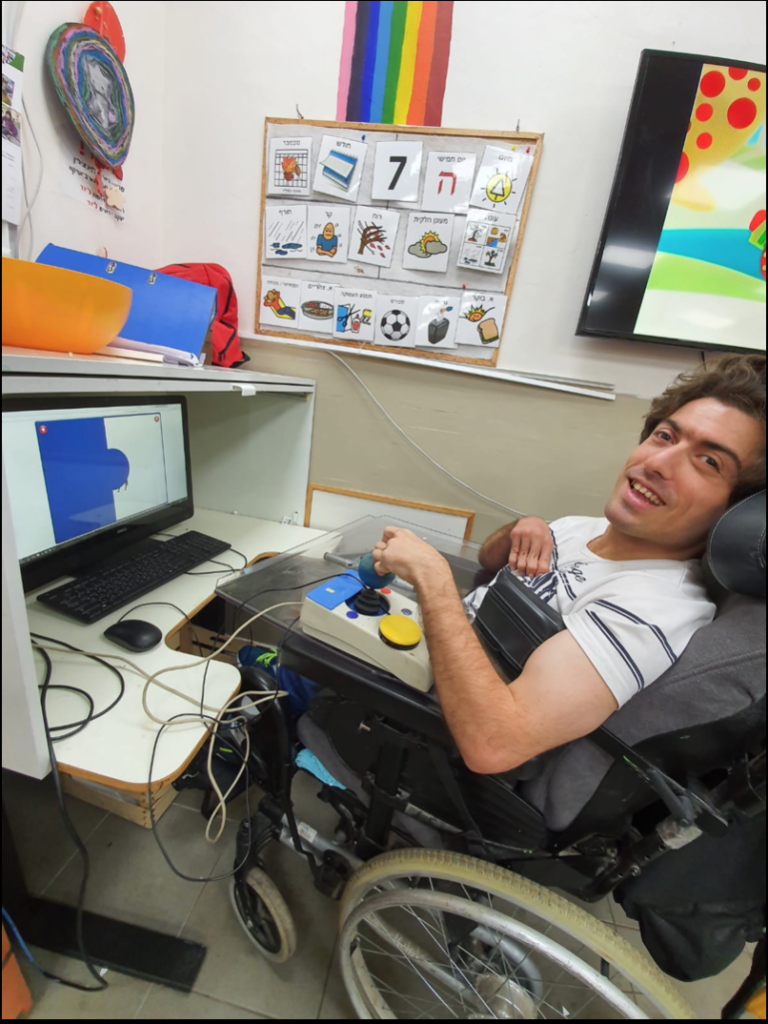
solution came unexpectedly, through cognitive work: S’ worked on the computer
on the Gingim gaming site using a switch, in simple action-reaction games, due
to the motor difficulty. In order to promote him to more complex games, he
began to practice working with a joystick; S’ began the work in individual
therapy with an occupational therapist, and gradually the use of the joystick
was transferred to the staff. He now plays on the computer almost daily.
Not only does the joystick allows S’
independence in using the computer and a higher level of cognitive practice –
it has also allowed him immense personal empowerment, which filled him with
pride and joy. Gradually, the complaints about eating and walking disappeared,
and the questions changed: “When do I play on the computer? Have you seen
how I play on the computer? Do you know that I play on the computer alone?”
Today S’ plays on the computer almost
completely independently, practicing high motor and cognitive skills – but most
importantly: he is much happier, satisfied and self-confident.
During each year of activity an ITM
(interdisciplinary team meeting) is held for every client, to which all
concerned with the client’s care are invited – the center staff, the health
care team, the social worker, the client’s family and of course the clients
themselves. During the meeting we discuss the client’s progress during the year,
the application of their personal program, successes and difficulties, and
raises questions and ideas for further work in the coming year.
Since
many of our clients do not communicate verbally, they are often unable to fully
express their thoughts on their personal program, and request for any changes to
be made. Therefore, we have designed a communication board for each client using
the TouchChat app, which focuses on their personal program and allows them to
express their thoughts and wishes. Even verbal clients benefit from the
communication board, as it helps them with visual representation.
As preparation for the ITM, each client sits with a staff member, and through the communication board, discusses their personal program – what goals they likes or dislikes, whether they feels they have progressed on a particular goal, and if there are any changes they would like to make. The answers are recorded and attached to reports prepared for the meeting by the various professionals.
In this way, the client’s voice is heard, and they are able to take an active part in designing their personal program. We see our center as a community where all members have an equal voice, and the ability to influence the reality around them.
We use cookies on our website to give you the most relevant experience by remembering your preferences and repeat visits. By clicking “Accept All”, you consent to the use of ALL the cookies. However, you may visit "Cookie Settings" to provide a controlled consent.
This website uses cookies to improve your experience while you navigate through the website. Out of these, the cookies that are categorized as necessary are stored on your browser as they are essential for the working of basic functionalities of the website. We also use third-party cookies that help us analyze and understand how you use this website. These cookies will be stored in your browser only with your consent. You also have the option to opt-out of these cookies. But opting out of some of these cookies may affect your browsing experience.
Necessary cookies are absolutely essential for the website to function properly. These cookies ensure basic functionalities and security features of the website, anonymously.
Cookie
Duration
Description
cookielawinfo-checkbox-analytics
11 months
This cookie is set by GDPR Cookie Consent plugin. The cookie is used to store the user consent for the cookies in the category "Analytics".
cookielawinfo-checkbox-functional
11 months
The cookie is set by GDPR cookie consent to record the user consent for the cookies in the category "Functional".
cookielawinfo-checkbox-necessary
11 months
This cookie is set by GDPR Cookie Consent plugin. The cookies is used to store the user consent for the cookies in the category "Necessary".
cookielawinfo-checkbox-others
11 months
This cookie is set by GDPR Cookie Consent plugin. The cookie is used to store the user consent for the cookies in the category "Other.
cookielawinfo-checkbox-performance
11 months
This cookie is set by GDPR Cookie Consent plugin. The cookie is used to store the user consent for the cookies in the category "Performance".
viewed_cookie_policy
11 months
The cookie is set by the GDPR Cookie Consent plugin and is used to store whether or not user has consented to the use of cookies. It does not store any personal data.
Functional cookies help to perform certain functionalities like sharing the content of the website on social media platforms, collect feedbacks, and other third-party features.
Performance cookies are used to understand and analyze the key performance indexes of the website which helps in delivering a better user experience for the visitors.
Analytical cookies are used to understand how visitors interact with the website. These cookies help provide information on metrics the number of visitors, bounce rate, traffic source, etc.
Advertisement cookies are used to provide visitors with relevant ads and marketing campaigns. These cookies track visitors across websites and collect information to provide customized ads.