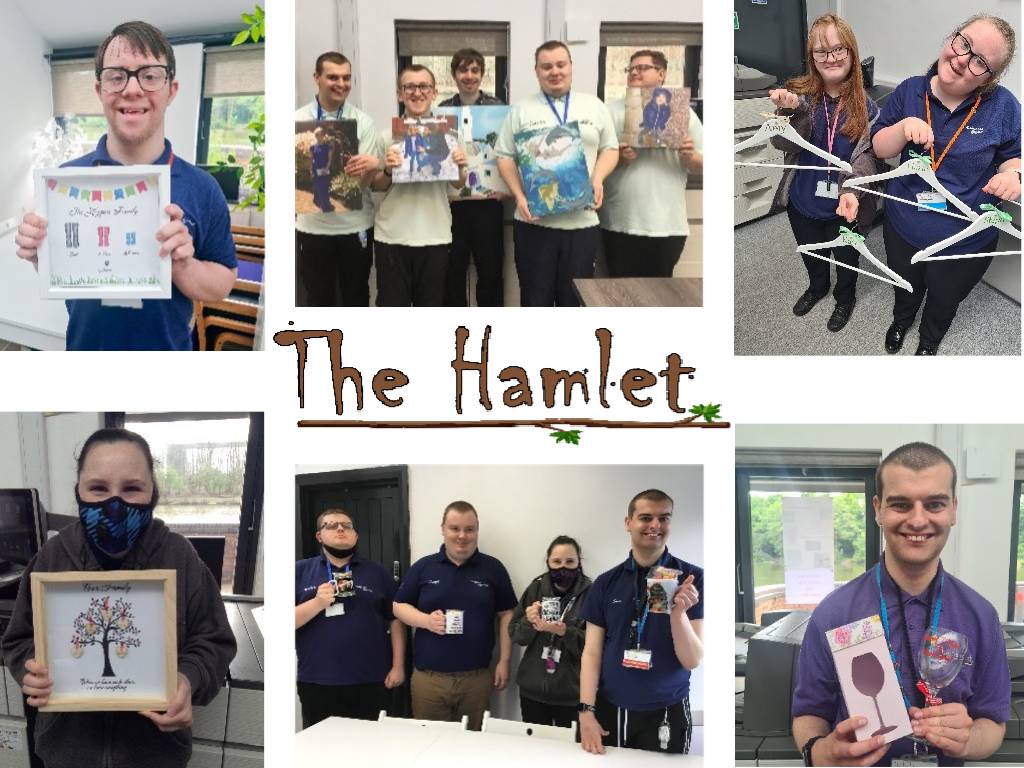
Lakeside printing at The Hamlet has just been going from strength to strength.
Running up to Christmas, Lakeside became a hub of excitement, making thousands of Christmas cards, T-Shirts and mugs for some local schools. The trainees worked in a production line with everyone having a roll, from using Photoshop to design, to using the heat presses to create or the final roll of packaging and quality control.
With the equipment that was donated from The Karten Network, Lakeside is fast becoming the place to go for printing in the area.
The list of products we create is extending. From personalised framed images to baby grows, T-Shirts, jigsaws, glass chopping boards etc. there are gifts and products for every occasion.
For our trainees to have the opportunity to produce quality products that are bought by the public is fantastic. To see their faces when someone purchases their designs is the most rewarding feeling imaginable. Being open to the general public gives not only our trainees the chance to feel empowered, but also gives the public the opportunity to see the skills and talents that our young people truly have.
I am a firm believer that it’s hard to be what you don’t see, which is why representation is so important!
Former England rugby player Rob Burrow recently read CBeebies Bedtime stories on International Day of Persons with Disabilities. But why is this significant?
After winning 8 super league titles with the Leeds Rhinos, Rob was diagnosed with Motor neurone disease in 2019. Rob now uses an Eye Gaze computer with The Grid technology to speak for him, allowing him to use his eyes to select the words on the screen he wants to say, and the tablet will read it out loud.
In the BBC news segment reporting the story they speak to Lucy, a young girl who herself uses a computer to communicate. Lucy and her mum explain how Lucy has watched Bedtime Stories her whole life but has never recognised herself in the readers before.
Rob marks the first non-verbal storyteller on the legendary children’s show but not the 1st reader with a disability. He joins amputee Alex Brooker and hearing impaired actress Rose Ayling-Ellis who have both read stories this year.
The story BBC chose was ‘Tilda Tries Again’. An inspirational story about a little girl who overcomes challenges when her world turns upside down. It’s a lovely book about perseverance, resilience and determination even when things feel impossible. Something I’m sure everyone can relate to.
Well done BBC and Rob for taking this important, inclusive step which will hopefully go towards breaking down barriers for the next generation.
Hayley Ross, Digital Skill Tutor Jewish Care Explore.
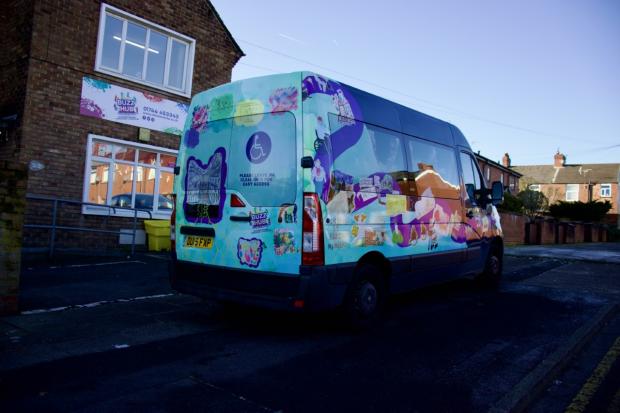
Buzz Hub members, an organisation aimed at creating opportunities for disabled people, and artist Rudy Loewe, collaborated on the Envisaging Futures artwork which people can now spot around St Helens.
The graphic artwork is displayed on one of the Buzz Hub’s community vans and was created to highlight invisible disabilities and represent the personalities at the organisation.
The artist has previously collaborated with the organisation, with Buzz Hub excited to work with Ruby, who has been selected for contemporary visual art festival Liverpool Biennial this year.
David Webster, partnerships and opportunities manager at Buzz Hub, said:
“When the Heart of Glass approached us around this project, Rudy visited Buzz Hub on two or three occasions developing artwork, where members did self portraits and artwork representing different areas of our service.
Everything that is on the bus has been created by our members. It’s been an inspiration that members have an opportunity to see their artwork in a living form and is seen by members of the public on a daily basis.
I think it will spark a lot of interest as it travels around St Helens.”
People at Kisharon found the Karten Suite especially helpful during the Covid pandemic, including being able to register their own Covid tests on the NHS website independently. Now the equipment is put to good use supporting our social enterprises and teaching IT life skills.
During the lockdowns those with learning disabilities, including many shielding at home, accessed Zoom exercise classes and various other sessions recorded on the Karten iPads and computers.
Since then, many of the 14 individuals using the Karten Suite every day – averaging a total of 8 hours’ use a week – find it underpins Kisharon’s packaging and fulfilment work.
Computers and iPads are used to email the manager of our gift shop about arrival dates, order stock from suppliers including Tesco and Amazon and access Excel spreadsheets to store customer information and keep track of orders. The iPads proved handy when taking photos for the garden project at the library. These photos will be displayed at an upcoming charity art exhibition event.
IT skills learned at the Karten Suite have also improved users’ independence and self esteem.
Kisharon people have set up email addresses and learnt how to log in to their emails, written up personal targets, learnt to use YouTube, created work CVs and profiles and even booked social plans online and used Google Maps to find the best route!
Bag My Treats Enterprise
One of the other things which runs directly from the Karten Suite is the Bag My Treats Enterprise. This is run end to end by the people we support.
They check orders which have come into the designated email account, process the orders by uploading the information onto a spread sheet, fulfilling the order contacting customers to arrange collection delivering the order to our gift shop for collection, sending a template invoice to the customer and then checking with Finance whether it has been paid.
Much of this work is carried out in the Karten suite. Previously this was the responsibility of a staff member and when they moved on the people we support wanted the chance to run the enterprise themselves and this is what they have achieved. Every element of the enterprise becomes a teaching point. IT skills are improved, people are able to use email create spreadsheets prepare invoices check and double check information. All key elements of the foundation tier of learning are covered, so their time encompasses maths, English and IT
As you can see, the Karten suite is put to excellent use and is enjoyed by many of the people we support.
As always, many thanks for your support.
Case study: Miriam’s story
Miriam graduated from Langdon College this summer and started volunteering at Childs Hill Library in Cricklewood which Kisharon runs. We devised a personalised programme of learning, including improving her IT skills and work experience. This included work at Kisharon’s Tuffkid Nursery, and reading with children at a mainstream Jewish school.
Now based at the library, she writes birthday and greeting cards to Kisharon volunteers and manages a reading project at a local school. We are very proud of what she achieved. She is testament to the wide range of tasks that people with different abilities are capable of. We hope that this combination of skills development and work experience will lead to a paid administrative role.
Miriam said: “I find all the different jobs I do very good because they help me learn new things. At the beginning of the year, I never knew how to laminate but after having worked at the school, I feel very confident at this. Similarly, I could never cut precisely, but now I am very good at it. I have learnt to get the library ready for opening, carried out health and safety checks, and I feel confident answering customer queries. I love to help people in all the jobs I do.”
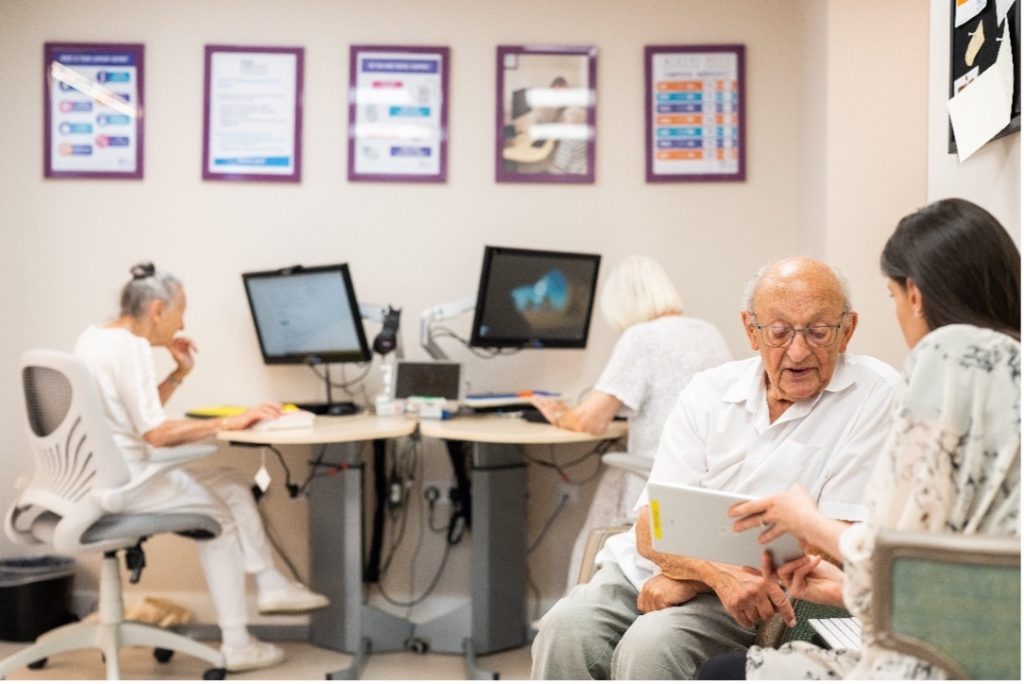
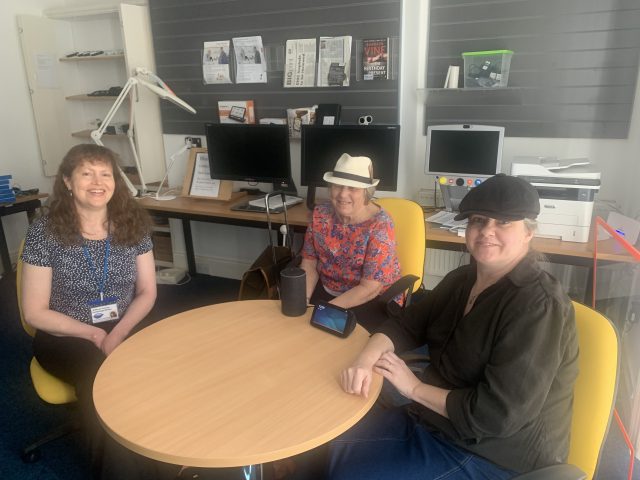
Jewish Care Explore – Jewish Care’s centre that supports our clients with everything associated with the world of technology – has expanded. Just over a year ago, we were delighted to open our doors at The Ronson Family Community Centre on the new Jewish Care Sandringham campus in Bushey, Hertfordshire.
Resembling Jewish Care Explore based at the Michael Sobell Centre in Golders Green, our new centre is equipped with a variety of hardware including iPads, iPhones and Android smartphones and tablets. These are freely available on a drop-in basis for anyone to use whether they are a total beginner or someone who is adept with their device, but wishes to gain more knowledge about specific capabilities, such as the accessibility functions for visual impairment. In addition, the Centre has a range of specialist accessories for people with visual or physical impairments. On the software side, we regularly find new apps to demonstrate to our clients, such as iPad’s GRID, designed especially for those for whom talking has become a challenge. For a more structured experience, and by pre-arrangement, we offer courses ranging from PC and iPad basics to learning how to use Zoom, Facebook and Skype, shop online and how to send and receive email.
Since lockdown, when we all needed to adapt to life online and where the use of technology became key, we are delighted to now be able to meet face to face and to be able to keep our clients feeling supported in all ways with their devices. We call it “minding the gap” and we like to think that we are fulfilling our brief in ensuring that everyone who feels like they need tech support receives it from our friendly, empathetic and patient team, which includes our valued volunteers.
Cantraybridge have recently been awarded funding for our digital studio from the Karten Trust.
Cantraybridge is a college for students with learning disabilities and are in a rural situation. Digital technology is the way forward, and our students wished for new hi tech computers, VR equipment and 3D printers. This was provided from the funding by Karten and was greatly appreciated by all.
Cantraybridge have also been able to pay for a trainer to teach the students the techniques and knowledge, to be able to produce digital models and eventually, work on 3D printing. Here are a few pictures of the department and the students who are learning on the equipment.
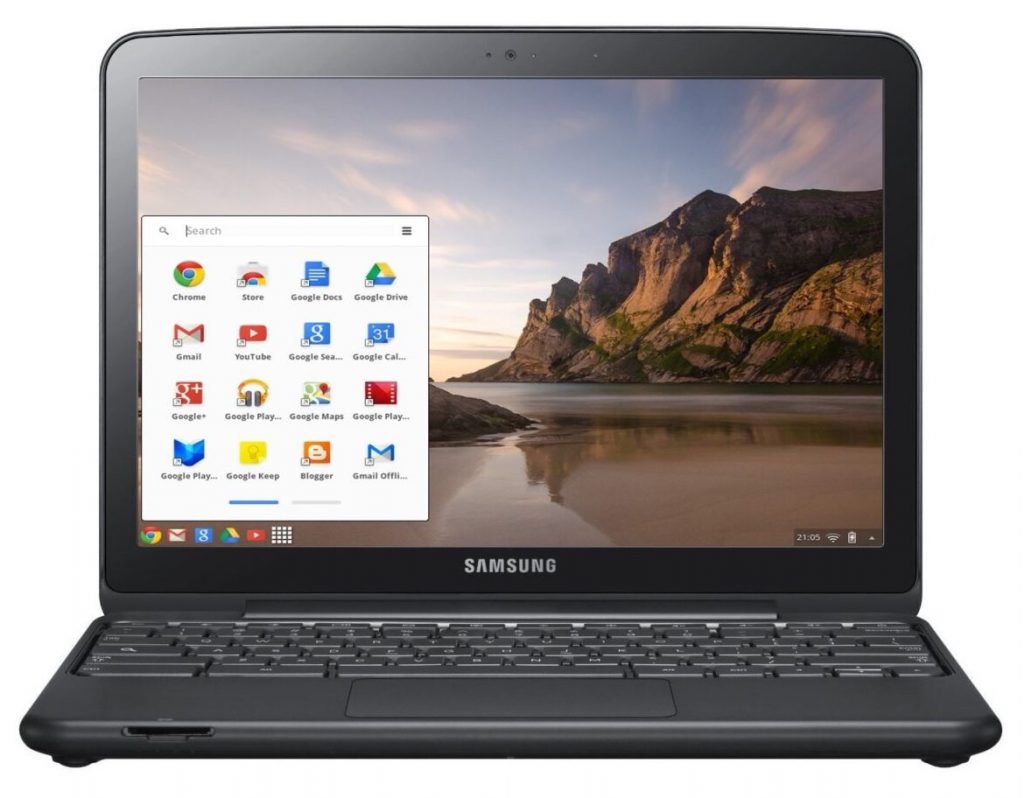
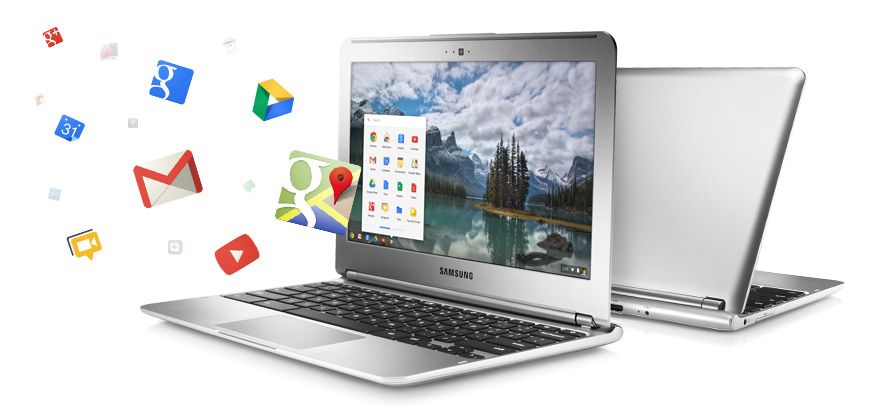
A chromebook is a laptop computer which has the google chrome operating system built-in. Just like windows and Apple Mac computers, Chromebooks can be used for everyday tasks such as word processing, working with email, using the internet and so much more. They are also a lot cheaper to buy, although if you have never used one before, it does take a bit of getting used to. However, I am one of those people who did decide to persevere and learn how to use a Chromebook and it is now my laptop of choice.
Why choose a Chromebook?
As I have already said, they are a much cheaper alternative to windows and Apple computers. The main reason for this, is because they require very little storage, my Chromebook only has 32gb. This is of little concern because any work I do is saved and backed up online automatically. For me at least, this is a huge advantage, as it means that I don’t have to back anything up on to an external device such as a memory stick or SD card. It also means that, if for any reason my Chromebook stopped working or was lost or stolen, I could just replace it for less than £200 and all of my previous work would be immediately available after signing-in with my Google account details. While there are other online storage services available, in most cases, you can only use a limited amount of storage. You will then be charged either monthly or yearly if you want to use more. This is not the case with Chromebooks, unless you need to store vast amounts of information. The final point to note, is that Chromebooks don’t pick up viruses very often if at all, because they are continually performing automatic updates in the background when the device is switched on. There is nothing you need to do, just let the Chromebook do the work.
So now we need to ask the question, how accessible are Chromebooks for people with a visual impairment?
The short answer is completely accessible. They have a number of built-in accessibility features to assist people who have low vision or for those who are unable to see the screen and therefore need to use a screen reader. Google’s version of a built-in screen reader is called ChromeVox and it can be used to navigate the entire Chrome operating system and will also work with the Google suite of apps which include:
Google Docs [for word processing];
Google Sheets [ when you need to work with spreadsheets];
Gmail [for email];
Google Chrome [for web browsing];
Google slides [for PowerPoint presentations];
Google Calendar [for scheduling and keeping track of appointments]; and
Google Drive [where all of your files and folders can be accessed]
To turn the ChromeVox screen reader on, press the keystroke Control+alt+z. This is a toggle keystroke to enable and disable the screen reader. When you turn ChromeVox on for the first time, you are taken through a quick start tutorial, which walks you through the basics of using ChromeVox. There are also other fantastic help features built-in to the screen reader, mainly a keyboard learn mode and a keyboard commands menu, which you can access at any time by pressing certain keystrokes.
Final thoughts
After making the decision to purchase a Chromebook and persevere in terms of learning the new operating system and screen reader, I can honestly say that the positives far outweigh the negatives and while Chromebooks obviously won’t be everyone’s preference, they should be seriously considered when making the decision about what computer will best suit your needs.
For more information, please contact Stuart Beveridge.
Students from St Helens Buzz Hub participated ine the Oral History Festival. We hosted a special edition of BuzzTV featuring interviews we conducted as part of St Helens Oral History project. As part of this project students interviewed local and national figures. Many of these were record the interviews in the heart of St Helens Library and later displayed in the Library.
The Hive – episode 2
We are proud to present the second episode of The Hive, showcasing many of the activities our students have participated in.
Hi everyone! I’m Finola, and I wanted to write to you all to share my experience of working with my college’s Communications Team this academic year. I have had great fun furthering my Marketing & Digital Communications skills, through producing a variety of social media content for Homefield College’s accounts (Facebook, Instagram & LinkedIn), as well as blog posts on topics such as Social Anxiety, Safer Internet Day and Employer Encounters for the website.
In addition to this, I have learnt lots of new design skills including how to use Canva (to create simple but impactful graphics), Meta Business Suite (to schedule Facebook & Instagram posts), WordPress (to upload and edit website content), LinkedIn (to promote the College and the work we do) successfully and navigate Mail Chimp to create Bulletin Articles for the ‘Homefield Happenings’ News Bulletin that gets emailed out to students, parents, and carers.
My confidence has soared in lots of areas of Marketing, but my stand out progression area has definitely been accessibility. I now have a clearer understanding of how to adapt content for those with impairments and other disabilities. Whereas, when I first started, I wasn’t aware of how to change content to make it easier for other to digest / see. Brand guidelines and contrasting font and background colours are the first thing I think of now! I am still learning about which are the best colour combinations to use when, but I have a big awareness of its importance now!
Some of my placement highlights have been getting to develop my strong narrative voice even more, and adapting my written words to suit a range of audiences. It has been really informative for me to learn how I can use content and then repurpose it, because I am usually just used to just writing a new piece for each task I’m set. Shadowing the professional photographer that came to shoot some images for our website a few weeks ago was also really enjoyable, as I was shown tips and tricks for how to capture the best images / videos just using my iPhone camera, as well as having the opportunity to shoot a slow-motion video that I used to create an Instagram Reel with.
I have been challenged to push my creative boundaries even further and loved being able to have a part in the College’s social media presence. It has been a learning curve for me in some areas, but on the whole, it has been amazing! So much so, that I have applied and got an interview for a Digital Communications Apprentice position at the College & have been offered some paid work over the summer within that team, which I’m really looking forward to doing.
In August 2021, ESPA College South Hill was granted funding and official Karten Centre status and saw the successful installation of a brand new Sensory Room.
ESPA College South Hill is an education setting for young autistic people between the ages of 16 and 25 years. The majority of students have additional and complex needs, including learning disabilities, ADHD, mental health conditions, behaviours that challenge and sensory issues.
The sensory space was created in collaboration with Mike Ayres Design and college staff. The team chose a suitable space in their building, and selected the very best equipment, to meet the complex sensory needs of their students.
The Sensory Room features:
Large bubble tube
Rainbow light bar
Tactile cause and effect wall panel
Sound and light wall panel
Interactive fibre optic unit
Sensory projector
Sparkle cloud
Integrated audio and visual system
The sensory needs of our students can be a barrier to their education, so the installation of this state-of-the-art Sensory Room supports students to manage their sensory needs; making it easier to focus and participate in lessons and community activities.
The room is used, at present, for two 2-hour sessions per day (Mon-Fri). This is a mixture of individual and small-group use (usually a maximum of three students at one time).
Because the users of the room have full control over the mood created, the room can be quiet and calm, or stimulating, depending on what the individual requires. When someone is craving some sensory input, the Sensory Room can be the perfect place for them to get the stimulation that they need. The room is also used regularly to implement established sensory routines in order to reduce or manage sensory overload, and regulate sensory input.
Sessions within the room can be for small groups – which encourages socialising amongst the learners – or individuals, who like to use the space help to manage emotions and reduce anxiety and stress. It can also be a safe place to practice coping skills and emotional regulation strategies.
Our learners and staff at South Hill have had access to the new Sensory Room since the beginning of the academic year and the feedback has been overwhelmingly positive. We have been providing inductions for ESPA residential staff, so they can use the room for their service users when the college is closed (evenings and weekends). We have also opened in holiday times for our residential services. This is something we would like to increase once people become confident using the equipment.
Case Studies
Katie and Sarah use the Sensory Room twice a week. They both use the room for different reasons and get different outcomes from the sessions that take place.
Katie
Katie likes to go into the room and enjoy the quietness as this really helps her to self-regulate. She likes to listen to Disney music whilst in the space and interact with different pieces of equipment; most often she likes to entwine the string lights through her fingers and watch the different colour changes that occur. The texture of the strings on her hands as she moves them through her fingers stimulates her senses through touch and sight. The sensory input that Katie requires is high, and she needs her senses stimulating throughout the day, in different ways, using sensory items and objects.
Katie enjoys watching herself in the mirrors and seeing her own reflection, and the facial expressions she makes, whilst watching the bubble tube. She will focus on the bubbles moving up and down the tube, and watch as it changes colour after a few seconds. Occasionally, Katie will watch what staff are engaging with and, with some encouragement, will explore the equipment herself. Katie will watch staff interacting on the sound box drums on the wall and she will move closer and then start off one at a time by pressing one of the buttons and then copying the sounds the staff make. Eventually she will carry on doing it all herself.
Sarah
Sarah loves all the different colour and mirrors in the Sensory Room. She loves to explore the different textures using her hands and feet. Sarah loves to remove her socks and feel the different textures of the flooring and mats with her feet. Sarah will move around the Sensory Room and explore the different texture of the equipment; again with her hands or her feet.
Sarah loves to sit on the mats near the by bubble tube and watch herself in the mirrors and explore and watch what others are doing around her. She will pull faces in the mirrors and occasionally she will touch the mirrors if she sees something she likes. Sarah will also interact with the bubble tube; watching the bubbles move up and down the tube and exploring the colour changes. Sarah can get very fixated with the bubble tube and she will lie on the mats next to it and explore everything about it; the colours; the different shapes of the bubbles; the way a few bubbles stick together. She finds all of this so interesting and curious and she expresses this through her facial expressions.
Throughout Katie and Sarah’s sessions in the Sensory Room both students are encouraged to use different pieces of equipment and try and engage their senses through touch, sight, smell and sound. We have found that if for any reason we miss a session in the Sensory Room both Katie and Sarah’s behaviour can change. This is apparent through their body language towards staff, and refusing to listen to staff, or becoming very mischievous and running to different parts of the college.
The Sensory Room plays a very big part in Katie and Sarah’s education as they need their senses stimulated, otherwise they would find their day hard to cope with. By using the Sensory Room, Katie and Sarah can learn in different ways and absorb information differently. The sessions are very much tailored to each student’s needs.
Additionally, by using the different equipment with both Katie and Sarah, this helps both students to improve their colour recognition and fine and gross motor skills. It also helps with hand/eye coordination.
Georgia
Georgia really enjoys it in the Sensory Room. She relaxes a lot by the bubbles tube and watches the colours change. She also enjoys watching the colours on the Sparkle Cloud. She is also known to fall asleep sometimes! The room really helps Georgia relax.
Our immediate focus has been responding to direct need from our members and initiating a mix of face-to-face (when it was safe to do so) and remote training sessions as planned.
Our Centre has adopted a cautious reopening approach over the past 12 months to keep members safe, recently returning to being open four days a week. The equipment we were able to purchase from Karten has enabled us to deliver hybrid remote and in person training during this time and for those who may still lack the confidence to attend in person.
We’ve also been able to respond to requests for Braille training, with a number of sessions delivered. One example included a face-to-face session for five learners in November, who had previously taken part in Braille Alphabet sessions over Zoom. The members were able to get hands-on experience of this new technology including the Braille frames.
Writing is accomplished by placing a piece of paper in the slate, aligning it correctly and closing the slate. The person writing begins punching the dots in the upper right corner of the frame and works backwards towards the left. In addition, each combination of dots, which members had previously learnt, had to be completed backwards (flipped), so that when the paper is removed and turned over, the braille reads correctly. This was quite a task to master; however, the group really enjoyed the challenge and a couple of members loaned the slates to continue practicing at home.
We also looked at the much-awaited Hable One device which is essentially a braille keyboard that can be hooked up to tablets and phones using Bluetooth. The keyboard is used in conjunction with a screen reader and can be used for both navigation and text input. What makes these devices so amazing is the fact that they can be used by people who would normally struggle to perform the complex gestures needed to navigate phones and tablets using a screen reader and is much easier to master than having to learn to touch type.
The new chairs and tables were also used with positive feedback about comfort in the IT Suite. The Braille embosser has been put to good use especially with remote training, with resources printed and sent to members in advance of Zoom sessions. Fingerprint Braille course volumes have also been loaned as planned to members. We have also been able to produce learner documents in Braille and have been able to respond to transcription requests from members of the public.
Laptops and desktop computers with Zoomtext Fusion software and MS Office have been used to deliver both face-to-face and remote sessions. We also have a learner booked in to receive training on the Dragon Dictation software.
We are also planning on launching accessible gaming sessions in the future using the funded digital gift cards from Karten.
Case studies
Anon
After losing his eyesight in 2019 due to an accident at work, Anon’s journey was impacted by the pandemic meaning he hasn’t been able to adapt to his condition as quickly as he may have done.
Since becoming a member at Beacon, Anon has been enjoying I.T. and assistive technology training, making progress in learning to touch type. He has also started to explore how he can use the Mac iOS screen reader.
Anon is aiming to return to employment working in technology and with computers, meaning the course and Karten equipment is providing him with invaluable skills and confidence to regain his independence. Anon will also be supported through our employment programme.
Anon learning with equipment provided through Karten.
Nathan
Nathan began to lose his sight in July 2021 due to Leber hereditary optic neuropathy. Formerly a scaffolder and very independent, Nathan has struggled on occasion to come to terms with his condition which has gradually worsened as time has gone by.
Since being referred to Beacon, we are helping Nathan to adjust and learn new skills, allowing him to boost his confidence and regain his independence.
Since joining, Nathan has had cane training allowing him to get around unaided empowering him to meet his friends and family, run errands and attend appointments. He has also attended a Fab Lab training course.
Having developed his confidence a little more, Nathan recently began using Karten equipment through IT training. He has become more proficient in touch type and can now easily navigate the keyboard. This has enabled him to explore using new technologies such as the Windows screen reader.
Nathan would like to pursue a new career and attend college, where we are positive that he will be using assistive technology with confidence following his training.
Our IT suite was in dire need of upgrading and we were very fortunate to receive a grant for refurbishment from not only the Karten Trust but other trusts as well which enhanced the grant we received.
Since our refurbishment we have been able to not only upgrade the PCs in our Centre but also the accessories, laptops and software. During the recent Covid period this was a lifeline for us and the people we serve. We were able to re-open and continue to stay open throughout the lockdowns in 2021 due to the better technology we had in place.
In the words of our students
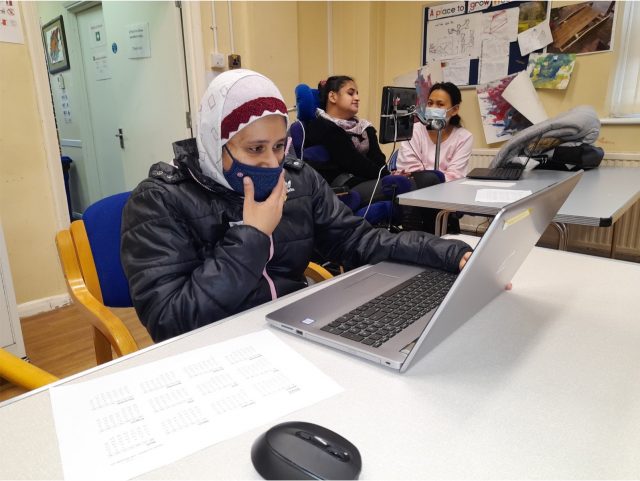
The New IT suite is great recreation for the students and works well as a fully equipped break-out space.
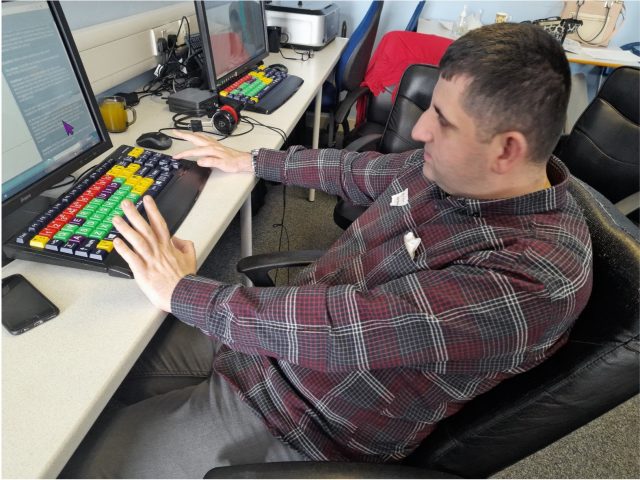
”I like the new keyboard because I can see better because of the colours and the bigger keys. I love to watch Lorraine Kelly in my Free Time at the end of the lesson. It is something that reminds me of home.” – Kadr
Using the PC’s for charity work
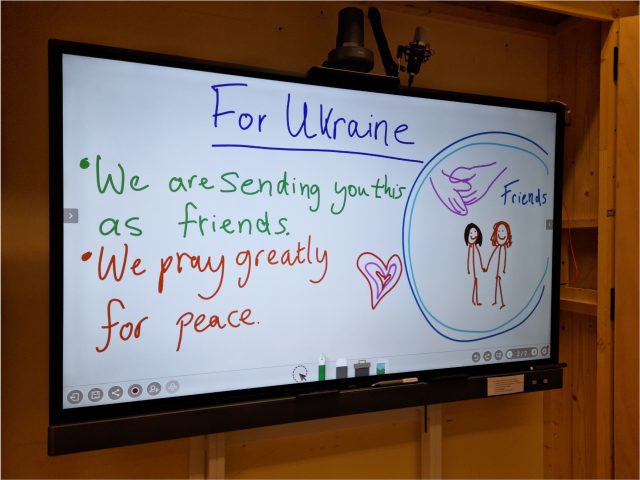
Student used the new PC’s to write letters to people from Ukraine to go alongside our First Aid supplies collection. These letters were included in our Caritas Newsletter which was sent out across the Diocese of Westminster.
Hard at Work!
“I get to type in what I do at the Day Centre. The Projects are good. I find it easier with the new equipment. The staff are very friendly.” Matthew
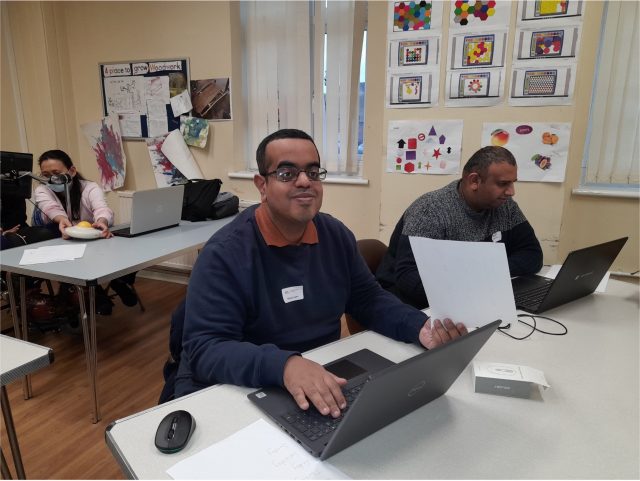
New laptops for our life skills classes
Fancy new iBoards for group work and research…
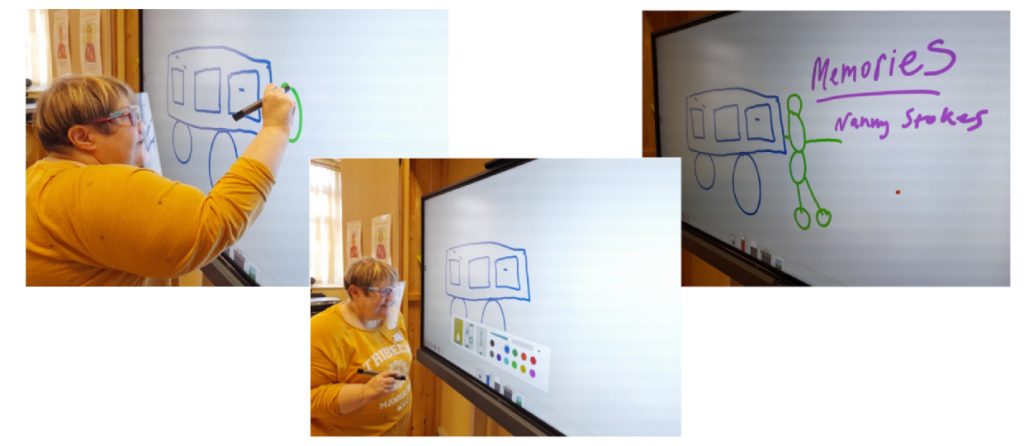
One student, delighted to be using the iBoard to express her fond memories of holidays with her family and “nanny Stokes” in front of the class.
Miles of Smiles in “Exploring Words and Numbers” class
The Leicestershire Local Enterprise Partnership (LLEP) has awarded £300,000 in grant funding to seven local projects addressing digital poverty. The LLEP grant funding supports a range of innovative projects across the city and county, including recycling devices, laptop lending, skills support and digital buddies who can provide one-to-one help.
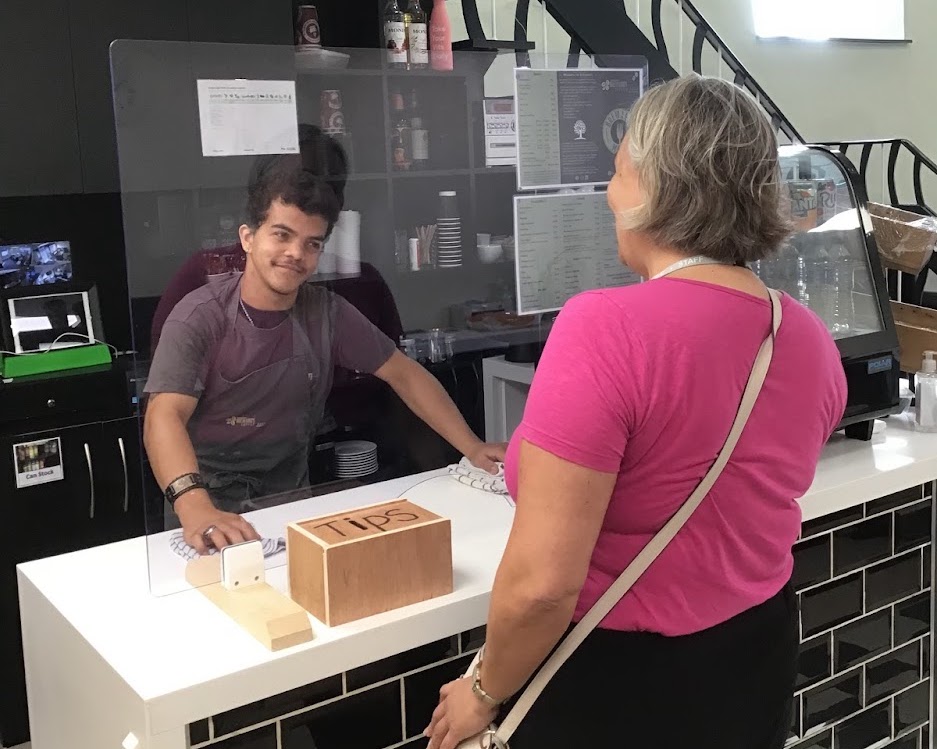
Homefield College are delighted to announce we’ve been awarded a digital poverty grant to establish a Student Assisted Technology Coaching at our college enterprise Breward’s Coffee Shop in Mountsorrel, Leicestershire. Our students will provide the elderly, jobseekers and disadvantaged people within the Mountsorrel area access to the internet, devices and technological support on a weekly basis.
The Breward’s Hub will help break down technological barriers in the local community, and students acting as technology coaches will develop their social, communication and employability skills in the process.
This is an exciting opportunity for our students to make a difference to the local community, and we will keep you updated as the project progresses.
Since the Covid pandemic hit in 2020 many people have adopted new technology as a way of keeping in contact with others and doing basic tasks like shopping online. However imagine what life would have been like if you could not see your computer or smart device during the past two years. For many people experiencing sight loss in the UK, specialist IT training with accessible technology has been very difficult to get during the pandemic.
During both lockdowns and beyond, Vision North Somerset was able to provide IT support to people who have experienced sight loss using a virtual platform. Digital coordinator Jo Healy, who is herself visually impaired, was able to give IT support to people using screenreader software over the phone. In a time when it was impossible for people to meet physically, Jo’s experience as a screenreader user made it possible to continue tuition for some by simply listening to the client’s screen reader down the phone. Alternatively, Jo was able to take over a client’s PC using Quick Assist and help them remotely. This type of support was invaluable for many people who would have been otherwise isolated during this time.
At a time when the whole world was keeping in touch via zoom and similar platforms, Vision North Somerset found that many of their service users had initial barriers to using this software. For this reason, during both lockdowns and beyond, Vision North Somerset has been able to support social interaction via an accessible conference calling package. This conference calling package rings group participants at the start of the meeting, which means they do not have to struggle with putting in telephone and pin numbers into the phone. Vision North Somerset were pleased to be able to support some of their physical groups who met in person to continue meeting on the phone, as well as creating new groups such as an audio book group, general conversation groups and a group for people interested in the arts.
During the Month of March, Members of Buzz Hub St Helens CDP had six exhibitions running in and around St Helens Town Center.
20:20 print exhibitions
We had our members 20:20 print exhibitions within the Millennium Center. The prints formed part of an international print exchange organised by Hot Bed Press.
Artwork by David, Julie and BillOther examples of our prints were shown in shop windows within the TownFaye and Laura with their artwork
This Exhibition is Rubbish
Artwork created by members using recycled rubbish. Exhibited within the Coffee shop in St Mary’s market.
Artwork by Melissa, Laura & Faye
Blanket exhibition
The many uses for a Blanket exhibition held in an empty shop space. Blankets created through different art mediums. Displayed for people to visit the space and have a picnic.
Cheryl and Stephen at the blanket exhbition
Through the Looking Glass
Our Through the Looking Glass project exhibited within the World of Glass. This explores members ideas around time travel and what a future may look like. This is exploring ideas through conversation and Artwork.
Time Travel inspired Artwork created for the exhibition by Victoria and Bill
Rock Your Socks
This exhibition was to highlight and celebrate World Down Syndrome Day.
Our members at the exhibition
It formed part of a celebration culminating in a sponsored walk in aid of funds for Mencap.
We used the Wide Format printer for the posters and the prints. Prints for our Recycled rubbish Art Exhibition. HP Envy laptop to edit the photographs and the HP Omen. Great equipment which produced great results.
We were approached at the end of last year by members of the Local Authority Transition Team. The team wanted to develop an accessible information site for young people in transition. The team consulted with our members around its full development. Our members developed / designed / animated / recorded and filmed the content. It was a great project to be involved in and the feedback has been amazing. View the transition information site.
Most of our clients here at Jewish Care Explore find the world of technology challenging.
What springs to mind when I think about what we do, is the image of a Tube train coming into a station with that well-known phrase “mind the gap!” blaring out.
The train is a symbol of the digital revolution. Some individuals climb on board without thinking too hard about it whilst others require support to navigate between platform and train.
We are constantly adapting what we do to best meet the needs of every individual.
Towards the end of last year, one of our client’s, Sara (not her real name), a woman in her mid-seventies, came in to see us with the request to assist her with setting up and becoming familiar with her newly purchased android smartphone.
It was immediately apparent that Sara would benefit from using a stylus – a useful aid for individuals for whom touch screen contact is challenging.
But several sessions went by with very little overall progress being made. Each new session was starting to resemble the previous one and the one before that. Sara was just not getting a hang of making and receiving calls on her new device. It was disconcerting that she was arriving for her sessions with her phone still in its box! And this was after around 3 months! Sara was not making any attempt to use it and one day admitted to feeling overwhelmed by it.
It emerged that Sara had an anxiety relating to her new device. To make proper progress, we needed to address this. What exactly was concerning her? What was causing this worry? It was not just the sense of feeling overwhelmed that was concerning her, but she said that she was afraid of dropping it. We recommended that she buy a robust phone case. Easily addressed. A further concern was that she was uncomfortable to her device in public places. We reassured her that she would be in good company were she to make or receive a call whilst on a bus, but that she was correct to feel concerned if it rang whilst she was at the theatre, for example.
Whilst the stylus we offered Sara supported her physically, she also needed extra encouragement and support. Sara has now started to use her device, albeit cautiously. She is getting excited about the power of Google and the possibilities that exist to use her device to plan day trips. For us, we feel that we have gone some way to supporting Sara in bridging the gap.
The Karten Trust grant awarded to Toynton campus has had a substantial impact upon the campus as a whole by increasing the availability and use of digital tools for learners to communicate and to access the curriculum.
For learners with a range of disabilities that have been unable to access the college campus the purchase of iPads, webcams and microphones has provided the opportunity to receive a form of face-to-face delivery. This has had a significant and positive impact on inclusion for learners, and has also supported lecturers to deliver across site and into the learner’s home – something which would have been otherwise impossible.
As a result of the Karten grant, we are able to support and signpost learners, showing how they can access this equipment within their own home. This will allow them to transfer their skills in preparation for future independent lives.
Through Enterprise sessions, learners have been able to explore the assistive technology and have recently begun to use programmes such as Minecraft for education on the iPads to identify shapes within core skills, and work towards qualifications. Using the technology develops the learner’s cognitive skills and we have seen an increase in learners using collaboration and problem-solving skills throughout other areas – supporting and encouraging their peers in social and emotional scenarios.
Case studies
Leah W
Leah has ADHD and delayed cognitive development. In support of any activity, Leah accesses the computer with a mixed colour upper case keyboard independently, and can complete tasks within busy environments with minimal adult support. Leah is developing her orthographic knowledge, and uses the keyboard to locate letters to support her spelling and to develop her reading skills.
Leah is easily distracted by noise due to a sensory issue. The headset grant-funded by the Karten Trust has supported Leah to self-regulate and enable behaviour independence. She accesses the computer independently, using the accessible keyboard to play music and avoid distractions from within the teaching and learning environment to focus and work towards qualifications while increasing her metacognitive skills.
Learner X
Learner X has cranionasal dysplasia with a visual weakening in both eyes: this has resulted in short-sighted vision and a requirement for large print. Throughout any activity the Zoomax magnifier converts the task into the font size required. The Zoomax is portable and supports X to develop independence and improve literacy skills.
Learner X’s aspiration is to work within the hospitality industry. At Linkage, hospitality sessions take place in an industrial kitchen, and embedding the talking equipment into the kitchen has supported X to access the course with minimal staff support. This learner has developed the skills to prepare hot and cold snacks using the equipment to a high standard, and is working towards a City and Guilds qualification. Learner X is looking for work experience within the industry with a view to gaining paid employment applying visual impairment strategies learnt within the college environment.
Through the TechAbility training, staff had the skills and knowledge to implement user experience virtualisation for learner X, personalising the approach to meet individual needs. Social interaction skills for X have developed over the academic year; and through using baked-in accessibility features and assistive technology, X has expanded listening skills, increased communication and reduced the level of support required within the sessions.
Photos of activities held in the Karten centres and outside of the classroom
The photo below demonstrates using the iPad within a media and horticulture session to take photos. Learners at Toynton have embraced the additional technology within sessions, and support peers to use it. Learners have developed online safety skills in an ever-changing digital environment.
Today in the UK, six people will hear the devastating news that they have motor neurone disease (MND). MND attacks the nerves, leaving people locked in a failing body, unable to move, talk and eventually breathe. Tragically 30% of people with MND will die within 12 months of diagnosis and over 50% within 2 years. There is no cure.
About nine in ten people with MND will be affected by weakness of the muscles involved in speaking. Gestures and facial expressions can also be affected, which means communication can become very difficult.
Rhian King is a speech therapist, her client who was diagnosed with MND in 2019 had significant difficulties communicating by only using occasional single words. Rhian arranged for her to receive an iPad with predictable app from the Karten Hub this year.
Her daughter lives abroad, she has not been able to visit since the start of the pandemic. Over this time her verbal communication skills have significantly deteriorated. She was able to visit her mum in September 2021 for the first time in 2 years. The iPad allowed them to spend time together and have a conversation which has been very challenging over recent months. It gave her a voice and a chance to connect with her daughter for the first time in a long time.
The iPad is the only way she can communicate effectively. The iPad gives her a voice with her family and close friends, without it, she would be completely isolated.
Giving someone a voice is one of the most important aspects of my job. Being able to communicate your wishes or just join in every day conversations can be key to a person’s wellbeing and being able to provide a tool to assist with this is so important. – Rhian King, Speech Therapist
Communication aids bring a lifeline to people living with MND, their families and carers. We have previously found that the NHS funds communication aids for fewer than half the people with MND who need them and 39% of those who do receive equipment wait for more than six weeks for the equipment they need.
When people receive a communication aid they are delighted, as they have sometimes struggled to convey basic messages for some time or have significant concerns about their speech deteriorating and being left without a voice. – Rhian King
To ensure people are able to communicate with those around them, the MND Association provides a wide range of communication aids to people with MND, either through an item of loaned equipment or through purchase of equipment to meet individual need. These include items such as the iPad and text to speech app described above, Lightwriters, Alloras, iPads and boogie boards.
The most recent funding provided by the Ian Karten Charitable Trust has allowed us to further expand the number of loan items we hold, and in total now consists of:
11 Lightwriters (including 7 new SL50 Lightwriters)
3 Alloras
16 Voice amplifiers
34 iPads with cases
1 Android tablet
5 Laptops
6 Headset microphones
4 Boogie Boards (LCD writing tablets)
20 Predictable text to speech app licenses
Having access to communication aids is invaluable. Often as therapists we know what tools and devices will be of benefit for our patients, but we do not have access to the funding to purchase & loan then the device they need. Speech Therapist
Over 160 people with MND have so far benefited from the use of the Karten Hub equipment provided to the MND Association, with many more to benefit in the future, helping us bring a bit of light in what can be very dark times.
When people are provided with a communications aid from MNDA they are amazed at how fast the service from referral to equipment loan is and both patients and family are grateful and thankful. – Speech Therapist
Treloar Enterprise Printing Solutions (TEPS), a Karten Centre at Treloar College provides high quality printing solutions, to business and the local community, on mediums such as china, textiles and paper. The TEPS Karten Centre helps the students to better understand the world of work whilst engaging in entrepreneurial activities.
Treloar’s were delighted to be awarded funding from The Ian Karten Charitable Trust in 2020 to purchase a new direct to garment and wide format printer and a replacement sublimation printer. This new equipment is much more accessible to suit the complex physical disabilities of the students at Treloar College, meaning they can get more involved in the printing process whilst learning a wide range of skills. Here is how Amos was able to use the equipment in the Autumn term to create some fantastic products for sale at Christmas Fairs.
Amos created some cat and dog treat bags which proved to be hugely popular with customers. By using the new equipment, generously funded by The Ian Karten Charitable Trust, he was able to do the heat pressing himself which was a great boost to his independence. As part of this work he undertook a survey to decide on what to make in the first place, he created a business plan, shopping list and budget for the contents, took orders, resized the design and printed directly on to the bags themselves. All of these activities are being used as part of his coursework and he has been learning skills like:
Choice and control;
Self-confidence in communication;
Problem solving and personal/social skills;
Team working;
Numeracy and literacy including budgeting, purchasing and sales.
Here are Amos’s thoughts “I love using the heat press. I learnt how to put the design on my product and we have sold out two times.”
Treloar’s students are incredibly proud of all the products they are able to create using the new equipment. The support from The Ian Karten Charitable Trust enables the students to gain transferable skills and knowledge that will allow them to make an easier transition into the world of work in their life beyond Treloar’s. Thank you from everyone at Treloar’s!
Each year, Homefield College run an inclusive skills competition for their students to design the corporate Christmas card for that year. The standard of entries is always very high, but for 2021 the standard was particularly impressive.
Students across all learning pathways take part, whether that’s part of their creative sessions or in their spare time for fun. Staff encourage students to be creative and experiment with different techniques and media. Thanks to equipment provided by the Ian Karten Charitable Trust, which is now held in the Vocational Centre after the closure of enterprise Sip & Surf in 2020, students access a wide range of art, design, craft and digital media techniques. Most recently, students have been learning about graphic design and becoming familiar with the software Adobe Photoshop.
The Senior Management Team were really impressed with all the artwork submitted, but one, in particular, stood out. The winning card, designed by first-year student Jamie B, showed an excellent grasp of graphic design, photo manipulation and digital composition. He used the techniques learnt in his Digital Media sessions to independently construct a beautiful design.
Congratulations go to Jamie for applying his learnt knowledge so well for the competition, to create such an original design that blew the SMT away. Well done to all who entered, and we look forward to seeing the fantastic range of work produced for Christmas 2022.
We use cookies on our website to give you the most relevant experience by remembering your preferences and repeat visits. By clicking “Accept All”, you consent to the use of ALL the cookies. However, you may visit "Cookie Settings" to provide a controlled consent.
This website uses cookies to improve your experience while you navigate through the website. Out of these, the cookies that are categorized as necessary are stored on your browser as they are essential for the working of basic functionalities of the website. We also use third-party cookies that help us analyze and understand how you use this website. These cookies will be stored in your browser only with your consent. You also have the option to opt-out of these cookies. But opting out of some of these cookies may affect your browsing experience.
Necessary cookies are absolutely essential for the website to function properly. These cookies ensure basic functionalities and security features of the website, anonymously.
Cookie
Duration
Description
cookielawinfo-checkbox-analytics
11 months
This cookie is set by GDPR Cookie Consent plugin. The cookie is used to store the user consent for the cookies in the category "Analytics".
cookielawinfo-checkbox-functional
11 months
The cookie is set by GDPR cookie consent to record the user consent for the cookies in the category "Functional".
cookielawinfo-checkbox-necessary
11 months
This cookie is set by GDPR Cookie Consent plugin. The cookies is used to store the user consent for the cookies in the category "Necessary".
cookielawinfo-checkbox-others
11 months
This cookie is set by GDPR Cookie Consent plugin. The cookie is used to store the user consent for the cookies in the category "Other.
cookielawinfo-checkbox-performance
11 months
This cookie is set by GDPR Cookie Consent plugin. The cookie is used to store the user consent for the cookies in the category "Performance".
viewed_cookie_policy
11 months
The cookie is set by the GDPR Cookie Consent plugin and is used to store whether or not user has consented to the use of cookies. It does not store any personal data.
Functional cookies help to perform certain functionalities like sharing the content of the website on social media platforms, collect feedbacks, and other third-party features.
Performance cookies are used to understand and analyze the key performance indexes of the website which helps in delivering a better user experience for the visitors.
Analytical cookies are used to understand how visitors interact with the website. These cookies help provide information on metrics the number of visitors, bounce rate, traffic source, etc.
Advertisement cookies are used to provide visitors with relevant ads and marketing campaigns. These cookies track visitors across websites and collect information to provide customized ads.